
Task & project management
WeekOrbit
Visual weekly planner with drag-and-drop scheduling, smart rollover, and built-in AI
Free online weekly planner with visual seven-day board, drag-and-drop task scheduling, smart rollover for unfinished tasks, daily and monthly views, and
Overview
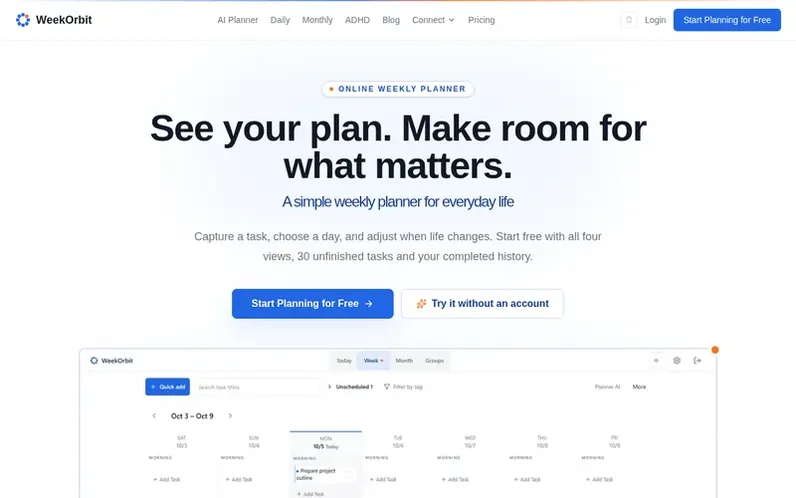
A look at weekorbit.com
WeekOrbit is a free digital weekly planner that replaces paper planners and offers an alternative to Google Calendar. It features a visual seven-day board where you can capture tasks, drag them between days and time blocks, and organize work using groups and color-coding. The planner syncs across all devices and includes four views: weekly, daily, monthly, and groups. It supports recurring tasks, smart rollover for unfinished work, and an ADHD-friendly focus mode with a calmer daily view. WeekOrbit includes a built-in AI planning assistant to help adjust your week, plus optional integrations through MCP and API for external assistants and automation.
Feature notes
- Visual seven-day board for weekly planning
- Drag-and-drop task scheduling between days and time blocks
- Four planning views: weekly, daily, monthly, and groups
- Smart rollover for unfinished tasks
- Recurring tasks with daily, weekly, monthly, or yearly options
- ADHD-friendly focus mode with calmer daily view
- Built-in AI planning assistant with 20 turns per day on free plan
- Cross-device sync across phone, tablet, laptop, and desktop
- Recurring task automation
- Task groups and color-coding
Pricing
Pricing model: Freemium
Free: $0 forever with up to 30 unfinished tasks, 2 groups, all four views, ADHD mode, drag and drop, 20 AI turns per day, and 100 API/MCP calls per rolling 24 hours. Pro: $19.90/year (save 57% vs monthly) or $3.90/month, including unlimited tasks, unlimited groups, recurring tasks, 500 AI turns per
Compare and explore
FAQ
- Is WeekOrbit completely free?
- Yes, the free plan includes up to 30 tasks, 2 groups, all four planning views, ADHD-friendly mode, drag-and-drop scheduling, smart rollover, and 20 built-in AI turns per day. No credit card is required. You can upgrade to Pro for unlimited tasks, recurring tasks, all four views, and 500 built-in AI turns per day.
- How is WeekOrbit different from Google Calendar?
- Google Calendar requires you to schedule every minute in time slots. WeekOrbit uses morning, afternoon, and evening time blocks, which is a more natural way to plan your day without the stress of hour-by-hour scheduling.
- Can I use WeekOrbit on my phone?
- Yes, WeekOrbit works on any device with a web browser — phone, tablet, laptop, or desktop. Your data syncs automatically across all devices.
- Does WeekOrbit support recurring tasks?
- Yes, you can set daily, weekly, monthly, or yearly recurring tasks. The system automatically generates new task instances on schedule, so you never have to re-enter routine tasks.
- Can I use this as both a weekly and monthly planner?
- Yes. WeekOrbit includes weekly, daily, and monthly views. Switch between them instantly to see the big picture or focus on a single day. All views share the same tasks, so your plans stay in sync.
Leave a review for WeekOrbit
No reviews of WeekOrbit yet. Run the first inspection.
Reviews are free and are never paid for. Open the reviews
Reviews and notes · Change log · Share the profile · Maker of this product? Claim the profile · Report a fault
WeekOrbit has a free listing. The owner can unlock the full profile with a paid launch for $5:
- Founder story (locked)
- Milestones (locked)
- Demo video (locked)
- Dofollow website link (locked)
Comparable tools
- SunsamaDR 73 · 0 community votes
- Actual PlanDR 0 · 0 community votes
- PriorioDR 54 · 0 community votes
- KaikuDR 18 · 0 community votes