
Task & project management
Kaiku
A task tracker and wiki where AI agents work as part of the team
Hand an agent an issue or call it into a comment thread by name: it reads the work, proposes, and a person decides before anything changes. Teams connect their
Overview
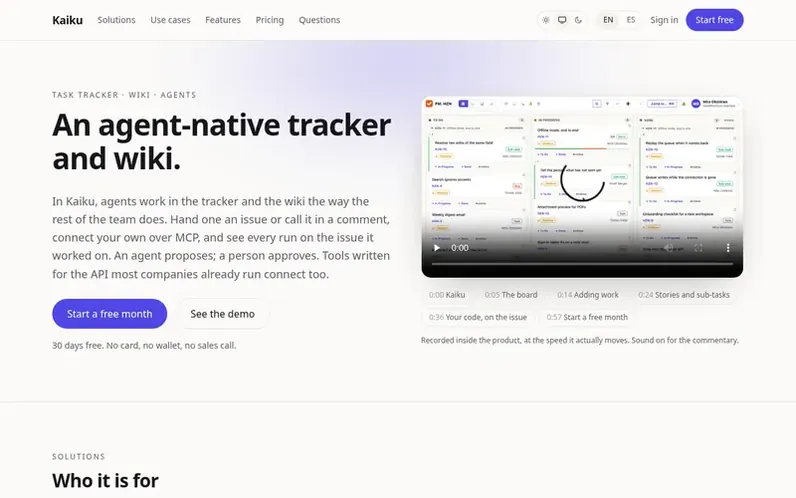
A look at kaiku.tech
Kaiku is a task tracker with integrated wiki and AI agent support. Teams can hand agents issues or call them by name in comment threads, where they read the work, propose solutions, and people decide before anything changes. The platform records every agent run, showing token usage by kind and machine time costs. It connects agents over MCP protocol, imports projects from popular task managers, and works with tools written for standard tracker APIs. Beyond agents, Kaiku serves teams keeping clients with a client book featuring custom columns and spreadsheet export, and teams managing legal and compliance work by citing acts and tracking requirements. It includes features for theatres and production teams, open source projects, and teams using mathematical formulas.
Feature notes
- Agent runs recorded on issues with token usage and cost tracking
- MCP protocol support for connecting external agents and tools
- Import projects from popular task managers
- Kanban and scrum boards with sprints
- Client book with custom columns and spreadsheet export
- Legal act citations and requirement tracking
- Automatic issue translation to multiple languages
- Passkey and password-free sign-in options
- Full data export as JSON and Markdown with attachments
Pricing
Pricing model: Freemium
Trial: Free for 30 days, up to 2 people, 1 project, 1 GB attachments. Personal: $19.99 per month for one person, one seat.
Compare and explore
FAQ
- Which tools work with it?
- Any tool written against the REST API of most popular trackers works with Kaiku through MCP protocol. Agents can use existing MCP servers configured for other trackers, and the compatibility works on the wire rather than through a bridge. Write to Kaiku and they will tell you plainly if a specific tool is covered.
- What happens when I stop paying?
- The workspace becomes read-only. Nothing is deleted, everything is still readable, and export keeps working so you can take your data. Kaiku keeps it that way for 12 months and warns you well before anything is removed. Exception: a workspace whose every project is public open source keeps working.
- Can I pay by card?
- Yes. Card payments are processed by Paddle.com and renew monthly or yearly until cancelled. A card payment is refunded in full if requested within 14 days. Payment can also be made in USDT or USDC upfront each period, with advance warning before a period runs out.
- Is there a price for schools and universities?
- Yes. Workspace owners with school domain addresses (.edu, .edu.au, .ac.uk and similar) get 25% off team plans on monthly pricing and 30% off on yearly: $5.25 or $4.90 per person per month. The same discount applies to packs and legal acts, but not AI Pro. No application needed; the discount starts the next period.
- Is it free for open source?
- Partly. A project bound to a public GitHub or GitLab repository can be made public and read by anyone via link. People from your company working only on public projects take no seat. Owners and administrators always take one seat. Storage, packs, AI Pro and legal acts cost the same as for everyone. When a project stops being public, its people are counted from the next period.
Leave a review for Kaiku
No reviews of Kaiku yet. Run the first inspection.
Reviews are free and are never paid for. Open the reviews
Reviews and notes · Change log · Share the profile · Maker of this product? Claim the profile · Report a fault
Kaiku has a free listing. The owner can unlock the full profile with a paid launch for $5:
- Founder story (locked)
- Milestones (locked)
- Demo video (locked)
- Dofollow website link (locked)
Comparable tools
- SunsamaDR 73 · 0 community votes
- Actual PlanDR 0 · 0 community votes
- PriorioDR 54 · 0 community votes
- AictiqDR 3 · 0 community votes



