
Productivity & Personal Tools
PasteDaemon
A clipboard manager for Mac that automatically transforms what you copy
PasteDaemon keeps every copy you make and automatically cleans tracking from links, pretty-prints JSON, and applies custom filters—all accessible by one
Overview
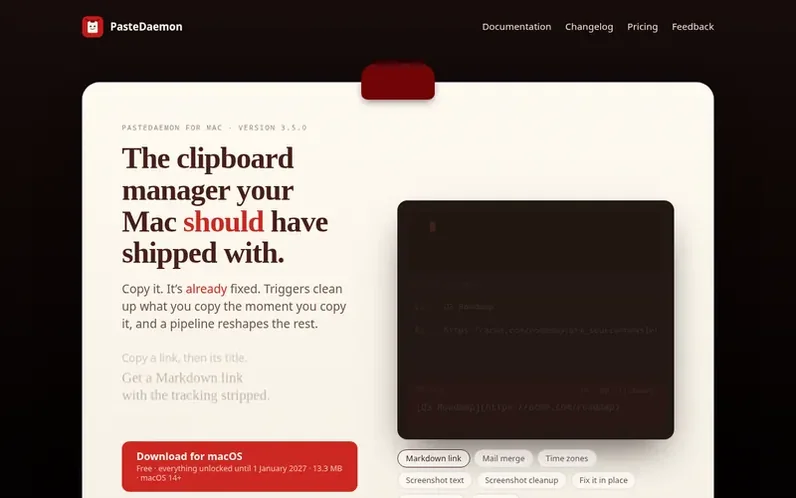
A look at pastedaemon.app
PasteDaemon is a clipboard manager for macOS that automatically transforms what you copy. Triggers run the moment you copy to clean up tracked links, pretty-print JSON, and handle other transformations without requiring any action from you.
The app stores everything you've copied—text, files, and images—with searchable content from screenshots. You can tag items and add descriptions for easy retrieval. Beyond clipboard history, it offers text editing features like in-place proofreading and translation, snippet abbreviations, and an encrypted vault for secrets.
PasteDaemon supports over 200 built-in actions for dates, JSON, Markdown, pictures and lists. It features a local API and MCP server so Claude, Cursor, or custom scripts can interact with your clipboard. Sync uses your own iCloud with end-to-end encryption, and the app requires no account or telemetry.
Feature notes
- Clipboard history with search including text inside screenshots
- Triggers that automatically transform copied content
- Over 200 built-in actions for dates, JSON, Markdown, pictures and lists
- In-place text editing and transformation
- Snippet abbreviations and auto-expansion
- Encrypted secrets vault with Touch ID or password
- Local API and MCP server for AI integration
- iCloud sync with end-to-end encryption
Pricing
Pricing model: Freemium
Free: Clipboard history, search and basic pasting. Full access free until January 1, 2027. Licence: $4.99 one-time ($19.99 from January 1, 2027) for pipelines, triggers, actions, variables, abbreviations, secrets and the local API, one person on all their Macs with all future updates.
Compare and explore
- Alternatives to PasteDaemon
- SysTools Outlook Duplicate Remover vs PasteDaemon
- Secret Santa Name Generator vs PasteDaemon
- Prayer Times Near Me vs PasteDaemon
- Island: Screen Time vs PasteDaemon
- Clean That Sheet™ vs PasteDaemon
- The Weekly Shop vs PasteDaemon
- More in Productivity & Personal Tools
- Startups in United States
FAQ
- What is included in the free version?
- The free tier includes clipboard history with search (including words inside screenshots), and the ability to paste as plain text. This part stays free forever with no account required and nothing that stops working.
- What features require a paid licence?
- A licence unlocks pipelines in the search bar, triggers, actions, variables, abbreviations, the secrets vault, and the local HTTP and MCP API for automation and transformation of copied content.
- How does syncing work?
- Sync is off by default and only works through your own iCloud with end-to-end encryption. The app makes no account required and no telemetry is sent.
- Can I import my clipboard history from another tool?
- Yes, you can bring your history from Alfred, Maccy, CopyQ, or Flycut on first launch.
- Is there a refund policy?
- Refunds are available within 30 days with no questions asked.
Leave a review for PasteDaemon
No reviews of PasteDaemon yet. Run the first inspection.
Reviews are free and are never paid for. Open the reviews
Reviews and notes · Change log · Share the profile · Maker of this product? Claim the profile · Report a fault
PasteDaemon has a free listing. The owner can unlock the full profile with a paid launch for $5:
- Founder story (locked)
- Milestones (locked)
- Demo video (locked)
- Dofollow website link (locked)
Comparable tools
- TimeLoopDR 14 · 0 community votes
- CallFirstDR 3 · 0 community votes
- Liner NotesDR 1 · 0 community votes
- HeyDockDR 6 · 0 community votes



