
Productivity & Personal Tools
Focusd
A focus companion for your Mac that notices task drift and helps you return to your work
Focusd is a macOS app that uses on-device Apple Intelligence to detect when your screen drifts from your intended task and gently reminds you to return to your
Overview
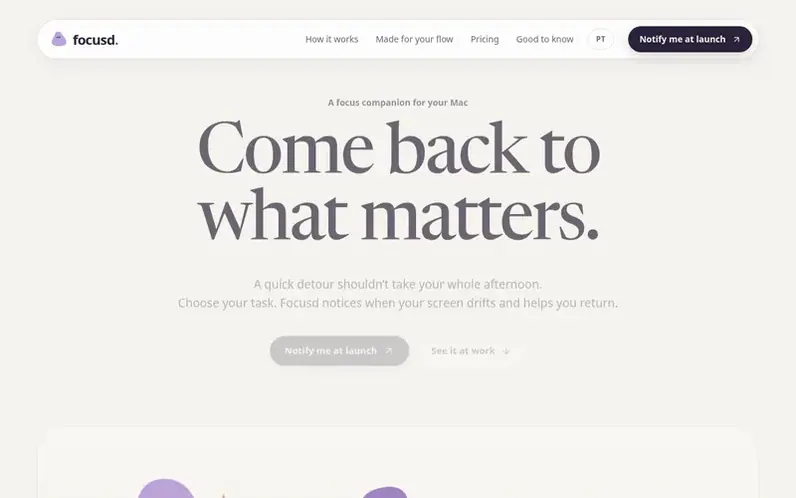
A look at focusd.cc
Focusd is a focus companion for Mac that helps you stay on task by noticing when your screen attention drifts and providing gentle reminders to return to your work. You set an intention—a task, project, or your work for the day—and Focusd monitors the visible text on your screen using on-device Apple Intelligence to determine if you're still engaged with that intention.
When your screen has drifted to something unrelated for a while, Focusd asks you softly if you meant to switch tasks. The app understands context: a video can be research, a browser can be a workspace. You can tell Focusd when it misunderstands and it learns from your corrections. You stay in control—you can pause anytime, take breaks, or dismiss reminders.
All analysis happens on your Mac. Screenshots and screen text are not uploaded to the cloud. Your session history and insights remain local to your device, showing you when you focus best, how long your typical work stretches last, and what tends to trigger drift. Focusd integrates with Todoist to import your projects and tasks, and Google Tasks integration is planned.
Feature notes
- Set work intentions with tasks or projects
- Screen drift detection using Apple Intelligence
- Gentle nudge reminders when attention drifts
- Session history and insights on workday patterns
- Menu bar quick access and pause controls
- Context-aware analysis recognizing research and tools
- Todoist integration to import projects and tasks
- On-device processing with no cloud analysis
- Optional browser control for Safari, Chrome, Arc, Brave and Edge
Pricing
Pricing model: Free trial
14-day free trial. An annual plan is planned; final prices will be announced at launch.
Compare and explore
FAQ
- What makes Focusd different from a timer?
- Focusd analyzes whether the text visible on your screen relates to your chosen task, understanding that documentation pages and videos can both be relevant research. It sends gentle nudges instead of blocking sites, and you stay in control of your attention.
- Does Focusd upload screenshots?
- No. In the App Store edition, screenshots, screen text and task context are processed on your Mac using Apple Intelligence and are not sent for cloud analysis. Optional usage sharing sends only counters, not screen content.
- Can I use Todoist or Google Tasks?
- Yes, you can connect Todoist to import your projects and tasks. Google Tasks integration is planned.
- What are the system requirements for Focusd?
- You need a Mac with Apple silicon, macOS 26 or later, Apple Intelligence enabled with its model downloaded, and Screen Recording permission for Focusd to read visible window text during sessions.
- When will Focusd be available?
- Focusd is coming to the Mac App Store with a 14-day free trial. Join the notification list for launch news as final prices and availability details will be announced at launch.
Leave a review for Focusd
No reviews of Focusd yet. Run the first inspection.
Reviews are free and are never paid for. Open the reviews
Reviews and notes · Change log · Share the profile · Maker of this product? Claim the profile · Report a fault
Focusd has a free listing. The owner can unlock the full profile with a paid launch for $5:
- Founder story (locked)
- Milestones (locked)
- Demo video (locked)
- Dofollow website link (locked)
Comparable tools
- TimeLoopDR 14 · 0 community votes
- CallFirstDR 3 · 0 community votes
- Liner NotesDR 1 · 0 community votes
- HeyDockDR 6 · 0 community votes



