
Productivity & Personal Tools
xtty
Spend your time on the work, not the terminal
A native macOS terminal with Metal GPU-accelerated rendering, built-in SSH workflows, password autofill, and coding agent status.
Overview
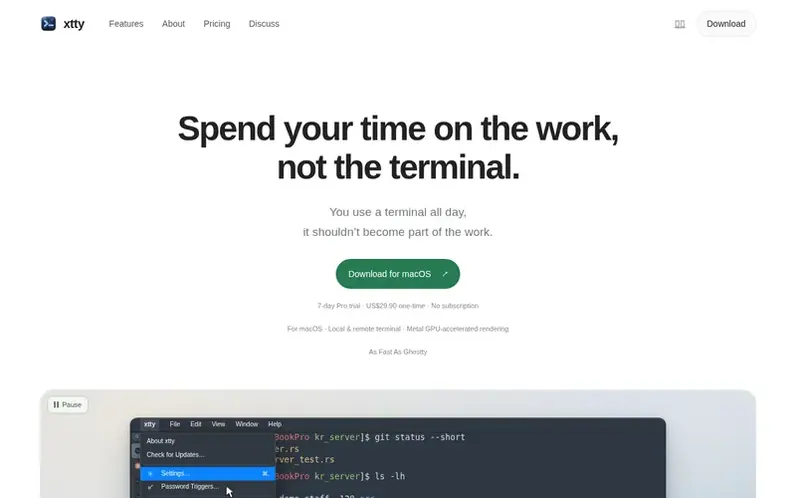
A look at xtty.sh
xtty is an excellent local and remote terminal for macOS with Metal GPU-accelerated rendering as fast as Ghostty. It combines frequently used features into one native app: password autofill from macOS Keychain for configured prompts, saved remote machine lists with support for jump hosts, the ability to duplicate tabs and continue sessions on the same host and directory, and broadcast keyboard input to selected panes.
The application includes file transfer via sz and rz, status and notifications for supported coding agents like Claude Code and Codex, local shell sessions with tabs and split panes, scrollback search, a command palette, themes, fonts, and customizable keybindings. xtty integrates with your existing OpenSSH setup and keeps credentials local in macOS Keychain.
Feature notes
- Metal GPU-accelerated terminal rendering on macOS, as fast as Ghostty
- Password autofill from macOS Keychain for configured prompts
- Saved remote-machine list with direct connections, batch connections, and jump hosts
- Duplicate Tab with same SSH host and remote working directory in independent session
- Broadcast keyboard input to selected panes
- Status and notifications for supported coding agents including Claude Code and Codex
- File transfer with sz and rz inside terminal workflow
- Local shell sessions with tabs, split panes, search, themes, fonts, and customizable keybindings
- System OpenSSH configuration and keys support
- Command palette for finding actions and saved SSH profiles
Pricing
Pricing model: Freemium
Free with 7-day Pro trial; xtty Pro US$29.90 one-time purchase, no subscription, activates up to 2 Macs
Compare and explore
FAQ
- Is xtty Pro a subscription?
- No. xtty Pro is a one-time US$29.90 purchase with no recurring billing.
- How does the free trial work?
- Your first installation gets 7 days of Pro access with no payment method required, and the trial does not renew or charge automatically.
- Can I use xtty Pro on multiple Macs?
- Yes. One purchase activates up to 2 Macs, with recovery using a credential protected by macOS Keychain and iCloud Keychain when enabled.
- Can xtty fill SSH passwords automatically?
- Yes. For prompts you configure, xtty can fill the matching credential from macOS Keychain into the current pane.
- What rendering stack does xtty use?
- xtty's terminal UI and rendering path use Zed's GPUI and Apple's Metal API, with terminal parsing and rendering as separate layers.
Leave a review for xtty
No reviews of xtty yet. Run the first inspection.
Reviews are free and are never paid for. Open the reviews
Reviews and notes · Change log · Share the profile · Maker of this product? Claim the profile · Report a fault
xtty has a free listing. The owner can unlock the full profile with a paid launch for $5:
- Founder story (locked)
- Milestones (locked)
- Demo video (locked)
- Dofollow website link (locked)
Comparable tools
- TimeLoopDR 14 · 0 community votes
- CallFirstDR 3 · 0 community votes
- Liner NotesDR 1 · 0 community votes
- HeyDockDR 6 · 0 community votes



