
Productivity & Personal Tools
Tucko
Clipboard manager for Mac with local history, pinboards and text shortcuts
Tucko saves clipboard history on Mac locally, allowing you to search and organize text, images, links and code in pinboards, with text shortcut expansion and a
Overview
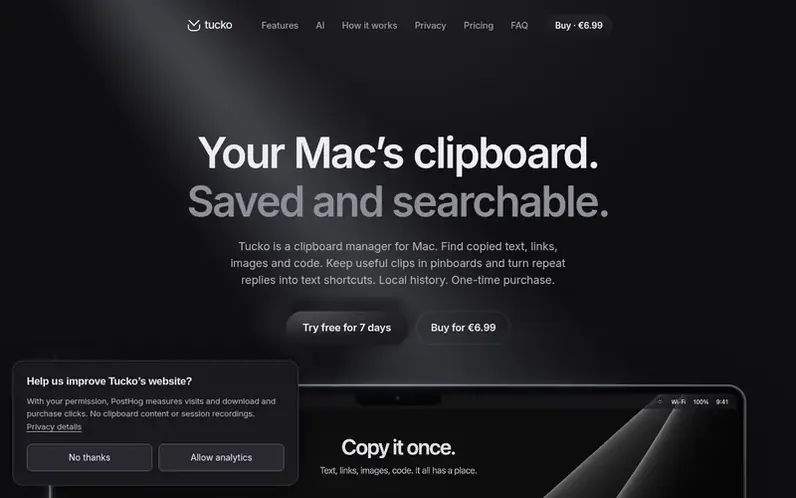
A look at tucko.app
Tucko is a clipboard manager for Mac that captures and saves your clipboard history locally on your device. It lets you search through text, images, links, code snippets, colours and file references using text search, titles or source applications. The app features a visual shelf for organizing clips, the ability to create pinboards for grouping related items, text shortcut expansion for quick insertion of saved replies, and tools for creating moodboards from copied images. All history is stored privately on your Mac without any account, cloud sync or analytics.
Feature notes
- Searchable clipboard history for text, links, images, code, colours and file references
- Search by text, title or source app
- Space-bar previews before pasting
- Pinboards for organizing saved items
- Moodboards from copied images
- Text shortcut expansion with Accessibility permission
- Paste clips in sequence
- Apple Intelligence text rewriting on macOS 26
- Syntax highlighting for code snippets
- Colour values with RGB and HSL display
Pricing
Pricing model: Free trial
€6.99 one-time purchase (founding price, 49 spots left), then €9.99 after 50 licences sold, then €14.99 after 100 licences. One-time payment, use on up to 3 Macs, includes 14-day return policy and every 1.x update.
Compare and explore
FAQ
- What is Tucko?
- Tucko is a clipboard manager for Mac that saves supported copies of text, links, images, code, colours and file references as searchable cards. You can open it from any app with Option-Shift-Space, search or browse your history, and paste items directly.
- Can I use Tucko as a text expander?
- Yes. You can copy a reply or signature, open its card menu and choose Add Text Shortcut. Assign a code like ;sig, enable Expand text shortcuts and grant Accessibility access to insert saved content as you type.
- Is my clipboard history stored in the cloud or kept private?
- Your clipboard history is stored completely on your Mac with no cloud storage, accounts or analytics. Tucko only contacts external servers to activate and verify your licence, check for updates, and optionally preview links.
- Which Macs and macOS versions does Tucko support?
- Tucko runs on macOS 13 or later on both Apple silicon and Intel Macs. Apple Intelligence actions for text rewriting require macOS 26 or later on a compatible Mac with Apple Intelligence enabled.
Leave a review for Tucko
No reviews of Tucko yet. Run the first inspection.
Reviews are free and are never paid for. Open the reviews
Reviews and notes · Change log · Share the profile · Maker of this product? Claim the profile · Report a fault
Tucko has a free listing. The owner can unlock the full profile with a paid launch for $5:
- Founder story (locked)
- Milestones (locked)
- Demo video (locked)
- Dofollow website link (locked)
Comparable tools
- TimeLoopDR 14 · 0 community votes
- CallFirstDR 3 · 0 community votes
- Liner NotesDR 1 · 0 community votes
- HeyDockDR 6 · 0 community votes



