
Productivity & Personal Tools
Systune
Clean your Mac without the guesswork
Mac utility that combines disk cleanup, security audit of 92 settings, and tuning of 300 macOS preferences with options for Mac app, command-line and terminal
Overview
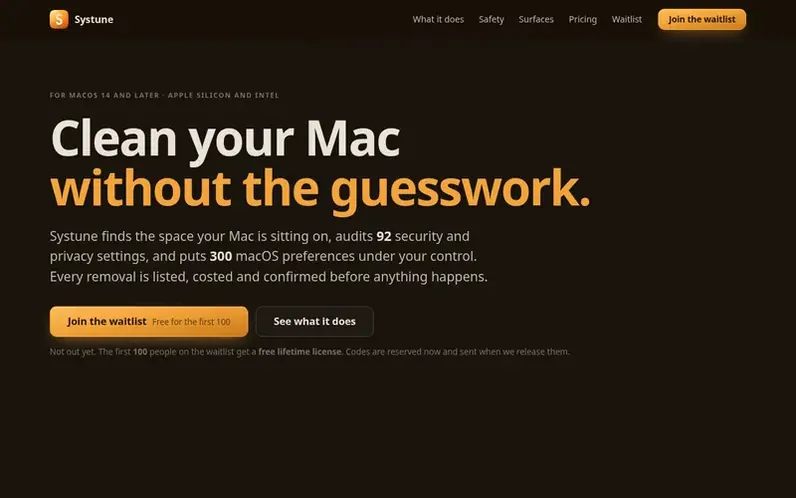
A look at systune.app
Systune is a Mac utility in development that combines disk cleanup, security auditing, and macOS settings management. It includes 103 cleaning categories across caches, build output, package managers and virtual machines; 92 security and privacy audit checks covering encryption, firewall, sharing and persistence; and 300 macOS settings for Finder, Dock, keyboard, trackpad and security. The tool provides a Mac app with visual disk analysis in multiple views, a full command-line interface with JSON output, a full-screen terminal dashboard, and an iPhone companion for local network control. Every removal is listed, costed and confirmed before execution, with protected system paths refused and user files offered to Trash. Changes save prior values in snapshots for restoration.
Feature notes
- 103 cleaning categories with four risk levels
- 92 security and privacy checks with one-click fixes
- 300 macOS settings with profiles, snapshots and undo
- Disk analysis with list, treemap, ring and file-kind views
- Duplicate and large-file finder
- Command-line interface with JSON output
- Full-screen terminal dashboard
- iPhone companion over local network
- 67 maintenance tasks including rebuilds and service restarts
- Startup item and launch daemon inspector
Pricing
US$39 once for three Macs in one household with two years of updates (direct). Mac App Store edition planned at US$39 once with final pricing to follow App Store tiers. First 100 waitlist signups receive free lifetime license including all future versions. 14-day full trial and 30-day refund planned
Compare and explore
FAQ
- What is Systune?
- Systune is a Mac cleaner, disk analyzer, security and privacy auditor, and macOS settings tool that combines 103 cleanup categories, 92 audit checks, 300 settings and 67 maintenance tasks with a Mac app, command-line interface and full-screen terminal interface.
- Can I download Systune now?
- Systune is in development and not available for public download yet. You can join the waitlist for release news, and the first 100 unique signups receive a free lifetime license for three Macs with codes reserved now and sent when released.
- How much will Systune cost?
- The planned direct-download launch price is US$39 once for three Macs in one household with two years of updates. The first-100 waitlist giveaway includes every future version. A 14-day full trial and 30-day direct-purchase refund are planned for launch.
- What happens before Systune removes a file?
- A scan lists the proposed items before you select and confirm them. Cleanup categories have four risk levels with careful and dangerous categories off by default. Protected system and credential paths are refused. User files can go to Trash while regenerable caches may be deleted in place.
- Does Systune upload my scan results?
- The Mac app processes scan results locally and has no analytics or crash reporting. License activation and manual license checks contact the license service but do not send scan results.
Leave a review for Systune
No reviews of Systune yet. Run the first inspection.
Reviews are free and are never paid for. Open the reviews
Reviews and notes · Change log · Share the profile · Maker of this product? Claim the profile · Report a fault
Systune has a free listing. The owner can unlock the full profile with a paid launch for $5:
- Founder story (locked)
- Milestones (locked)
- Demo video (locked)
- Dofollow website link (locked)
Comparable tools
- TimeLoopDR 14 · 0 community votes
- CallFirstDR 3 · 0 community votes
- Liner NotesDR 1 · 0 community votes
- HeyDockDR 6 · 0 community votes



