Productivity & Personal Tools
Snapling
A Mac snipping tool that turns every screenshot into searchable visual memory
Snapling is a Mac screenshot tool featuring OCR, GIF recording, scrolling capture, and searchable visual memory for organizing and reusing screen information.
Overview
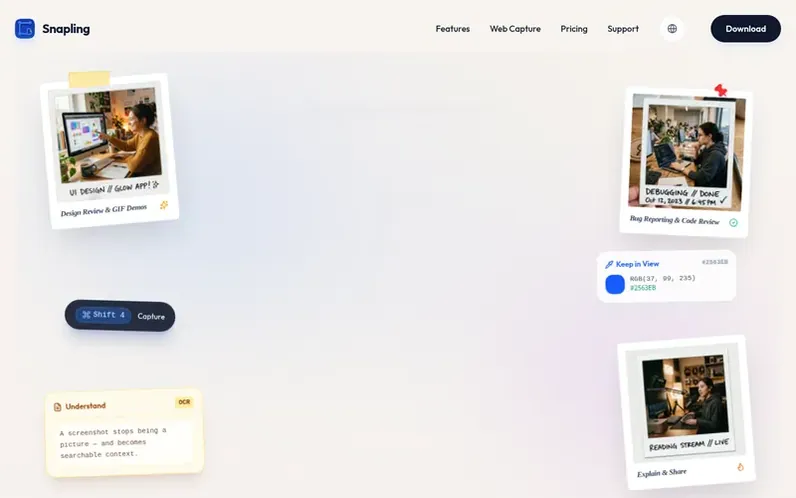
A look at getsnapling.com
Snapling is a local-first Mac screenshot tool that captures screenshots, scrolling pages, GIFs, and clipboard content with built-in OCR and translation. It transforms isolated screenshots into a searchable visual memory workspace with instant hotkeys, annotation tools, and local storage. The app connects capture, understanding, organization, and search into a continuous workflow for research, product work, support, and documentation, keeping screenshots, OCR text, and visual history on your Mac by default without requiring an account.
Feature notes
- Screenshot capture with region and window selection
- Scrolling page capture
- GIF recording
- Optical character recognition (OCR)
- Screenshot translation
- Searchable screenshot history
- Background canvas with styling
- Clipboard history tracking
- Annotation tools
- Knowledge-base and notes export
Pricing
Pricing model: Freemium
Free plan with core features; Pro at $29 one-time purchase; Founding Edition at $69 limited to first 500 members
Compare and explore
FAQ
- What is Snapling?
- Snapling is a snipping tool for Mac that brings screenshots, scrolling captures, GIF recording, OCR, clipboard capture, screenshot history, and Visual Memory into one local-first workflow.
- Is Snapling a local-first snipping tool for Mac?
- Yes. Snapling is local-first and does not require an account. Captures, OCR text, clipboard content, and visual history are designed to stay close to your Mac unless you choose to export or share them.
- Does the OCR run locally on my Mac?
- Yes. Text recognition and translation run on your Mac, so screenshots and the text inside them don't need to be uploaded before you work with them.
- Is Snapling free to use?
- Yes. The Free plan includes the core capture toolkit, OCR, translation, background canvas, and up to 50 Visual Memory items. Pro is a $29 one-time purchase, and Founding Edition is $69.
- Can Snapling search screenshots by text on Mac?
- Yes. Snapling uses OCR so text inside Mac screenshots can be copied, searched, translated, and reused later instead of staying locked inside image files.
Leave a review for Snapling
No reviews of Snapling yet. Run the first inspection.
Reviews are free and are never paid for. Open the reviews
Reviews and notes · Change log · Share the profile · Maker of this product? Claim the profile · Report a fault
Snapling has a free listing. The owner can unlock the full profile with a paid launch for $5:
- Founder story (locked)
- Milestones (locked)
- Demo video (locked)
- Dofollow website link (locked)
Comparable tools
- TimeLoopDR 14 · 0 community votes
- CallFirstDR 3 · 0 community votes
- Liner NotesDR 1 · 0 community votes
- HeyDockDR 6 · 0 community votes



