Remote work
Remote Gaze
Your Mac, on your iPad and iPhone
A remote desktop app that lets you control your Mac from iPad or iPhone at up to 120 frames per second, with no accounts or cloud servers required.
Overview
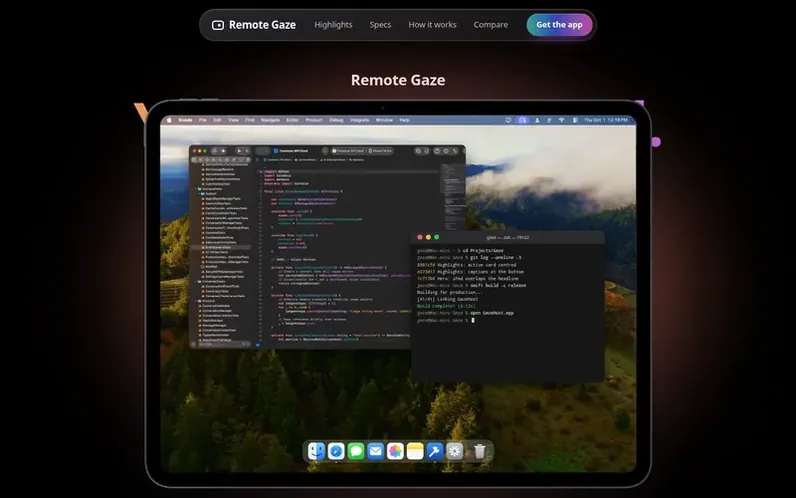
A look at remotegaze.com
Remote Gaze is a remote desktop application built exclusively for Apple devices that allows you to control your Mac from an iPad or iPhone. It delivers video at up to 120 frames per second with pixel-perfect sharpness and touch-friendly controls including direct touch, trackpad, and drag-and-drop file transfer.
The application operates without accounts or cloud servers. Your Mac and iPad or iPhone communicate directly with encrypted end-to-end connections. Away from home, it can use UPnP port forwarding or integrate with VPNs like Tailscale or WireGuard, maintaining connection speeds up to 12 Mbps over cellular with response times under one second.
Remote Gaze supports App mode for reshaped single-application views at Retina resolution, full-color reproduction at 4:4:4, and works with all compatible iPad and iPhone models including the unfolded iPhone Duo. Security uses 256-bit encryption keys stored in each device's Secure Enclave, with Face ID confirmation required for remote access.
Feature notes
- Up to 120 frames per second on 120 Hz displays
- Direct Touch with swipe, tap and hold gestures
- App mode for single Mac apps at Retina resolution
- Drag and drop file transfer to Mac desktop
- Works over cellular at up to 12 Mbps
- Connects to Mac in under 1 second over cellular
- Pixel-perfect resolution up to 2752 × 2064 on iPad Pro
Pricing
Pricing model: Paid
$4.99 USD
Compare and explore
FAQ
- Is Remote Gaze another VNC app?
- No. It was built only for Apple devices. Your Mac sends video, the way a video call does, and your touches and keys go back as the Mac’s own input. It isn’t guessing at pixels.
- How sharp is the picture?
- It’s drawn at your screen’s own pixel count. In App mode on a 13-inch iPad Pro, that’s 2752 × 2064, pixel for pixel. Choose Sharpest for the most detail, Smoothest for the most motion, or let Automatic decide.
- What about color and text?
- When your Mac and your device both support it, Remote Gaze keeps color at full resolution, so colored text and fine lines stay crisp instead of fringing. If either one can’t, it quietly uses the next best thing.
- How smooth is it?
- Up to 120 frames per second on a 120 Hz iPad or iPhone. Other screens get 60. In testing, a Mac mini streaming to a 13-inch iPad Pro at home held about 110.
- How quickly does it respond?
- On a home network, within a few dozen milliseconds, which feels immediate for typing, scrolling and dragging. Away from home it depends on both networks.
Leave a review for Remote Gaze
No reviews of Remote Gaze yet. Run the first inspection.
Reviews are free and are never paid for. Open the reviews
Reviews and notes · Change log · Share the profile · Maker of this product? Claim the profile · Report a fault
Remote Gaze has a free listing. The owner can unlock the full profile with a paid launch for $5:
- Founder story (locked)
- Milestones (locked)
- Demo video (locked)
- Dofollow website link: not on this free listing (its website link is nofollow)
Comparable tools
- TinyFloorDR 40 · 0 community votes
- TouchNowDR 3 · 0 community votes
- LanBridgeDR 0 · 0 community votes
- Cntrl ConsoleDR 2 · 0 community votes