Remote work
TouchNow
See and control your Mac from iPhone or iPad with a trackpad, full keyboard and end-to-end encryption
Stream and control your Mac from your iPhone or iPad using a trackpad, full keyboard, or game controller. Free on local Wi-Fi; optional subscription for
Overview
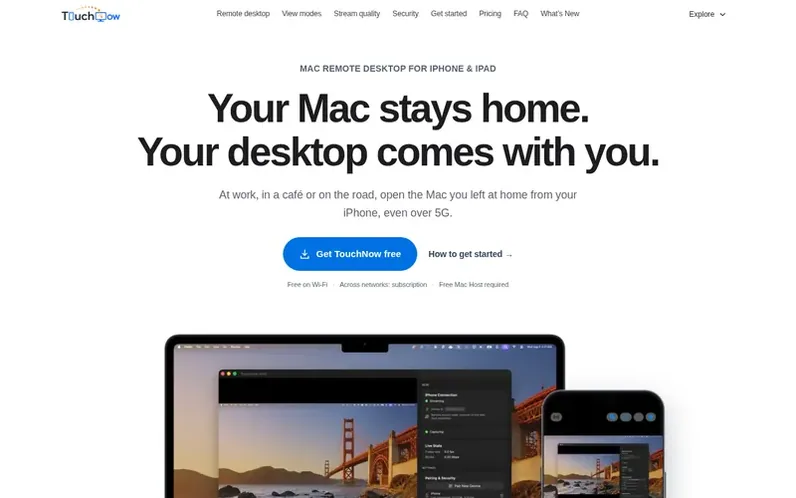
A look at touchmac.app
TouchNow is a remote desktop application that lets you view and control your Mac from your iPhone or iPad. It offers three control modes—trackpad with cursor magnifier, direct touch input, and game controller support—plus a full MacBook keyboard with all function keys and modifiers. You can stream up to 1080p at 60fps with low latency, use your device as a second display, stream individual app windows, and enjoy features like Picture in Picture, Lock Screen streaming, and Wake-on-LAN. All features are free forever on the same Wi-Fi with end-to-end encryption and QR/PIN pairing. For connecting across networks, a Remote Access subscription costs $2.99 monthly or $19.99 yearly. The free TouchNow Host app on your Mac is required and available from the website.
Feature notes
- Three control modes: trackpad, direct touch, and game controller
- Full MacBook keyboard with all function keys and modifiers
- Use iPhone or iPad as a second Mac display
- Stream individual application windows
- Up to 1080p 60fps video streaming with low latency
- Customizable virtual gamepad and physical controller support
- Two-way clipboard sync and audio streaming
- End-to-end encrypted QR and PIN pairing
- Picture in Picture and Lock Screen streaming
- Wake-on-LAN for Mac
Pricing
Pricing model: Freemium
Free on the same Wi-Fi with all features. Remote Access subscription: US$2.99/month or US$19.99/year (approximately US$1.67/month billed annually).
Compare and explore
FAQ
- Do I have to pay?
- On the same Wi-Fi, every feature is free forever with no one-time unlock and no feature wall. The only paid item is Remote Access for connecting across networks when you are away from home. Beyond Remote Access, there will never be a second subscription.
- How is Remote Access priced?
- Remote Access is a subscription costing US$2.99 per month or US$19.99 per year, which is approximately US$1.67 per month. Using TouchNow on the same Wi-Fi never requires a subscription.
- What are the system requirements?
- iPhone and iPad require iOS 15 or later. The Mac requires macOS 13 or later on both Apple Silicon and Intel processors. TouchNow Host is a free download from the website and is not available on the Mac App Store.
- Is my screen safe from company servers?
- On the same Wi-Fi, streaming is a direct peer-to-peer connection that never passes through any server. For cross-network Remote Access, the signaling server only relays connection-setup messages and never touches screen content. All screen and input data is end-to-end encrypted; the company cannot access or store it.
- Which macOS permissions are needed?
- Two permissions are required: Screen Recording to capture the display for streaming, and Accessibility to inject touch and keyboard input into the Mac. Both are enabled in System Settings → Privacy & Security. Without Accessibility you can still view without controlling.
Leave a review for TouchNow
No reviews of TouchNow yet. Run the first inspection.
Reviews are free and are never paid for. Open the reviews
Reviews and notes · Change log · Share the profile · Maker of this product? Claim the profile · Report a fault
TouchNow has a free listing. The owner can unlock the full profile with a paid launch for $5:
- Founder story (locked)
- Milestones (locked)
- Demo video (locked)
- Dofollow website link (locked)
Comparable tools
- TinyFloorDR 43 · 0 community votes
- LanBridgeDR 0 · 0 community votes
- Cntrl ConsoleDR 2 · 0 community votes