
Remote work
Cntrl Console
Reach your machines without exposing them
An open-source agent that lets you manage and monitor machines remotely without exposing ports or running a VPN.
Overview
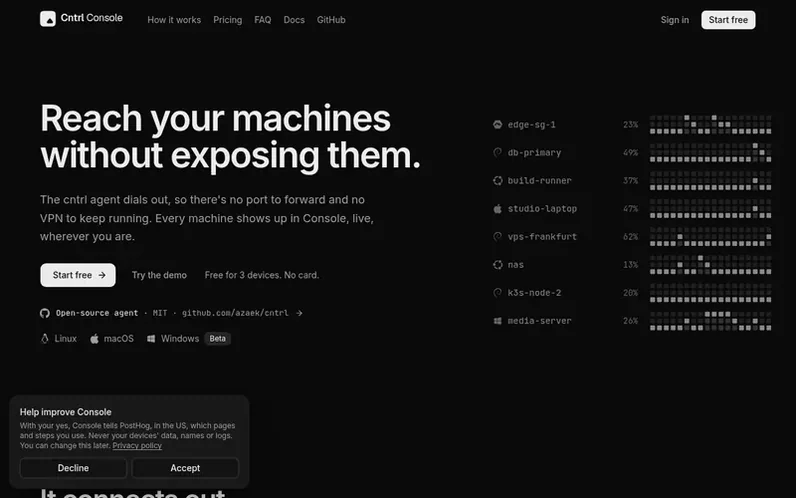
A look at console.cntrl.pw
Cntrl Console is a remote machine management and monitoring system that uses an open-source agent. The agent dials out over an encrypted connection, eliminating the need for port forwarding or VPN setup, and works behind NAT and firewalls. Machines show up live in Console with real-time monitoring of CPU, memory, disks, network, and GPUs, along with process, service, container, and log visibility. Users can restart services, stop processes, or power off machines, with granular permission controls set on each machine. Console offers signed commands for security: changes can be required to be signed in a trusted browser, preventing unauthorized actions even if Console's systems are breached. The agent is MIT-licensed open-source code available on GitHub, built transparently with GitHub Actions.
Feature notes
- Real-time machine monitoring of CPU, memory, disks, network, GPU, processes, services, and logs
- Encrypted outbound-only agent connections, no ports to forward
- Restart services, containers, processes, and manage machine power
- Granular machine-level permission policies
- Signed command verification with browser-based signatures
- Multi-channel alerts on Discord, Slack, email, ntfy, and webhooks
- Support for Linux, macOS, and Windows (beta) on Intel, AMD, and ARM
- 90 days of alert history and check results stored
- Team collaboration with role-based access for up to 25 members
Pricing
Pricing model: Freemium
Free plan: 3 devices, 1 alert rule by email or ntfy, 30 alerts a month, 7 days history, 2 checks. Pro: $4/month (50% off, $48/year), 25 devices, 3 people, all alert channels, 20 checks from every 30 seconds, 90 days history. Team: $21.75/month (25% off, $261/year), 100 devices, 25 people, 50 checks,
Compare and explore
FAQ
- Can I try it before signing up?
- Yes, a demo at try.cntrl.pw provides six made-up machines with a live interface and requires no account.
- Do I need a VPN or an open port?
- No. The agent connects out to Console over an encrypted connection, so it works behind NAT and firewalls with nothing open.
- What can Console do on my machine?
- By default, only read machine readings, processes, services, containers, network, and logs. To allow Console to restart services, stop processes, or power off the machine, use sudo cntrl policy allow on the machine. There is no shell and no file access.
- What if Console is breached?
- Machines still only execute actions their policy allows. With signed commands enabled, changes must also be signed in a trusted browser, so a breach cannot restart, stop, or power off anything without that signature.
- Is the agent open source?
- Yes, the agent is under the MIT license and available on GitHub. Console, the web app, is the part the company runs for users.
Leave a review for Cntrl Console
No reviews of Cntrl Console yet. Run the first inspection.
Reviews are free and are never paid for. Open the reviews
Reviews and notes · Change log · Share the profile · Maker of this product? Claim the profile · Report a fault
Cntrl Console has a free listing. The owner can unlock the full profile with a paid launch for $5:
- Founder story (locked)
- Milestones (locked)
- Demo video (locked)
- Dofollow website link (locked)