
Productivity & Personal Tools
Recipe Notes
Free recipe saver, cookbook and organizer for iPhone, Android and web
Save recipes from Instagram, TikTok and websites, organize them into cookbooks, plan meals and build grocery lists across iPhone, Android and web.
Overview
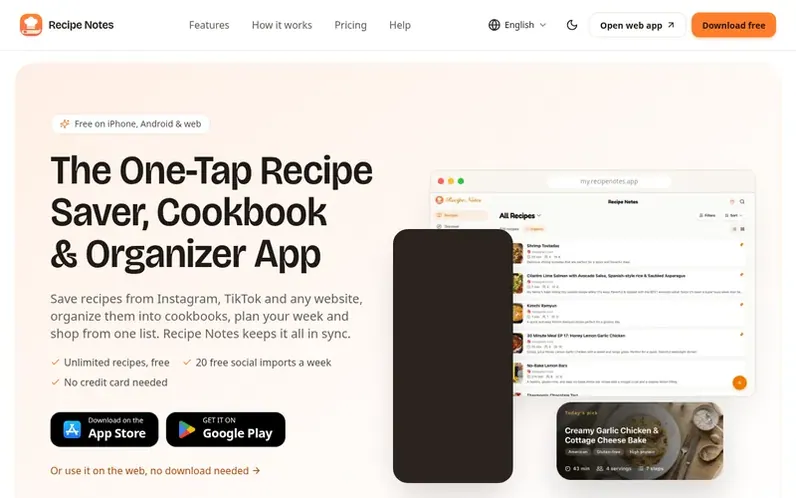
A look at recipenotes.app
Recipe Notes is a free app that lets you save recipes from Instagram, TikTok, Pinterest, and any website with one tap. It automatically extracts ingredients and cooking instructions, keeping everything organized across your iPhone, iPad, Android device and web browser with cloud sync.
The app helps you plan meals for the week, track calories and macros, and build merged grocery lists by aisle. You can organize recipes into cookbooks, search by ingredient or difficulty, and cook step-by-step with an always-on timer. The free plan includes unlimited recipes, cloud backup and sync with no ads. An optional Pro subscription unlocks unlimited cookbooks, full meal planning, and family sharing for up to 6 people.
Feature notes
- Import recipes from Instagram, TikTok, Pinterest, Facebook, YouTube and any website
- Automatic cloud sync across all devices
- Organize recipes into unlimited cookbooks
- Weekly meal planning with calorie and macro tracking
- Smart grocery list with automatic duplicate merging
- Search recipes by name, ingredient, difficulty or rating
- Cook mode with step-by-step instructions and timer
- Share recipes with family and friends via text, email or social media
- Family sharing across iOS and Android for up to 6 members
Pricing
Pricing model: Freemium
Free plan: unlimited recipes, cloud sync, 20 social imports per week, 30 web imports per week, up to 2 cookbooks, 2-day meal planning, up to 5 recipes in grocery list, no ads. Pro (Monthly): $4.99/month with 7-day free trial. Pro (Annual): $34.99/year with 7-day free trial. Family (Monthly): $6.99/m
Compare and explore
FAQ
- How do I import recipes from Instagram or TikTok?
- In Instagram or TikTok, open the Share sheet and select the Recipe Notes share extension to import automatically. Make sure you're signed in to Recipe Notes first.
- Do my recipes sync across all my devices?
- Yes, your recipes are automatically backed up to the cloud and synced across all your devices. You can access your recipes on your iPhone, iPad, Mac, or any device where you're signed in.
- Is Recipe Notes free to use?
- Recipe Notes has a generous free plan with unlimited recipes, cloud backup and sync, and the full core experience at no cost. An optional Recipe Notes Pro subscription is available for power users who want unlimited cookbooks, unlimited web and photo imports, full meal planning, smart grocery merging, custom cookbook icons, and family sharing for up to 6 members. Every Pro plan starts with a free 7-day trial.
- Can I share recipes with family and friends?
- Yes, you can easily share any recipe via text, email, or social media. Recipients don't need the app to view the recipe, but they can download Recipe Notes to save it to their own collection.
- What makes Recipe Notes different from other recipe apps?
- Recipe Notes offers a genuinely useful free plan with no ads, one-click import from any website or social media, automatic cloud backup and sync, and a beautiful interface designed by home cooks for home cooks. The company never sells user data, and the optional Pro subscription unlocks unlimited cookbooks, imports, and family sharing across iOS and Android.
Leave a review for Recipe Notes
No reviews of Recipe Notes yet. Run the first inspection.
Reviews are free and are never paid for. Open the reviews
Reviews and notes · Change log · Share the profile · Maker of this product? Claim the profile · Report a fault
Recipe Notes has a free listing. The owner can unlock the full profile with a paid launch for $5:
- Founder story (locked)
- Milestones (locked)
- Demo video (locked)
- Dofollow website link (locked)
Comparable tools
- TimeLoopDR 14 · 0 community votes
- CallFirstDR 3 · 0 community votes
- Liner NotesDR 1 · 0 community votes
- HeyDockDR 6 · 0 community votes



