
Productivity & Personal Tools
OneMacApp
All your Mac tools, in one beautiful box
A collection of 42 native tools for Mac that handle video, audio, images, PDFs and on-device AI, all in one app with no uploads or subscriptions.
Overview
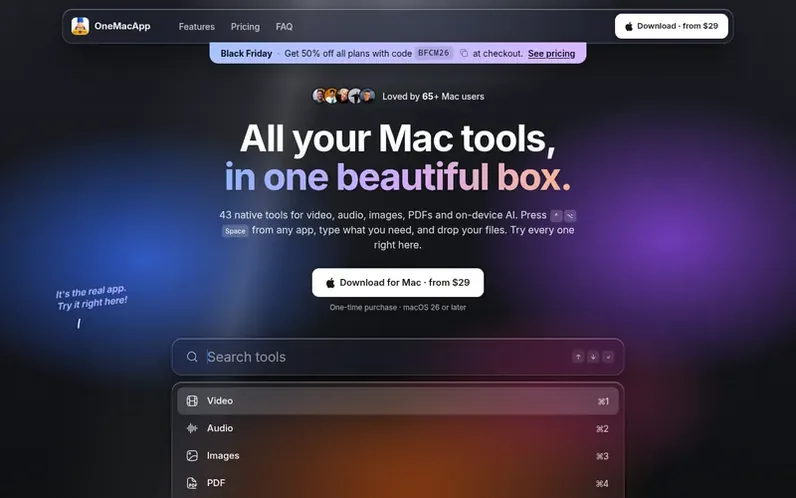
A look at onemacapp.com
OneMacApp is a native macOS application that bundles 42 tools for video, audio, image, and PDF editing, plus on-device AI features. All tools run locally on your Mac with no cloud uploads, account requirements, or subscriptions. Users can access tools via a keyboard shortcut (⌃⌥Space) from any application, process files in batch, and receive results in dated folders without modifying originals. The app includes screen recording with built-in studio, PDF manipulation, batch file conversion, AI transcription and translation, and many other utilities, all included in a single one-time purchase.
Feature notes
- Screen recording with zoom and captions
- PDF merge, split, reorder, sign and protect
- On-device transcription, summarization and translation
- Batch processing for hundreds of files
- Local processing, no uploads
- 42 native tools for video, audio, images and PDFs
- Results in dated folders with originals untouched
- Respects macOS Reduce Motion accessibility setting
Pricing
Pricing model: Paid
OneMacApp $49, full price $89, save $40 (first 100 buyers); one-time purchase, every tool unlocked, free updates, 14-day money-back guarantee
Compare and explore
FAQ
- What do I need to run OneMacApp?
- A Mac running macOS 26 or later. OneMacApp is a native SwiftUI app, so it feels like it belongs there.
- Is it a subscription?
- No. OneMacApp is $49, paid once, and it's yours.
- Do my files get uploaded anywhere?
- No. Conversions, PDF tools, OCR, transcription, summaries and translation all run on your Mac. The one tool that touches the internet is Download Video, which fetches the link you paste using yt-dlp.
- Will OneMacApp change my original files?
- Never. Results are staged and published into a new dated OneMacApp folder in Downloads once the whole batch succeeds.
- Do I need to install FFmpeg?
- Video and audio tools use FFmpeg, which OneMacApp doesn't bundle. If it's missing, OneMacApp can install it for you through Homebrew with one button, or you can point it at your own copy.
Leave a review for OneMacApp
No reviews of OneMacApp yet. Run the first inspection.
Reviews are free and are never paid for. Open the reviews
Reviews and notes · Change log · Share the profile · Maker of this product? Claim the profile · Report a fault
OneMacApp has a free listing. The owner can unlock the full profile with a paid launch for $5:
- Founder story (locked)
- Milestones (locked)
- Demo video (locked)
- Dofollow website link (locked)
Comparable tools
- TimeLoopDR 14 · 0 community votes
- CallFirstDR 3 · 0 community votes
- Liner NotesDR 1 · 0 community votes
- HeyDockDR 6 · 0 community votes



