
Productivity & Personal Tools
OmniNotch
Twenty tools in the MacBook notch with private on-device AI, one-time license, no subscription
A macOS utility that places twenty tools including private AI chat, clipboard history, and file sharing directly in the MacBook notch, with a one-time lifetime
Overview
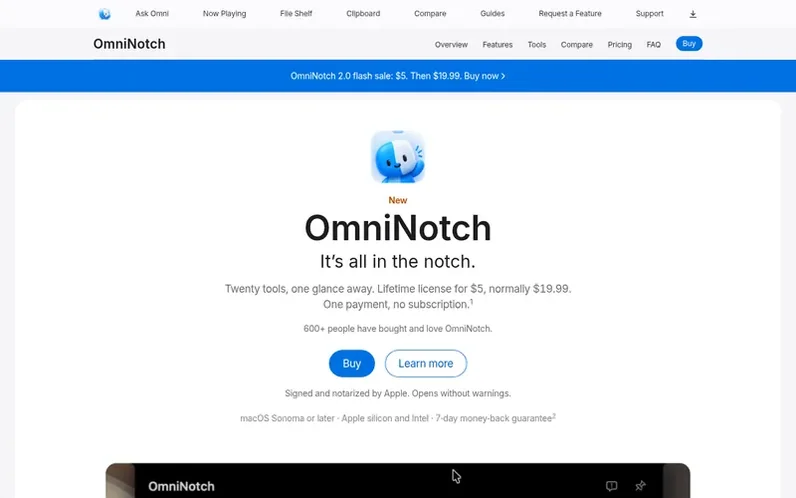
A look at omninotch.app
OmniNotch is a Mac utility that transforms the MacBook's camera notch into a functional workspace. It provides twenty tools accessible by hovering over or clicking the notch, including Ask Omni (private on-device AI chat using Apple Intelligence Foundation Models), clipboard history with search, file shelf with AirDrop support, now playing controls, calendar, reminders, weather, stocks, timers, and more. All data stays on your Mac with no cloud sync or telemetry. The app requires macOS Sonoma 14 or later and works on both Apple Silicon and Intel Macs. On notch-less Macs, it draws its own floating notch at the top of the screen. OmniNotch is sold as a one-time lifetime license with free updates forever, currently at a flash sale price of $5 (normally $19.99), with a 7-day money-back guarantee and support for up to 3 Macs per license.
Feature notes
- Ask Omni on-device AI chat using Apple Intelligence Foundation Models
- File shelf with AirDrop quick send
- Live AI usage meters for Claude, Codex, Cursor, Copilot, and Grok
- Timers and Pomodoro sessions with focus sounds
Pricing
Pricing model: Paid
OmniNotch 2.0 flash sale: $5 USD. Regular price: $19.99 USD. Lifetime license includes all twenty tools and future updates, valid on up to 3 Macs.
Compare and explore
FAQ
- What is a Mac notch app?
- A Mac notch app is a macOS utility that turns the camera notch on your MacBook display into a live workspace. It shows tools like now playing, clipboard history, weather, AI chat, and system stats in an interactive panel that opens on hover or click. OmniNotch ships twenty tools including on-device Ask Omni AI, timers, stocks, and a file shelf.
- Does OmniNotch open on hover or click?
- Both are supported. By default the notch opens when you hover the strip. In Settings under Open Notch you can switch to On Click so it stays closed until you click.
- Which Macs does OmniNotch support?
- OmniNotch runs on macOS Sonoma 14 and later on both Apple Silicon and Intel Macs. On MacBook Pro and MacBook Air models with a physical notch (M1 through M4), the panel lives inside the notch. On notch-less Macs including older MacBook Pros and Mac desktops, OmniNotch draws its own floating notch at the top of the screen.
- Is OmniNotch safe to install?
- Yes. OmniNotch is signed with an Apple Developer ID and notarized by Apple, which means Apple has checked it for malware, so it opens without any warnings.
- Does Ask Omni upload my prompts?
- No. Ask Omni runs on Apple Intelligence Foundation Models on your Mac. OmniNotch does not operate a prompt API, so prompts never leave your Mac.
Leave a review for OmniNotch
No reviews of OmniNotch yet. Run the first inspection.
Reviews are free and are never paid for. Open the reviews
Reviews and notes · Change log · Share the profile · Maker of this product? Claim the profile · Report a fault
OmniNotch has a free listing. The owner can unlock the full profile with a paid launch for $5:
- Founder story (locked)
- Milestones (locked)
- Demo video (locked)
- Dofollow website link (locked)
Comparable tools
- TimeLoopDR 14 · 0 community votes
- CallFirstDR 3 · 0 community votes
- Liner NotesDR 1 · 0 community votes
- HeyDockDR 6 · 0 community votes



