
Productivity & Personal Tools
Memspire
Save every AI conversation to your computer and search it all in one place
A desktop app that saves ChatGPT, Claude, and Gemini conversations locally to your computer with searchable history.
Overview
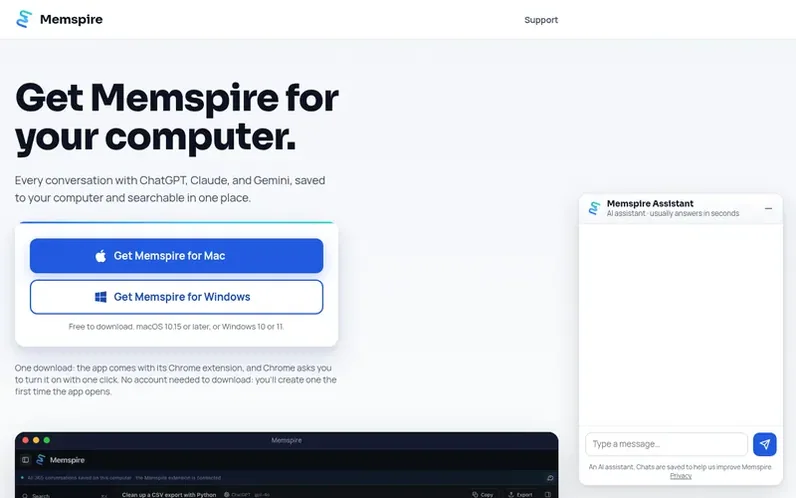
A look at memspire.com
Memspire is a desktop application for Mac and Windows that captures and stores your conversations with ChatGPT, Claude, and Gemini locally on your computer. A Chrome extension captures conversations as you chat, while the desktop app stores and indexes them for searching. All conversations, including images and files created by the AI services, stay on your own machine and are never uploaded to Memspire's servers. The app brings together chats from multiple AI services into one searchable interface, allowing you to find conversations and their outputs without needing to remember which service you used.
Feature notes
- Capture conversations from ChatGPT, Claude, and Gemini via Chrome extension
- Save images and documents created by AI services with conversations
- Search across all conversations in one place
- Store conversations locally on computer
- Browse, open, and export saved conversations
- Access saved history from AI assistants via MCP access
- Automatic conversation saving as you chat
- Works on macOS 10.15 or later and Windows 10 or 11
Pricing
Pricing model: Freemium
Free plan: import history, save conversations, and search for 30 days. Memspire Pro: monthly subscription with unlimited search coverage, price shown in app before subscribing.
Compare and explore
FAQ
- Is Memspire free?
- Yes. Importing your history, saving new conversations as you chat, and search are all free. After your first 30 days, free search covers your most recent 30 days, and Memspire Pro searches everything.
- Which AI services does Memspire work with?
- Memspire works with ChatGPT, Claude, and Gemini.
- Do my conversations leave my computer?
- No. Your conversations stay on your computer. Memspire's servers only know your account, your app version, your subscription status, and any support messages you choose to send.
- Do I need Google Chrome?
- Yes. Memspire captures and imports your conversations through its Chrome extension. Edge and Brave can install it from the Chrome Web Store, but setup is designed for Chrome.
- How do I uninstall Memspire?
- On a Mac, drag Memspire from Applications to the Trash. On Windows, go to Settings, then Apps, then Memspire, then Uninstall.
Leave a review for Memspire
No reviews of Memspire yet. Run the first inspection.
Reviews are free and are never paid for. Open the reviews
Reviews and notes · Change log · Share the profile · Maker of this product? Claim the profile · Report a fault
Memspire has a free listing. The owner can unlock the full profile with a paid launch for $5:
- Founder story (locked)
- Milestones (locked)
- Demo video (locked)
- Dofollow website link (locked)
Comparable tools
- TimeLoopDR 14 · 0 community votes
- CallFirstDR 3 · 0 community votes
- Liner NotesDR 1 · 0 community votes
- HeyDockDR 6 · 0 community votes



