
Calendars & scheduling
Meetingpad
Native macOS app for scheduling across multiple Google Calendar accounts with unified availability and per-account booking links
A macOS menubar app that unifies availability across multiple Google Calendar accounts, prevents double-booking, and provides per-account booking links for
Overview
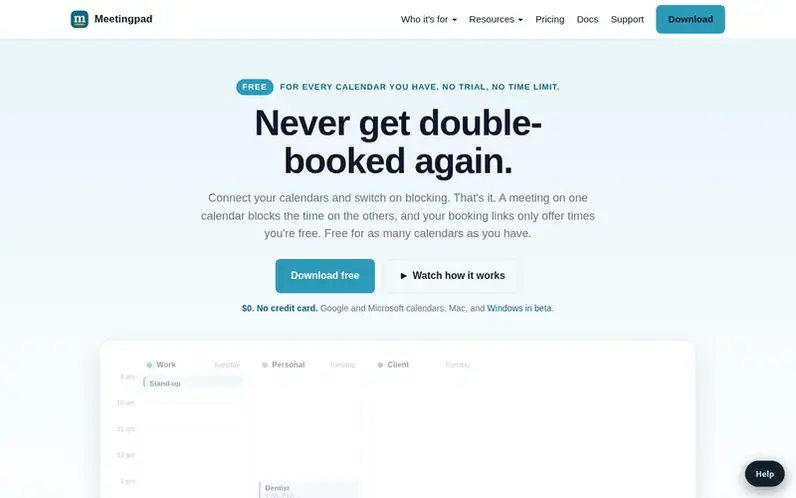
A look at meetingpad.io
Meetingpad is a native macOS menubar app designed for people managing multiple Google Calendar accounts. It connects each account as a separate booking identity with its own link that sends invites from the appropriate Gmail. The app computes unified availability across all connected calendars and writes titleless "Busy" placeholders on other calendars to prevent double-booking without leaking meeting details between accounts.
Key capabilities include shareable booking links for each identity, group polls to find meeting times, cross-calendar blockers, and a combined calendar view. The app reads only free/busy times from Google Calendar's API, never accessing event titles, descriptions or attendees. It's built for fractional executives, consultants, agency partners and others juggling multiple Google Workspace or personal accounts.
Feature notes
- Shareable booking links per calendar identity
- Group polls for finding meeting times
- Cross-calendar blockers prevent double-booking
- Unified calendar view across all accounts
- Heads Up meeting notifications
- AI-assisted messages with your own API key
- Work-calendar mirror combining multiple calendars
- Custom fields to capture booking details
- Auto-decline invites on busy time
- Follow-up emails with Google Doc sharing
Pricing
Free plan with unlimited Google calendars, cross-calendar blocking, combined calendar view, and 2 booking links per account. Pro is $5/month or $50/year (2 months free) and adds unlimited booking links, custom branding, proposed times, group polls, and additional features.
Compare and explore
FAQ
- How do I schedule meetings across multiple Google accounts?
- Meetingpad connects to each Google account as a separate identity, computes unified availability across all of them, and gives each account its own booking link. When guests book on the link, the invite is sent from that account's Gmail, and your other Google Calendars automatically get a titleless 'Busy' placeholder so you don't get double-booked.
- Does Meetingpad read the contents of my calendar events?
- No. Meetingpad only reads start and end times of busy intervals via Google's freeBusy API. Event titles, descriptions, attendees, and attachments never leave Google.
- How is Meetingpad different from calendar sync tools?
- Sync tools copy events across calendars, which duplicates work, can leak meeting titles between accounts, and creates ghost events when originals move or are cancelled. Meetingpad never copies events and only writes titleless 'Busy' placeholder events when needed to prevent double-booking.
- What does Meetingpad cost?
- Free connects every Google account you have, with calendar blocking, a combined calendar and 2 booking links per account, no credit card required. Pro is $5/month or $50/year and adds unlimited booking links, your branding, propose times, group polls and the Calendar screen.
- Can I use my personal Gmail and work Google account together?
- Yes. Meetingpad works out when you're free across every account and blocks the time on your other calendars, so nobody double-books you.
Leave a review for Meetingpad
No reviews of Meetingpad yet. Run the first inspection.
Reviews are free and are never paid for. Open the reviews
Reviews and notes · Change log · Share the profile · Maker of this product? Claim the profile · Report a fault
Meetingpad has a free listing. The owner can unlock the full profile with a paid launch for $5:
- Founder story (locked)
- Milestones (locked)
- Demo video (locked)
- Dofollow website link (locked)
Comparable tools
- TurnabeeDR 0 · 0 community votes
- Cria PlannerDR 4 · 0 community votes
- SchedulingKitDR 61 · 0 community votes
- BlendedCalDR 7 · 0 community votes