
Calendars & scheduling
BlendedCal
Merge all your calendars into one clean view
A calendar app that combines feeds from TeamSnap, Google Calendar, school portals, and other sources into custom filtered views for families and teams.
Overview
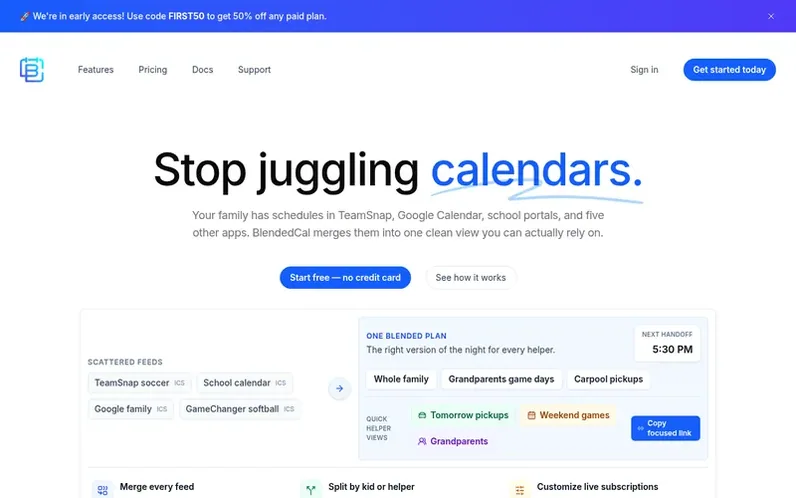
A look at blendedcal.com
BlendedCal merges multiple calendar feeds into a single, customizable view. Users can combine calendars from TeamSnap, GameChanger, Google Calendar, Apple Calendar, Outlook, school portals, and any ICS feed. The app lets families and teams create filtered calendars by child, sport, school, or helper role, then share focused views via public links or subscription feeds. It includes smart filtering to hide unwanted events, automatic updates from source calendars, and the ability to send one-time calendar snapshots. The service is designed for busy families managing school, sports, appointments, and shared household schedules, as well as coaches, organizers, and remote teams.
Feature notes
- Merge multiple calendar feeds from various apps into one view
- Create custom filtered calendars by child, sport, school, or helper role
- Share live calendar links with family members, coaches, and helpers
- Automatic updates from calendar sources without manual refresh
- Download one-time calendar snapshots as ICS files
- Support for TeamSnap, GameChanger, Google Calendar, Apple Calendar, Outlook, and ICS feeds
- Create separate views for different audiences without exposing all family events
Pricing
Pricing model: Freemium
Free plan: up to 3 calendar sources, 1 blended calendar, basic filtering, email support. Basic plan: $2/month (billed annually), up to 10 calendar sources, up to 3 blended calendars, basic filtering, email support. Power User plan: $4/month (billed annually), unlimited calendar sources, unlimited bl
Compare and explore
FAQ
- Which calendar feeds can I add?
- BlendedCal works with ICS subscription links from TeamSnap, GameChanger, school, Google, Apple, or Outlook calendars, plus many other apps that can publish a calendar URL.
- Can I share calendars without exposing every family event?
- Yes. You can build separate calendars for each audience so helpers only receive the events, locations, and timing that matter for their role.
- Will shared calendars update automatically?
- BlendedCal keeps the subscription feed current, but calendar apps decide how often to refresh subscribed calendars. The public web page is the quickest way to see the latest version.
- Can I hide events we do not need?
- Yes. Use text filters, source filters, tags, and event exclusions to quiet noisy league and school calendars without losing the source feed for later.
- Is there a free plan?
- You can start with a free account to try the core flow. Paid plans unlock higher limits and team features for families or groups managing more complicated schedules.
Leave a review for BlendedCal
No reviews of BlendedCal yet. Run the first inspection.
Reviews are free and are never paid for. Open the reviews
Reviews and notes · Change log · Share the profile · Maker of this product? Claim the profile · Report a fault
BlendedCal has a free listing. The owner can unlock the full profile with a paid launch for $5:
- Founder story (locked)
- Milestones (locked)
- Demo video (locked)
- Dofollow website link (locked)
Comparable tools
- TurnabeeDR 0 · 0 community votes
- Cria PlannerDR 4 · 0 community votes
- MeetingpadDR 18 · 0 community votes
- SchedulingKitDR 61 · 0 community votes