
Productivity & Personal Tools
Many Displays
Mac windows back in place after sleep or unlock, automatically and instantly
Menu bar app for macOS that automatically restores every window to its correct display, position and size when your Mac wakes, unlocks, logs in or reconnects
Overview
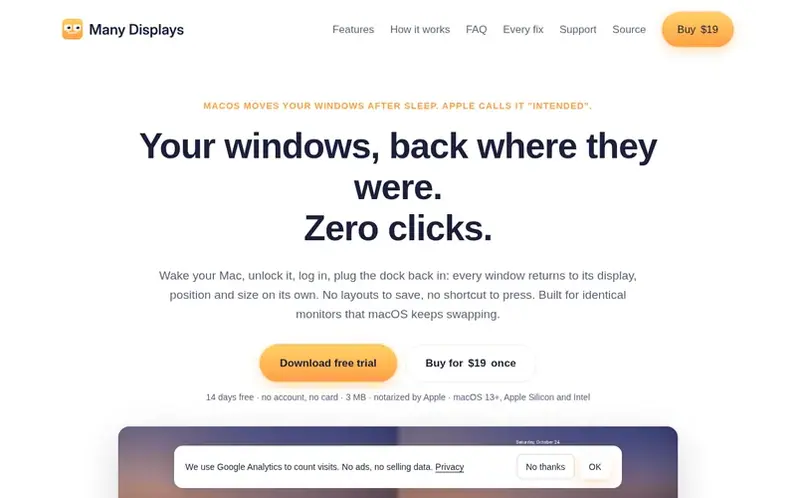
A look at manydisplays.com
Many Displays is a menu bar utility for macOS that solves a persistent Apple system behavior: when your Mac wakes from sleep, locks, or reconnects external monitors, macOS often rearranges or loses your window positions. Many Displays learns your layout as you work and automatically restores every window to its correct display, position and size without any action needed from you.
The app works seamlessly with identical monitors that macOS cannot distinguish, telling them apart by system UUID and physical port. It restores display arrangements too, including resolution, rotation, refresh rate and HDR settings. Windows are tracked across all virtual desktops (Spaces) and restored to their proper locations.
Many Displays is fast, reading the window server in about 20ms, and goes completely idle when no external displays are connected. It requires no setup—just install and forget—and operates entirely offline with no network access, analytics or accounts required.
Feature notes
- Automatic window restoration after wake, unlock, login or monitor reconnection
- Distinguishes identical monitors by system UUID and physical port
- Fast restore without app communication, around 20ms for hundreds of windows
- Restores display arrangement including resolution, refresh rate, rotation and HDR
- Restores windows across all virtual desktops (Spaces)
- Visual feedback with soft blur and countdown during restore
- No setup required, learns layout automatically while you work
- Private by design with no network access or analytics
- Goes idle with no external displays connected
- Distinguishes layouts per display combination
Pricing
$19 USD one-time payment for one person on up to 3 Macs. Includes one year of updates; last version of that year works forever. Free 14-day trial.
Compare and explore
FAQ
- How does Many Displays handle identical monitors that macOS cannot distinguish?
- The app tells identical monitors apart by their system UUID, then by the physical port they are plugged into on Apple Silicon, and only then by position. It maintains one layout per combination of displays and restores the arrangement first if macOS has swapped them.
- Does the app restore windows to their virtual desktop (Space)?
- The app remembers the Space for each window, but since macOS 14.5 Apple blocks moving other apps' windows between Spaces unless System Integrity Protection is disabled. The app restores the display, position and size but cannot change the Space. The menu indicates when this has happened.
- What is included with a license purchase?
- One license is for one person on up to 3 Macs. It includes every update released in the year after purchase. When that year ends, the last version you are entitled to keeps working indefinitely. There is a 14-day money-back guarantee.
- Does Many Displays work when the MacBook is used alone without external displays?
- With no external displays the app goes idle and never touches your windows. Layouts are kept per combination of displays, so your desk setup and your lid-open setup are remembered separately. If undocking leaves the built-in screen at a wrong resolution, the last known good mode is restored.
Leave a review for Many Displays
No reviews of Many Displays yet. Run the first inspection.
Reviews are free and are never paid for. Open the reviews
Reviews and notes · Change log · Share the profile · Maker of this product? Claim the profile · Report a fault
Many Displays has a free listing. The owner can unlock the full profile with a paid launch for $5:
- Founder story (locked)
- Milestones (locked)
- Demo video (locked)
- Dofollow website link (locked)
Comparable tools
- TimeLoopDR 14 · 0 community votes
- CallFirstDR 3 · 0 community votes
- Liner NotesDR 1 · 0 community votes
- HeyDockDR 6 · 0 community votes



