
Productivity & Personal Tools
Linger
A private, local-first image organizer for design references
Save images, screenshots and links with your own notes, then find and organize them in a private local library for macOS.
Overview
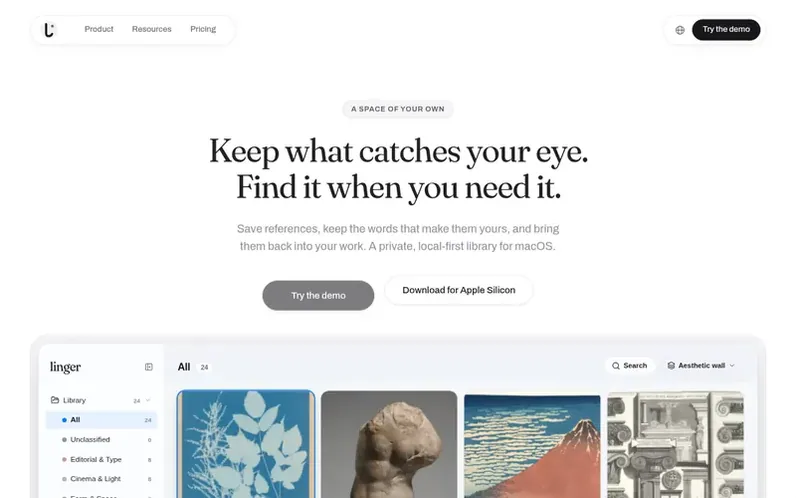
A look at withlinger.com
Linger is a private, local-first image organizer for design references on macOS. It lets you save images, screenshots and web links with their source information, add your own notes and tags, and organize them in a visual library that lives entirely on your device.
The app features multiple ways to browse and search your references: grid, stack or focus views, text search across titles and notes, filtering by source or media type, and saved collections. It includes a Canvas feature to juxtapose references side by side with sticky notes to explore ideas.
All your library data stays locally on your Mac. Linger keeps imported copies in its managed library while leaving your original source files untouched. Personal notes remain separate from optional AI analysis, and AI features are off by default. You can choose to connect external AI services, but core collecting, notes and search work entirely offline.
Feature notes
- Add personal notes and tags to each reference
- Multiple view modes: grid, stack and focus views
- Text search across titles, notes and tags
- Canvas feature to arrange references side by side
- Collections and saved searches
- Local library with no cloud sync required
- Optional AI for text extraction and descriptions
- Chrome extension for easy capture
- No item count limits
Pricing
Pricing model: Paid
Personal $39 USD one-time for 1 person on 2 Macs with Linger 0.x and 1.x updates included; Lifetime $79 USD one-time for 1 person on 4 Macs with all future major upgrades included. 14-day full trial available with no card required.
Compare and explore
FAQ
- What is included in the Personal and Lifetime plans?
- Personal ($39) includes Linger 0.x and 1.x updates for one person on 2 Macs. Lifetime ($79) includes all future major upgrades for one person on 4 Macs. Both are one-time purchases with no monthly fees.
- Can I try Linger before buying?
- Yes. You can explore the browser demo with sample references without a purchase, or start a free 14-day full desktop trial with no card required.
- Will my library sync between computers?
- No. Each computer keeps its own local library. Cloud sync and shared libraries are not included.
- Does AI cost extra?
- Yes. AI is optional and off by default. You can connect a service of your choice and pay that service separately; your Linger purchase does not include AI credits. Collecting, notes and text search work without AI.
- Is volume licensing available for design teams?
- Yes. Linger provides volume licensing with centralized company invoicing (VAT/corporate receipt) for creative studios and design teams. Each designer keeps their own private local library with no shared server complexity or recurring subscriptions.
Leave a review for Linger
No reviews of Linger yet. Run the first inspection.
Reviews are free and are never paid for. Open the reviews
Reviews and notes · Change log · Share the profile · Maker of this product? Claim the profile · Report a fault
Linger has a free listing. The owner can unlock the full profile with a paid launch for $5:
- Founder story (locked)
- Milestones (locked)
- Demo video (locked)
- Dofollow website link (locked)
Comparable tools
- TimeLoopDR 14 · 0 community votes
- CallFirstDR 3 · 0 community votes
- Liner NotesDR 1 · 0 community votes
- HeyDockDR 6 · 0 community votes



