
Productivity & Personal Tools
Ledge
A Mac utility that turns the notch into a shelf for catching and routing files to apps
A Mac app that turns the notch into a shelf to catch files and route them to apps and folders in the right format, without accounts or cloud storage.
Overview
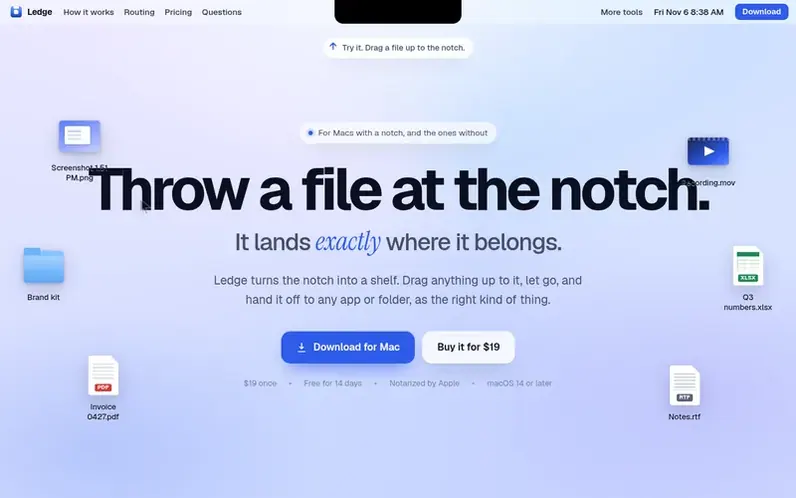
A look at ledge.everydaymactools.com
Ledge turns your Mac's notch into a shelf that catches files you drag toward it. When you drop a file on an app or folder, Ledge automatically converts it to the right format: a path for Terminal, an upload for Slack or browsers, or a file for Finder. The app requires no account or cloud storage, keeps all files on your Mac, and only connects online to activate licenses and check for updates. It works on both notched and non-notched Macs running macOS 14 Sonoma or later, runs as a universal binary on Apple silicon and Intel, and can be opened via keyboard shortcut or by clicking the notch itself.
Feature notes
- Catch any file dragged toward the notch
- Route files to apps as the right format automatically
- Open shelf with keyboard shortcut or click the notch
- Works on Macs with or without a notch
- No internet required for file handling
- Universal binary for Apple silicon and Intel
- Notarized by Apple and signed with Developer ID
- Real preview tiles with file type badges
- Minimal disk space requirement
Pricing
Pricing model: Paid
$19 USD one-time purchase with 14-day free trial and 7-day refund policy
Compare and explore
FAQ
- Do I need a Mac with a notch?
- No, though Ledge works best with a notch. On Macs without a notch, the shelf still functions at the top-center of the screen and can be opened with the keyboard shortcut or menu-bar icon.
- What are the system requirements?
- Ledge requires macOS 14 Sonoma or later and runs as a universal binary on both Apple silicon and Intel Macs.
- Is Ledge a subscription?
- No, Ledge is a one-time $19 purchase that includes every update. You own the license, not a subscription.
- Can I get a refund?
- Yes, within 7 days for any reason. Email the support team and the refund is processed with no questions asked.
- How do I install it?
- Open the installer and click through. Ledge lands in your Applications folder and appears in the menu bar right away. It is signed with a Developer ID and notarized by Apple, so it opens with no warnings, no right-clicking and no Terminal. It uses a few megabytes on disk.
Leave a review for Ledge
No reviews of Ledge yet. Run the first inspection.
Reviews are free and are never paid for. Open the reviews
Reviews and notes · Change log · Share the profile · Maker of this product? Claim the profile · Report a fault
Ledge has a free listing. The owner can unlock the full profile with a paid launch for $5:
- Founder story (locked)
- Milestones (locked)
- Demo video (locked)
- Dofollow website link (locked)
Comparable tools
- TimeLoopDR 14 · 0 community votes
- CallFirstDR 3 · 0 community votes
- Liner NotesDR 1 · 0 community votes
- HeyDockDR 6 · 0 community votes



