
Productivity & Personal Tools
Harmony
The weekly planner for all your roles
A mission-driven iOS planning app that helps you balance work, family, and personal growth through role-based weekly planning, mission statements, and goal
Overview
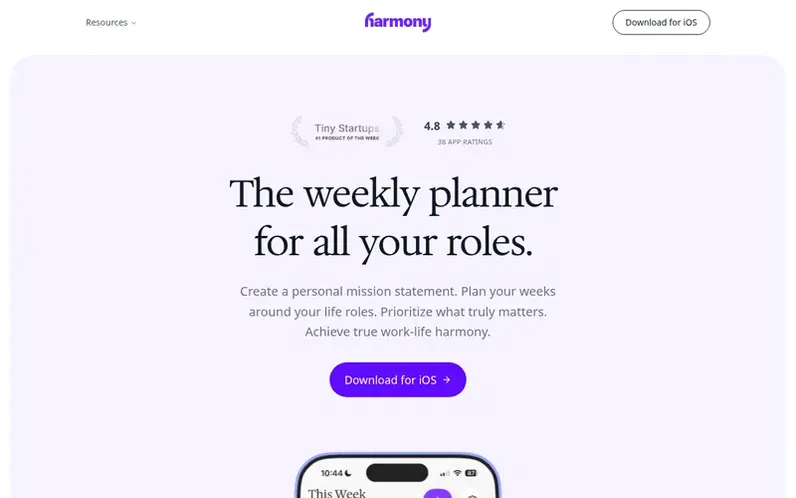
A look at useharmony.com
Harmony guides you to define your personal mission statement and plan your weeks around the different roles you play in life—such as parent, professional, partner, or friend. Rather than overwhelming task lists, you set one or two meaningful goals per role each week, ensuring all areas of your life receive attention.
The app features a meditation-like mission statement builder that helps you create a first draft in about 10 minutes, role-based weekly planning prompts, native iOS alarm notifications that bypass Do Not Disturb, and home screen widgets to keep your mission and priorities visible throughout the week. Your data is stored locally on your device and encrypted, with optional AI mission drafting available.
Harmony also syncs with Apple Calendar, allowing you to time-block your weekly goals directly into any calendar connected to Apple Calendar—including Google, Outlook, and iCloud.
Feature notes
- Personal mission statement builder
- Role-based weekly planning
- High-impact weekly goals
- Alarm notifications that bypass Do Not Disturb
- Home Screen widgets for mission and goals
- Apple Calendar sync
- Local-first encrypted storage
- Optional AI mission statement drafting
Pricing
Pricing model: Freemium
$9.99 per year or $19.99 for lifetime access. Both include mission statements, role-based weekly planning, reminders, alarm notifications, and Home Screen widgets.
Compare and explore
FAQ
- How is Harmony different from other planners?
- Harmony focuses on your life roles—the different hats you wear like Parent, Professional, or Partner. Instead of just listing tasks, you plan around what matters most, ensuring nothing important gets neglected.
- What is a Personal Mission Statement?
- It's your North Star—a clear articulation of your values, purpose, and what you want your life to stand for. A meditation-like process helps you create a first draft of one in about 10 minutes.
- Can I sync with my calendar?
- Yes! Harmony syncs with Apple Calendar locally, which means any calendar you connect to Apple Calendar—Google, Outlook, iCloud, and more—will automatically connect to Harmony. You can time-block your weekly goals directly in your existing calendar.
- How much does Harmony cost?
- Harmony has two simple options: $9.99 per year or $19.99 for lifetime access. Both include mission statements, role-based weekly planning, reminders, alarm notifications, and Home Screen widgets.
- What platforms is Harmony available on?
- Harmony is currently available on iOS, with an Android version in development. You can also access your mission and goals via the web.
Leave a review for Harmony
No reviews of Harmony yet. Run the first inspection.
Reviews are free and are never paid for. Open the reviews
Reviews and notes · Change log · Share the profile · Maker of this product? Claim the profile · Report a fault
Harmony has a free listing. The owner can unlock the full profile with a paid launch for $5:
- Founder story (locked)
- Milestones (locked)
- Demo video (locked)
- Dofollow website link (locked)
Comparable tools
- TimeLoopDR 14 · 0 community votes
- CallFirstDR 3 · 0 community votes
- Liner NotesDR 1 · 0 community votes
- HeyDockDR 6 · 0 community votes



