
Productivity & Personal Tools
Folio Refresh
Duplicate photos, found and cleared safely, on a Mac
A Mac app that finds identical copies, edited versions and bursts from folders, Photos library, Lightroom Classic and Capture One, suggests which to keep, and
Overview
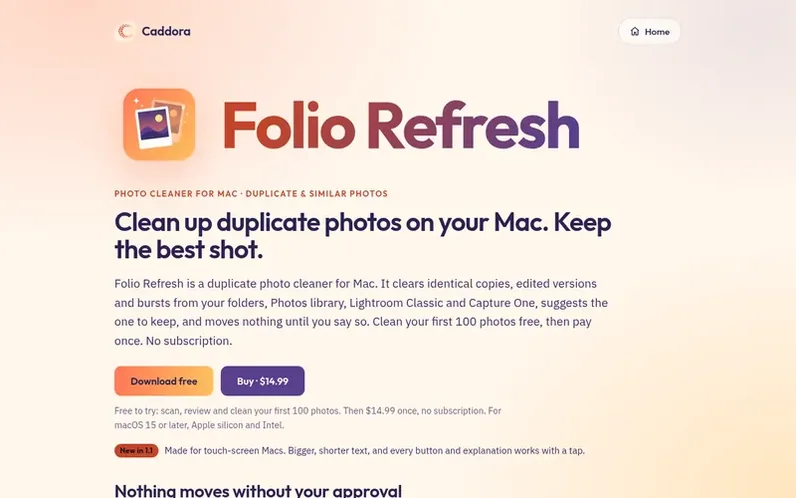
A look at caddora.ie
Folio Refresh finds photos saved more than once across your folders, Photos library, Lightroom Classic and Capture One catalogs. It identifies identical copies, even when renamed; similar photos that have been resized, cropped, rotated or edited; and burst photos taken seconds apart. The app suggests which copy to keep based on quality, sharpness, and whether eyes are open in photos. Nothing moves until you approve it, and all actions can be undone. It cleans each location the way its app expects: duplicates in Photos go to a review album, Lightroom duplicates are marked Rejected, and Capture One duplicates are tagged Red, with catalogs backed up first. The app can also convert videos to HEVC and photos to HEIC to save space.
Feature notes
- Finds identical copies, even renamed ones
- Detects edited and cropped versions
- Organizes burst photos by best frame
- Suggests best photo and explains why
- Safe deletion with undo capability
- Converts videos to HEVC and photos to HEIC
- Scans multiple storage locations simultaneously
- Touch-screen Mac support
- On-device processing with no uploads
Pricing
Pricing model: Free trial
Free to try: scan, review and clean your first 100 photos. After that $14.99 once, no subscription.
Compare and explore
FAQ
- How do I find duplicate photos on my Mac?
- Download Folio Refresh and add the folders you want checked, or choose your Photos library, Lightroom Classic or Capture One catalog. The scan groups identical copies, similar versions and bursts, and suggests which photo to keep.
- Does Folio Refresh upload my photos?
- No. Every photo is read and compared on your Mac. There is no account, no tracking and no adverts.
- Will it delete my originals?
- Not without you. Nothing moves until you approve it, every group keeps at least one copy, and Folio Refresh never deletes a file outright: folders use the Trash, Photos uses its own confirmation, and catalogs are marked for you to delete in their app.
- Which Macs does it run on?
- Any Mac with macOS 15 Sequoia or later, on Apple silicon or Intel, including touch-screen Macs. Every control works with a tap, and explanations that were hover tooltips open from an icon.
- Is there a free duplicate photo cleaner for Mac?
- Folio Refresh is free to try: scanning and reviewing are free, and cleaning your first 100 photos is free. After that it costs $14.99 once, with no subscription.
Leave a review for Folio Refresh
No reviews of Folio Refresh yet. Run the first inspection.
Reviews are free and are never paid for. Open the reviews
Reviews and notes · Change log · Share the profile · Maker of this product? Claim the profile · Report a fault
Folio Refresh has a free listing. The owner can unlock the full profile with a paid launch for $5:
- Founder story (locked)
- Milestones (locked)
- Demo video (locked)
- Dofollow website link (locked)
Comparable tools
- TimeLoopDR 14 · 0 community votes
- CallFirstDR 3 · 0 community votes
- Liner NotesDR 1 · 0 community votes
- HeyDockDR 6 · 0 community votes



