
Productivity & Personal Tools
Crest
Answer Claude Code approvals from your MacBook's notch
A Mac notch app that displays Claude Code permission prompts and questions, letting you approve or deny them with a tap, with the answer going straight to your
Overview
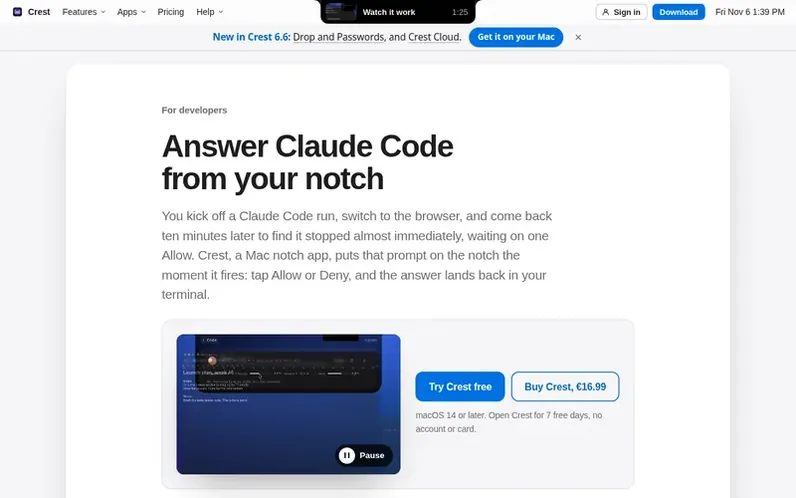
A look at crestnotch.app
Crest is a Mac notch app that intercepts Claude Code permission requests and questions, displaying them on your MacBook's notch so you can approve or deny them without leaving your current app. When Claude Code needs permission for a Bash command, file edit, or has a question with multiple options, Crest shows it on the notch with Allow/Deny buttons or multiple-choice options. You can tap to answer instantly, type your own response for single-choice questions, or hand it back to the terminal. Crest also works with Codex and GitHub Copilot CLI, using their own hook systems without patching or injecting code. The app uses a 7-day free trial with no card or account required, then costs $14.99 once for use on up to 2 Macs with updates through Crest 7.
Feature notes
- Display Claude Code permission prompts on the MacBook notch
- Answer with Allow or Deny with a single tap
- View full command details before approving
- Answer Claude's multiple-choice questions from the notch
- Support for Codex CLI
- Support for GitHub Copilot CLI
- Visible on any display, even over fullscreen apps
- Works with Claude Code's native hook system
Pricing
Pricing model: Paid
Crest Pro: $14.99 once (use on 2 Macs, updates through Crest 7). Crest Cloud + Drop add-on: 50 GB for $4.99/month or $39.99/year; 200 GB for $7.99/month or $79.99/year. 7-day free trial of everything with no card required.
Compare and explore
FAQ
- Do I need an API key for this?
- No. Crest hooks into the Claude Code CLI you already run on your Claude subscription. There is nothing extra to sign up for and no key to paste anywhere.
- What happens if Crest isn't running?
- The hooks step aside and Claude Code shows its normal terminal prompt. A closed Crest never stalls a run.
- Does it work with Codex?
- Yes. If Codex is installed, the same toggle adds hooks for it and permission requests show the same Allow/Deny at the notch. Codex runs a new hook only after you review and trust it once in /hooks, which it points you to at its next start; Crest tells you about that instead of working around it. Sessions running with bypassPermissions are answered allow instantly, since you asked for autonomy.
- Does it work with GitHub Copilot CLI?
- Yes, since Crest 5.1.4. The same toggle writes one file of Crest's own, ~/.copilot/hooks/crest.json, and Copilot's permission requests show the same Allow and Deny at the notch. There is no trust step. Sessions started with --yolo, --allow-all or an --allow-tool rule never reach the notch, because Copilot decides there.
- Is this free?
- Not after the trial. Crest's permission prompts and questions work in the 7-day trial with no card, and in every paid plan. Crest Pro adds what keeps a long run going: a warning before your Claude or Codex limit runs out, with the time left at your pace, and the Agents widget, which lists every running session and takes you to its terminal in one click. Crest is $14.99 once.
Leave a review for Crest
No reviews of Crest yet. Run the first inspection.
Reviews are free and are never paid for. Open the reviews
Reviews and notes · Change log · Share the profile · Maker of this product? Claim the profile · Report a fault
Crest has a free listing. The owner can unlock the full profile with a paid launch for $5:
- Founder story (locked)
- Milestones (locked)
- Demo video (locked)
- Dofollow website link (locked)
Comparable tools
- TimeLoopDR 14 · 0 community votes
- CallFirstDR 3 · 0 community votes
- Liner NotesDR 1 · 0 community votes
- HeyDockDR 6 · 0 community votes



