
Productivity & Personal Tools
CapyBreaks
Break reminder app for Mac and Windows that helps you stretch, rest your eyes, and finish the workday with energy
Desktop break reminder app that nudges you to stretch, rest your eyes, drink water, or stand up throughout your workday with customizable intervals and gentle
Overview
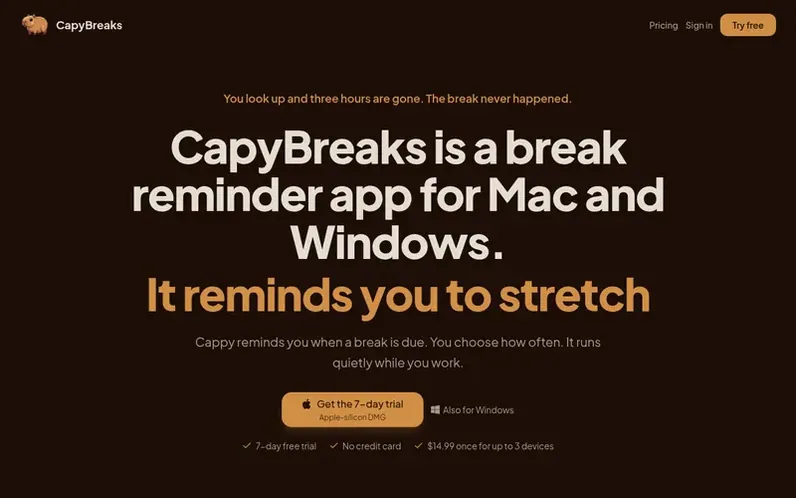
A look at capybreaks.com
CapyBreaks is a desktop break reminder app for Mac and Windows that helps you maintain healthy work habits by reminding you to take breaks. A character named Cappy provides gentle nudges when a break is due, allowing you to choose your break frequency and types. The app runs quietly in the background and includes features like Do Not Disturb mode for calls and screen sharing, idle detection, custom reminder schedules, and optional lock screen mode to enforce breaks. It's designed to prevent fatigue by prompting you to stretch, rest your eyes, drink water, or stand up before exhaustion sets in.
Feature notes
- Customizable break intervals and reminder types
- All break types: eye rest, hydration, stretching, posture
- Do Not Disturb mode for calls and screen sharing
- Lock screen mode to enforce breaks
- Smart breaks and idle detection
- Working hours scheduling
- Team dashboard for managing multiple accounts
Pricing
Pricing model: Free trial
Personal: $14.99 one-time for up to 3 devices, includes all break types and custom schedules. Team: $9.99 per seat one-time (minimum 2 seats), includes team dashboard and centralized billing.
Compare and explore
FAQ
- How much does CapyBreaks cost?
- CapyBreaks offers a Personal plan for $14.99 one-time for up to 3 devices with all break types included. A Team plan is available at $9.99 per seat one-time (minimum 2 seats) with team management features.
- Can I try CapyBreaks before buying?
- Yes, CapyBreaks includes a 7-day free trial with no credit card required, so you can try it on your computer before purchasing.
- What operating systems does CapyBreaks support?
- CapyBreaks is available for both Mac and Windows computers, with up to 3 devices per license.
- Does CapyBreaks interrupt meetings?
- No, Do Not Disturb is on by default, so CapyBreaks quietly holds reminders whenever you're on a call or sharing your screen and resumes them when you're free.
- Can I enforce breaks with lock screen mode?
- Yes, you can enable lock screen mode to block your screen during breaks, which helps build real break habits when willpower alone isn't enough.
Leave a review for CapyBreaks
No reviews of CapyBreaks yet. Run the first inspection.
Reviews are free and are never paid for. Open the reviews
Reviews and notes · Change log · Share the profile · Maker of this product? Claim the profile · Report a fault
CapyBreaks has a free listing. The owner can unlock the full profile with a paid launch for $5:
- Founder story (locked)
- Milestones (locked)
- Demo video (locked)
- Dofollow website link (locked)
Comparable tools
- TimeLoopDR 14 · 0 community votes
- CallFirstDR 3 · 0 community votes
- Liner NotesDR 1 · 0 community votes
- HeyDockDR 6 · 0 community votes



