Productivity & Personal Tools
BreakReminder
A break reminder app for Windows that nudges you at your chosen interval and plays a 1–2 minute guided stretch video
A quiet Windows tray app that reminds you to step away from the screen and guides you through short stretch videos to keep you moving throughout the day.
Overview
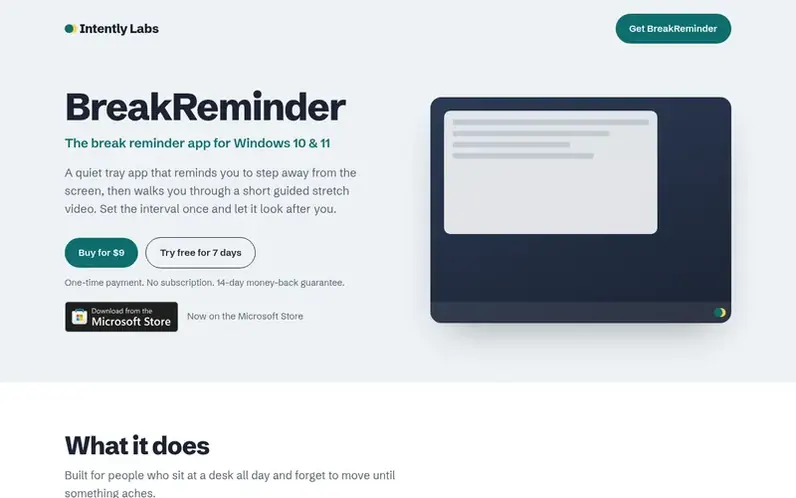
A look at intentlylabs.com
BreakReminder is a break reminder app for Windows 10 and 11 designed for people who sit at a desk all day and forget to move. It sits quietly in the system tray and nudges you at intervals you choose, from 1 to 240 minutes. When it's time for a break, it opens a short follow-along video showing simple stretches for your neck, shoulders, back, wrists, or eyes that you can do in your chair. Each break takes 10 seconds to 10 minutes depending on what you set. The app includes on-screen captions so you can follow along silently in shared spaces. It works completely offline since the stretch videos are built into the app, and requires no account or browser tab. You can skip breaks when you're busy, and your licence activates on up to two Windows PCs.
Feature notes
- Customizable break intervals from 1 to 240 minutes
- Guided stretch videos for neck, shoulders, back, wrists and eyes
- On-screen captions for silent use in shared spaces
- Works completely offline with built-in videos
- System tray app that starts with Windows
- Skip breaks with one click when you are busy
- Licence works on up to 2 Windows PCs
Pricing
Pricing model: Paid
$9 one-time payment for a lifetime licence that works on up to 2 Windows PCs. Free 7-day trial with all features included, no account or card required. 14-day money-back guarantee.
Compare and explore
FAQ
- What happens after the 7-day trial?
- BreakReminder asks for a licence key. Buy one for $9, enter the key from your receipt email, and keep using it. Nothing is charged automatically.
- Can I use one licence on more than one PC?
- Yes. Each licence activates on up to two Windows PCs. To move it to a new computer, click Deactivate in the app on the old one, or email support and they will help.
- Does it work offline?
- Yes. The stretch videos are part of the app, so reminders and breaks work without an internet connection. It only goes online to activate your licence key and re-check it occasionally.
- Does it collect my data?
- No. BreakReminder runs on your PC and doesn't track what you do. It only contacts the licensing provider to activate your key and re-check it about once a week.
- Can I change how often it reminds me?
- Yes. You can set any interval from 1 to 240 minutes and a break length from 10 seconds to 10 minutes. You can also pause reminders, start a break now, or skip a break when you are busy.
Leave a review for BreakReminder
No reviews of BreakReminder yet. Run the first inspection.
Reviews are free and are never paid for. Open the reviews
Reviews and notes · Change log · Share the profile · Maker of this product? Claim the profile · Report a fault
BreakReminder has a free listing. The owner can unlock the full profile with a paid launch for $5:
- Founder story (locked)
- Milestones (locked)
- Demo video (locked)
- Dofollow website link (locked)
Comparable tools
- TimeLoopDR 14 · 0 community votes
- CallFirstDR 3 · 0 community votes
- Liner NotesDR 1 · 0 community votes
- HeyDockDR 6 · 0 community votes



