
Productivity & Personal Tools
Beckon
A Mac app that brings your Dock to your cursor in a ring around the pointer
A Mac utility that displays your apps in a ring around the pointer, letting you switch apps and access files with a flick instead of traveling to the Dock.
Overview
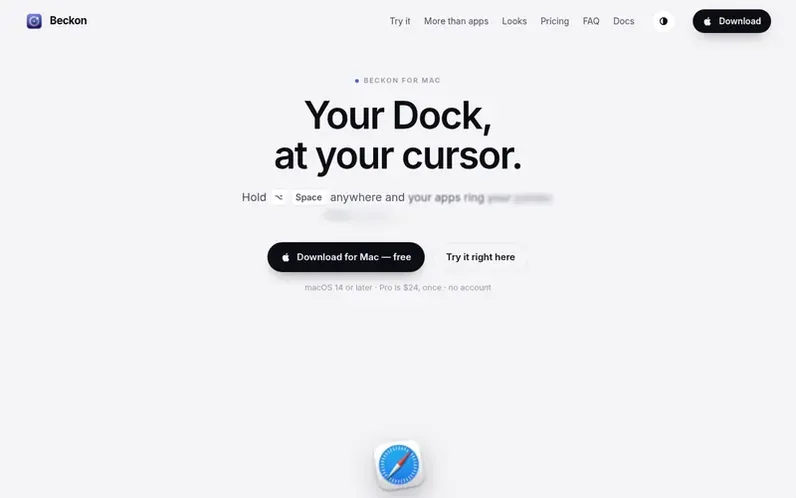
A look at withbeckon.app
Beckon is a Mac app that replaces the Dock by bringing your applications to your cursor. Hold Option-Space to open a ring of your apps around the pointer, then flick toward the app you want. It includes window switching with live thumbnails, access to websites, shortcuts, files and collections, the ability to hide the macOS Dock, and file manipulation tools for converting, compressing, trimming, redacting and sending files—all without leaving your workspace.
The app uses minimal memory (about 20 MB) and only activates when called. It works with macOS 14 Sonoma or later on Apple silicon or Intel Macs. Every download includes a 14-day free trial of Pro; after that it functions as a free app switcher, with Pro features available as a one-time $24 purchase that works on up to 3 Macs.
Feature notes
- App ring around cursor with directional flicking
- Window switching with live thumbnails
- Pinned apps, folders and Trash access
- Website, Shortcut, file and collection management
- Dock hiding and hiding the Dock for good
- File drop actions: convert, compress, trim, redact, zip, send
- Customizable appearance with five look options and accent colors
- Pointer auto-follow after window selection
- Cross-display window placement with Shift+release
- Minimal memory footprint with instant activation
Pricing
Pricing model: Freemium
Free: the ring for open apps, flick and click, your own shortcut, find any app by typing, Glass and Outline looks, zip, AirDrop and image conversions. Beckon Pro: $24, once, on up to 3 Macs, includes your Dock apps running or not, folders and Trash, websites, Shortcuts, files and collections, window
Compare and explore
FAQ
- Does it replace the Dock?
- With Pro, yes: Beckon offers pinned apps, folders, the Trash, the Dock's right-click menu and dropping files on apps, and can hide the Dock. It also includes websites, Shortcuts, files and collections on the ring, arranged by dragging. Turn hiding off and your Dock comes back exactly as it was.
- Will it slow my Mac down?
- No. Beckon sits in your menu bar using about 20 MB of memory and does nothing at all until you call the ring. It draws the ring, then lets the memory go when it closes.
- Do I need an account?
- No. You get a licence key by email; paste it into Beckon → Settings → Licence.
- Can I use it on another Mac?
- Yes. One key unlocks up to 3 Macs. Deactivate one in Settings to free a slot.
- Which Macs?
- macOS 14 Sonoma or later, on Apple silicon or Intel.
Leave a review for Beckon
No reviews of Beckon yet. Run the first inspection.
Reviews are free and are never paid for. Open the reviews
Reviews and notes · Change log · Share the profile · Maker of this product? Claim the profile · Report a fault
Beckon has a free listing. The owner can unlock the full profile with a paid launch for $5:
- Founder story (locked)
- Milestones (locked)
- Demo video (locked)
- Dofollow website link (locked)
Comparable tools
- TimeLoopDR 14 · 0 community votes
- CallFirstDR 3 · 0 community votes
- Liner NotesDR 1 · 0 community votes
- HeyDockDR 6 · 0 community votes



