Time tracking
TimoDesk
Time tracking software for teams at $1 per user per month
TimoDesk is affordable time tracking software that records hours, activity levels and screenshots on Windows, macOS and Linux for teams and small businesses.
Overview
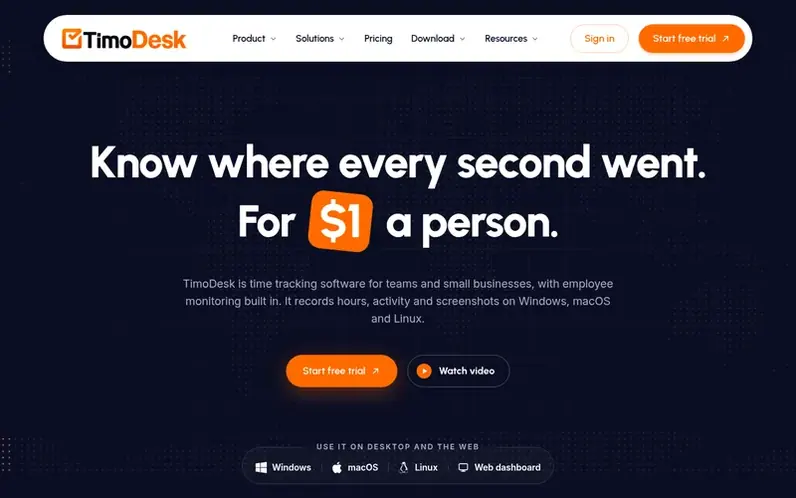
A look at timodesk.com
TimoDesk is time tracking and employee monitoring software designed for teams, staffing agencies, and remote workers. It records hours, activity levels, and screenshots on Windows, macOS, and Linux, turning that data into timesheets and reports. Every project includes kanban boards, and the desktop app tracks time linked to specific tasks. The platform emphasizes transparency: tracked time runs in the open, with no hidden mode or keystroke logging, and people being tracked can always see their own data. All features are included in a single plan at $1 per user per month with a 15-day free trial requiring no credit card.
Feature notes
- Desktop timer for projects and tasks on Windows, macOS and Linux
- Screenshots every 3 to 60 minutes
- App and website usage tracking
- Kanban boards with time tracked on each card
- Reports and analytics in PDF and CSV
- Monthly timesheets ready to export as PDF
- Offline tracking with sync within 30 days
- Manual time request and approval workflow
Pricing
Pricing model: Free trial
$1 per user per month. One plan with all features included. 15-day free trial, no credit card required. Post-paid billing: you are charged after each month only for members who tracked time.
Compare and explore
FAQ
- How much does TimoDesk cost?
- TimoDesk costs $1 per user per month on a single plan that includes every feature: reports, screenshots, activity levels, kanban boards and desktop apps. You are billed each month only for members who actually tracked time; invited people who never track are not billed.
- Is there a free trial?
- Yes. Every new organization gets a 15-day free trial with every feature included, and you do not need a credit card to start.
- Does TimoDesk record keystrokes?
- No. TimoDesk does not record keystrokes. It only counts how often the keyboard and mouse are used to show activity levels.
- Does it work offline?
- Yes. The desktop app continues tracking without an internet connection and automatically uploads the time when the connection is restored, as long as that happens within 30 days.
- How long does setup take?
- Setup takes a few minutes. You create the organization, send invitations to team members, have them install the app and pick a task. Tracked time shows on the dashboard the same day they start, and full-day reports are ready the next day.
Leave a review for TimoDesk
No reviews of TimoDesk yet. Run the first inspection.
Reviews are free and are never paid for. Open the reviews
Reviews and notes · Change log · Share the profile · Maker of this product? Claim the profile · Report a fault
TimoDesk has a free listing. The owner can unlock the full profile with a paid launch for $5:
- Founder story (locked)
- Milestones (locked)
- Demo video (locked)
- Dofollow website link (locked)
Comparable tools
- DayReplay™DR 3 · 0 community votes
- PunchyDR 0 · 0 community votes
- SPANDR 0 · 0 community votes
- TimenDR 27 · 0 community votes