
Task & project management
t0ggles
Project management for teams and AI agents
A fast project management platform that lets teams and AI agents manage multiple projects on one board with AI-powered task creation and real-time
Overview
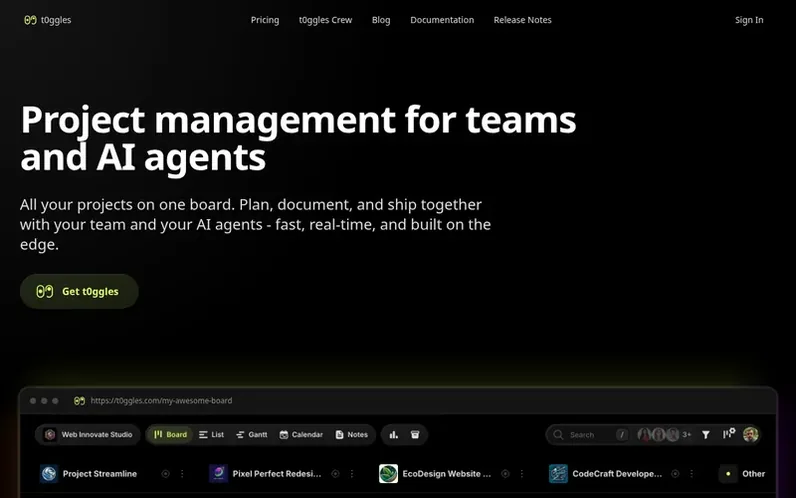
A look at t0ggles.com
t0ggles is a project management platform designed for teams and AI agents. It enables users to manage multiple projects on a single board, providing unified visibility across projects, deadlines, and bottlenecks without constant switching between different workspaces. The platform includes AI-powered features for task creation using natural language and text assistance. It supports multiple view modes including Kanban, List, Calendar, and Gantt Chart for different planning approaches. Users can create unlimited notes organized in folders, integrate with GitHub and Google Calendar, use Board Forms for external submissions, set up automations for repetitive work, and invite AI assistants through the built-in MCP server. The platform also offers t0ggles Crew, a free desktop companion app that allows AI agents to work autonomously on tasks from boards.
Feature notes
- Multiple projects on a single board
- AI-powered natural language task creation
- Kanban, List, Calendar, and Gantt Chart views
- Real-time collaboration
- Board Forms for external submissions
- Board Automations for task rules and scheduling
- GitHub integration with full sync
- MCP server for AI assistants
- Unlimited notes and documentation
- Google Calendar sync and task dependencies
Pricing
Pricing model: Freemium
Free plan: 1 board, 5 projects per board, 100 tasks per board, 50 notes per board, 3 team members, 1 form with 50 submissions, 100 MB file storage per board, 25 AI actions per month, public board sharing, and t0ggles Crew and MCP server. Paid plan: $5 per user/month (billed annually) for unlimited b
Compare and explore
FAQ
- What is t0ggles?
- t0ggles is a fast project management app for teams and AI agents. It lets you manage multiple projects on a single board, create tasks with AI, collaborate in real time, and switch between Kanban, List, Calendar, and Gantt Chart views. AI agents are first-class collaborators that can work with boards and tasks through the built-in MCP server.
- Can I manage multiple projects at once in t0ggles?
- Yes. Unlike most project management tools, t0ggles lets you manage multiple projects on a single board. This gives you a unified view of progress, deadlines, and bottlenecks across all projects without constantly switching between different boards or workspaces.
- Does t0ggles have AI features?
- Yes. t0ggles includes powerful AI features. You can create tasks using natural language to describe what you need and AI will structure it with due dates, tags, and priorities. The AI text editor assistant can refine descriptions, summarize notes, translate content, and help improve your writing.
- Can I use t0ggles with AI coding assistants like Cursor or Claude?
- Yes. t0ggles provides an MCP (Model Context Protocol) server that lets AI assistants like Cursor IDE, Claude Code, VS Code, and others interact with your boards, tasks, and notes through natural language. You can create tasks, check assignments, and update statuses without leaving your IDE.
- Is there a free trial?
- You can start on the free plan without a card, so there is no trial clock. If you want to try the paid features before committing, t0ggles also offers a 14-day free trial the first time you subscribe.
Find t0ggles online
Leave a review for t0ggles
No reviews of t0ggles yet. Run the first inspection.
Reviews are free and are never paid for. Open the reviews
Reviews and notes · Change log · Share the profile · Maker of this product? Claim the profile · Report a fault
t0ggles has a free listing. The owner can unlock the full profile with a paid launch for $5:
- Founder story (locked)
- Milestones (locked)
- Demo video (locked)
- Dofollow website link (locked)
Comparable tools
- MiwloDR 1 · 0 community votes
- Task SessionDR 3 · 0 community votes