
Video & meetings
imagetoolbox
Free online video converter and editor that runs in your browser with no uploads
Browser-based video converter and editor supporting MP4, MOV, MKV, AVI and WebM with no file uploads, size limits or signup required.
Overview
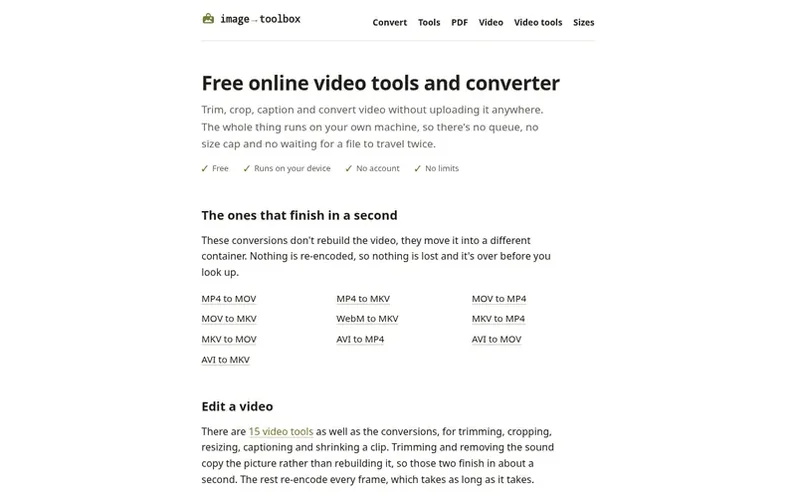
A look at imagetoolbox.org
imagetoolbox is a free online video converter and editor that runs entirely in your browser. It supports trimming, cropping, resizing, captioning and converting between video formats including MP4, MOV, MKV, AVI, WebM and GIF. Because ffmpeg has been compiled to WebAssembly and runs on your device rather than a server, files never leave your machine, there is no upload queue and no size limit beyond your browser's memory capacity.
The tool performs two types of conversions: container-only conversions like MP4 to MOV that finish in about a second, and frame-by-frame re-encoding conversions like MP4 to WebM that take roughly as long as the video lasts. It includes 15 video editing tools in addition to the conversion options, with trimming and sound removal operating at container speed while other edits re-encode the full video.
Feature notes
- Convert between MP4, MOV, MKV, AVI, WebM and GIF formats
- Trim and crop videos
- Resize videos
- Add captions to videos
- Remove audio from videos
- Convert video to MP3
- Convert video to GIF
- 15 video editing tools
- Fast container-only conversions taking about one second
Pricing
Pricing model: Open source
Compare and explore
FAQ
- Is the video converter free?
- Yes, it is completely free with no paid tier, trial, watermark on results or signup requirement. Users can convert as many files as they like as often as they like.
- Are my files uploaded to a server?
- No. The video converter runs inside your browser on your own machine, so files never leave your device. There is no size limit beyond what your browser can hold.
- Can you really convert video in a browser?
- Yes. ffmpeg, the program behind most video conversion, has been compiled to WebAssembly and runs inside the page. It performs the same work on your machine instead of someone else's server, which is why nothing needs to be uploaded and there is no size limit or queue.
- Why are some conversions instant and others slow?
- Container-only conversions that move video between formats without re-encoding take about one second. Conversions like MP4 to WebM that require decoding and encoding every frame take roughly as long as the video lasts.
- How big a video can I convert?
- There is no limit imposed by the tool, but a practical one exists based on browser memory. A few hundred megabytes is comfortable on a computer while phones will have lower limits.
Leave a review for imagetoolbox
No reviews of imagetoolbox yet. Run the first inspection.
Reviews are free and are never paid for. Open the reviews
Reviews and notes · Change log · Share the profile · Maker of this product? Claim the profile · Report a fault
imagetoolbox has a free listing. The owner can unlock the full profile with a paid launch for $5:
- Founder story (locked)
- Milestones (locked)
- Demo video (locked)
- Dofollow website link: not on this free listing (its website link is nofollow)