
Video & meetings
Rooster
Transcript-first video editor for Mac with unlimited recording, editing and export for one flat price
A native Mac video editor where you record, edit by deleting words from the transcript, add captions and effects, and export—all on your own machine with no
Overview
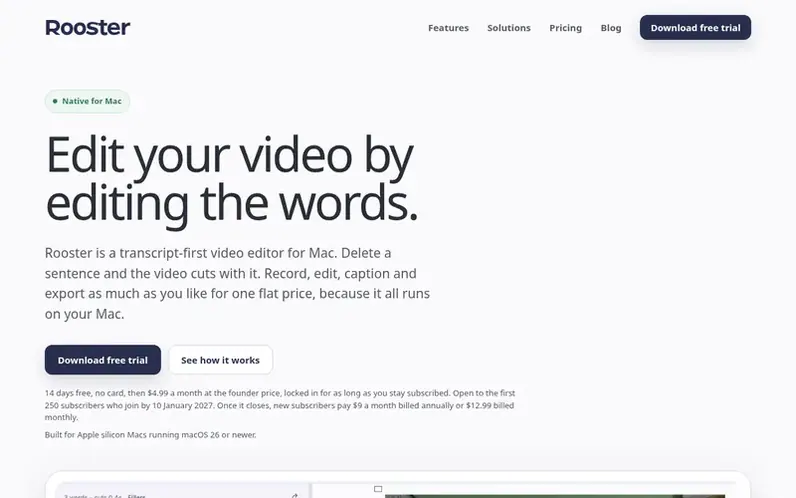
A look at rooster.cam
Rooster is a transcript-first video editor for Mac that runs entirely on your own machine. You record or import video, Rooster transcribes it using a local AI model, and you edit by selecting and deleting words from the transcript—the video cuts automatically. The app includes captions generated from your transcript, AI tools to remove filler words and pauses, effects like Studio Voice for audio cleanup and Eye Contact for correcting eye line, and Green Screen for background removal. Everything exports as ordinary files to your Downloads folder.
Unlike cloud-based editors, Rooster charges one flat monthly or annual subscription with no media-minute limits or usage meters. Recording, transcription, editing, effects and export all run on your Mac's processor and Neural Engine, so your footage never leaves your machine unless you choose to connect a cloud service. Projects stay on your Mac with no account required, and you keep access to your work even if your subscription lapses.
Feature notes
- Record camera, screen or both with teleprompter and framing guides
- Local transcription in English and 24 other languages using NVIDIA Parakeet model
- Edit video by selecting and deleting words from transcript
- AI tools to find and remove filler words, long pauses and silence
- Studio Voice for background noise removal and audio cleanup
- Eye Contact correction using Apple Vision
- Green Screen removal without physical screen required
- Captions generated from transcript with styling options
- B-roll, stills and music with layered editing
- Export video, audio, transcripts and subtitles to Downloads folder
Pricing
Pricing model: Freemium
Free trial: 14 days, full app, no card required. Monthly: $4.99/month (founder price, locked in for subscribers who join by 10 January 2027); $12.99/month for new subscribers after founder offer closes. Annual: $9/month billed $108/year. Lifetime: $249 one payment, includes all future updates, 30-da
Compare and explore
FAQ
- What does unmetered mean?
- No media-minute limits, top-ups or overage charges. Whether you record a short clip or a two-hour episode, your Rooster bill stays the same because all processing runs on your Mac rather than metered cloud servers.
- How does transcript-first editing work?
- Rooster transcribes your recording on your Mac, then you edit by selecting words in the transcript and deleting them—the matching video cuts automatically. You can also correct words without changing the recording, and text and timeline stay in sync.
- What does Rooster cost?
- Rooster costs $4.99/month at the founder price (locked in for subscribers who join by 10 January 2027), $9/month billed annually ($108/year), or $249 once for a lifetime licence. All include a 14-day free trial. After the founder offer closes, new monthly subscribers pay $12.99/month.
- Which Macs does Rooster support?
- Rooster requires Apple silicon Macs running macOS 26 or newer. Transcription and local effects like Studio Voice, Eye Contact and Green Screen use Apple's Neural Engine, which is why those specifications are required.
- Does my footage leave my Mac?
- Your footage never leaves your Mac unless you deliberately connect a cloud provider. Transcription, Studio Voice, Eye Contact, Green Screen, preview and export all run on your Mac's processor and Neural Engine.
Leave a review for Rooster
No reviews of Rooster yet. Run the first inspection.
Reviews are free and are never paid for. Open the reviews
Reviews and notes · Change log · Share the profile · Maker of this product? Claim the profile · Report a fault
Rooster has a free listing. The owner can unlock the full profile with a paid launch for $5:
- Founder story (locked)
- Milestones (locked)
- Demo video (locked)
- Dofollow website link (locked)