
Sales enablement
Harp
MCP harness for pipeline generation with AI agent research, writing and decision-making
AI agent platform that handles outbound research, email sequences, LinkedIn automation and reply management while integrating with Claude and your own mailbox.
Overview
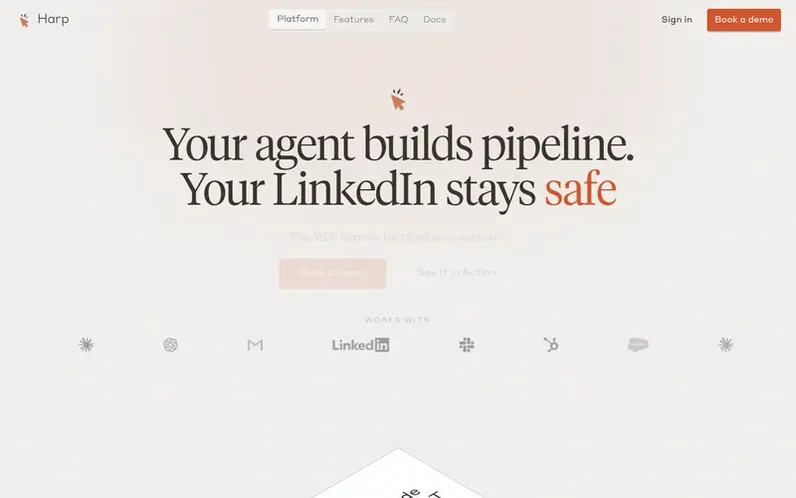
A look at harpgtm.com
Harp is an MCP harness that sits between your AI agent and your outbound channels, automating pipeline generation. Your agent handles research, qualification and writing through Harp's MCP tools, while Harp manages sending from your Google Workspace mailbox, running LinkedIn automation from your Mac at human pace, and handling replies within minutes. The platform works with Claude today through Claude Code, Claude Desktop or Cowork, and requires no separate AI credits since you bring your own plan. Harp keeps your LinkedIn account safe by controlling your real Chrome browser at the operating-system level, using no extensions, APIs or headless browsers, while enforcing daily limits and human-like behavior patterns.
Feature notes
- MCP server integration with Claude, Claude Code, Claude Desktop and Cowork
- Email sequences sent from Google Workspace mailbox with timezone-aware timing
- Automated reply handling with meeting booking within minutes
- LinkedIn automation at human pace with no extensions or APIs
- Research memory with saved qualification answers and evidence
- Compact MCP tools designed to preserve AI agent context
- Daily limits and four-week warm-up for LinkedIn account safety
- ChatGPT support via custom MCP connector
Pricing
Pricing model: Contact for pricing
Compare and explore
FAQ
- What is Harp?
- Harp is the MCP harness for pipeline generation. Your AI agent handles research, writing and decisions through Harp's MCP tools. Harp holds accounts, contacts, sequences and history, and sends across email and LinkedIn.
- How do I run outbound from Claude?
- Connect Harp's MCP server to Claude Code, Claude Desktop or Cowork. Claude gets a briefing, finds and qualifies accounts, saves research with evidence, and enrolls contacts in sequences. Harp sends emails from your mailbox and queues LinkedIn steps.
- How does Harp keep a LinkedIn account safe?
- Harp drives your real Chrome on a Mac at the operating-system level, moving the mouse and typing like a person. There is no browser extension, injected code, LinkedIn API or headless browser. It navigates by clicking, varies timing, keeps actions under daily limits with a four-week warm-up, and checks it is on the right person's profile before sending.
- Where does email get sent from?
- From your own Google Workspace mailbox, not shared sending servers. Each mailbox has a daily limit, sends are spaced a few minutes apart, and emails land in the recipient's local working hours when their timezone is known.
- What does Harp need to run?
- An AI plan (Claude today), a Google Workspace mailbox, and a Mac with Chrome for LinkedIn. LinkedIn automation does not support Windows yet.
Leave a review for Harp
No reviews of Harp yet. Run the first inspection.
Reviews are free and are never paid for. Open the reviews
Reviews and notes · Change log · Share the profile · Maker of this product? Claim the profile · Report a fault
Harp has a free listing. The owner can unlock the full profile with a paid launch for $5:
- Founder story (locked)
- Milestones (locked)
- Demo video (locked)
- Dofollow website link: not on this free listing (its website link is nofollow)
Comparable tools
- FollowCloseDR 9 · 0 community votes
- PitchRoomDR 0 · 0 community votes
- WINN.AIDR 46 · 0 community votes
- WonderwayDR 38 · 0 community votes