Documents & wikis
EditDocx
Free online Word editor with no signup, no login, and no upload
Browser-based editor for Word, Excel, PowerPoint, and PDFs. Edit documents locally without creating an account or uploading files to servers.
Overview
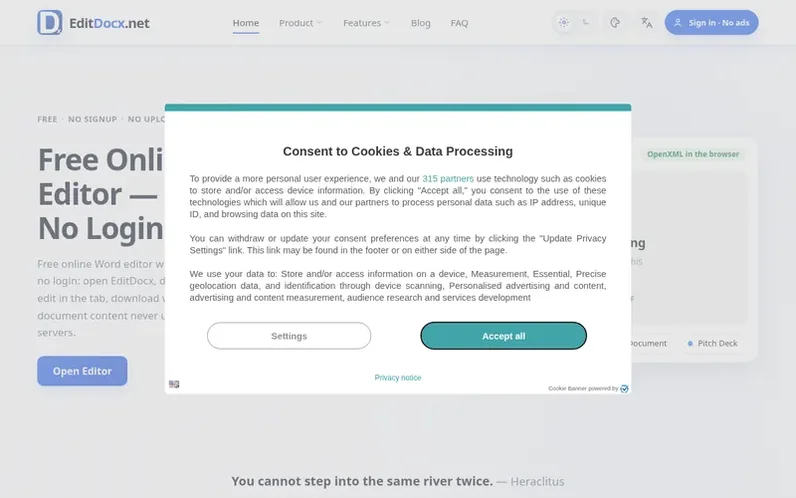
A look at editdocx.net
EditDocx is a free, browser-based editor for Microsoft Office documents and PDFs. Users can open and edit Word (.docx), Excel (.xlsx), and PowerPoint (.pptx) files directly in their browser without creating an account or uploading files to EditDocx servers. The application supports everyday editing tasks including text formatting, tables, images, formulas, and basic spreadsheet charts, with the option to download edited files in their original formats or as PDFs. Files are processed entirely in the browser using IndexedDB for optional local storage of recent files, making it suitable for editing confidential documents, working on shared computers, or using devices without Office installations. EditDocx is fully free with no subscription, trial period, or credit card required.
Feature notes
- WYSIWYG Word editing with formatting, styles, and lists
- Multi-sheet Excel editing with formulas and charts
- Tracked changes and comments
- Browser checkpoints (Save function)
- Export to DOCX, XLSX, PPTX, and PDF
- Dark mode support
- 17 language interface
Pricing
Pricing model: Free
Compare and explore
FAQ
- What is EditDocx?
- EditDocx is a free online editor for Word (.docx), Excel (.xlsx), and PowerPoint (.pptx) files, plus PDF fill capability. You can open files in your browser, edit them, and download the results without creating an account or uploading files to EditDocx servers.
- Do I need to create an account?
- No. You can edit Word documents and spreadsheets online free with no signup and no Microsoft account. The optional Google Sign-in only stores your email and name for that session; it does not upload your document content.
- Are my files uploaded to a server?
- No. All editing happens in your browser. Word, Excel, PowerPoint, and PDF processing runs on your device, and document content does not go to EditDocx servers or third-party storage for editing. Recent files stay in your browser until you clear site data.
- How is EditDocx different from Microsoft Word Online?
- Word Online requires a Microsoft account and keeps files in OneDrive for cloud collaboration. EditDocx requires no account and keeps editing on your device. Use Word Online for team collaboration in Microsoft 365; use EditDocx when you need to fix a single attachment without signing in.
- Will my edited file open correctly in Microsoft Word?
- For everyday documents with body text, styles, lists, common tables, images, and light comments, usually yes. Always download and reopen your file in Word, WPS, or LibreOffice before sending it. Word charts, SmartArt, OLE objects, macros, and complex templates are not supported.
Leave a review for EditDocx
No reviews of EditDocx yet. Run the first inspection.
Reviews are free and are never paid for. Open the reviews
Reviews and notes · Change log · Share the profile · Maker of this product? Claim the profile · Report a fault
EditDocx has a free listing. The owner can unlock the full profile with a paid launch for $5:
- Founder story (locked)
- Milestones (locked)
- Demo video (locked)
- Dofollow website link (locked)
Comparable tools
- SliteDR 75 · 0 community votes
- AlgodocsDR 27 · 0 community votes
- SendMeSafeDR 4 · 0 community votes
- ExamIDPhotoDR 0 · 0 community votes