Testing & QA
CheckYourDisplay
Free browser-based tests for displays, speakers, microphones, cameras and input devices
A collection of 53 free browser-based tests to check monitors, speakers, microphones, webcams, keyboards and other hardware without installation or account.
Overview
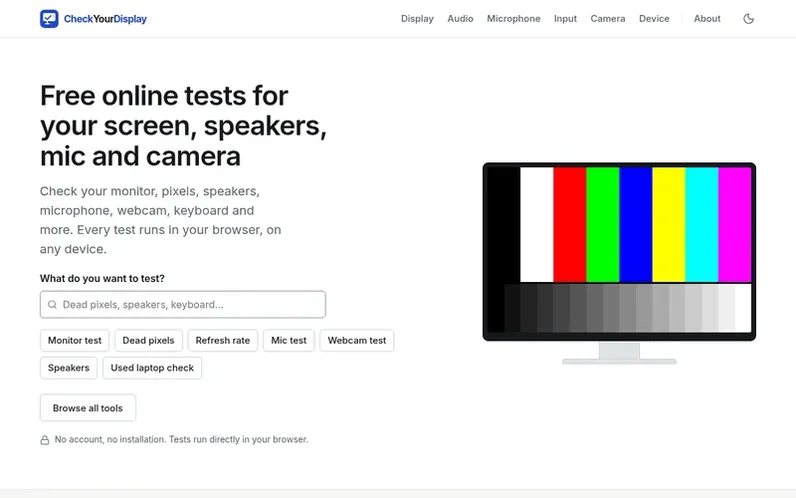
A look at checkyourdisplay.com
CheckYourDisplay provides 53 free browser-based tests across six categories: display, audio, microphone, camera, input and device. The tests run directly in your browser with no installation, account or advertising required.
Display tests help find dead pixels, check refresh rates, detect backlight bleed and screen uniformity issues. Audio tests verify speakers and headphones work correctly across left and right channels. Microphone and camera tests confirm devices work before calls, while input tests check keyboards, mice, touch screens and gamepads. Device tools show browser-reported information about your screen and hardware.
Each test explains how to use it, what it can show, its limitations and how it works. The site also provides guides answering common questions about monitor testing, pixel types and display panel differences.
Feature notes
- Dead pixel detection with solid color fill
- Refresh rate testing in Hz
- Backlight bleed detection
- Speaker and headphone testing with left/right channel checks
- Microphone level monitoring with live meter
- Webcam preview with resolution and frame rate display
- Keyboard testing with visual key response
- Mouse and touchpad testing
- Touch screen dead zone detection
- Used laptop diagnostic report
Pricing
Pricing model: Free
Compare and explore
FAQ
- What is CheckYourDisplay?
- CheckYourDisplay is a collection of 53 free browser-based tests in six categories that run on desktop, laptop, phone, tablet or TV. There is nothing to install, no account and no advertising. It exists to make basic hardware checks quick and trustworthy, such as checking a monitor before the return window closes or confirming a microphone works before a call.
- How do the tests work?
- Every test runs on your device with standard web technology. Display tests use the Fullscreen API and draw patterns at your screen's native resolution with CSS and the Canvas API. Audio tests synthesize tones with the Web Audio API. Microphone and camera tests ask for permission and use the stream only inside the page. Input tests read keyboard, pointer, touch and gamepad events as they happen.
- Does CheckYourDisplay collect personal data?
- No. Your results, audio and video never leave your device. The site sets no cookies for visitors and keeps only anonymous, first-party usage statistics, such as which pages were opened and whether a test was started.
- What are the limits of browser-based testing?
- A browser cannot measure some values exactly. Display refresh rate is estimated from how often the browser draws frames and can read low when the browser or system limits drawing. Color accuracy, brightness in nits, contrast ratio and response time in milliseconds cannot be measured in a browser. Audio loudness and frequency response cannot be measured.
- Can CheckYourDisplay repair hardware issues?
- No. Testing is not diagnosis. The tools are for basic testing and troubleshooting, not professional measurement. No software can repair a dead pixel or permanent burn-in. The Stuck Pixel Fixer can sometimes free a pixel stuck on one color with no guarantee.
Leave a review for CheckYourDisplay
No reviews of CheckYourDisplay yet. Run the first inspection.
Reviews are free and are never paid for. Open the reviews
Reviews and notes · Change log · Share the profile · Maker of this product? Claim the profile · Report a fault
CheckYourDisplay has a free listing. The owner can unlock the full profile with a paid launch for $5:
- Founder story (locked)
- Milestones (locked)
- Demo video (locked)
- Dofollow website link (locked)
Comparable tools
- BugHerdDR 73 · 0 community votes
- Idempotency Harness CheckerDR 36 · 0 community votes
- Quality.NotedDR 0 · 0 community votes
- OkayToShipDR 0 · 0 community votes