
Email & notification APIs
Cendro by Oakbox
Private AI that runs on your computer to sort mail, find to-dos and bills, and answer questions across all your email
An email assistant that sorts your inbox, identifies to-dos and bills, and answers questions using AI that runs locally on your computer without sending data to
Overview
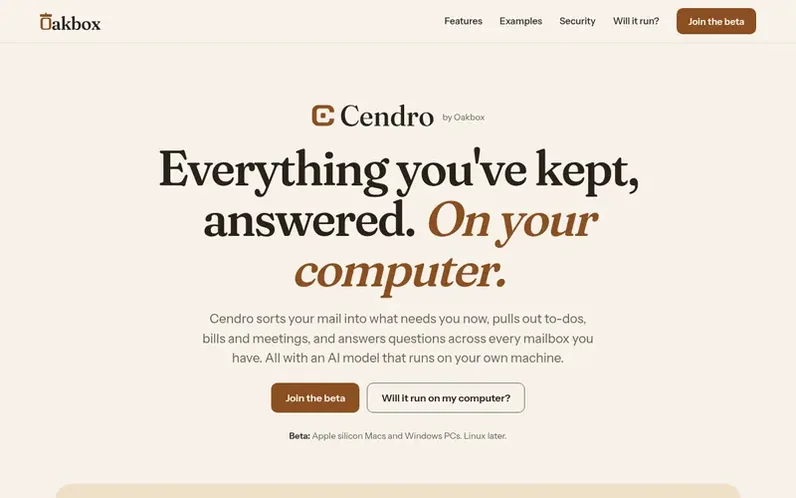
A look at getoakbox.com
Cendro is an email assistant that organizes your inbox and answers questions about your messages using artificial intelligence that runs entirely on your own computer. The application sorts incoming mail by priority into categories like Do Now, Needs Decision, Waiting, and Information, while automatically identifying to-dos, bills with due dates, upcoming meetings, and flagging suspicious emails. Users can ask questions across multiple mailboxes and receive answers with citations back to specific emails and attachments.
The product works with Gmail, Outlook, Microsoft 365, Yahoo, iCloud, Fastmail, and any IMAP server, plus it can import and search older PST and MBOX archives. Because the AI model runs locally on your computer rather than sending data to external servers, your email never leaves hardware you control. The application includes optional encryption, keeps mailboxes separate, and learns from your corrections to improve over time.
Feature notes
- AI-powered inbox sorting into five categories: Do Now, Needs Decision, Waiting, Information, and Skim later
- Support for Gmail, Outlook, Microsoft 365, Yahoo, iCloud, Fastmail, and IMAP
- Encryption with passphrase or computer login
- Search and read archived PST and MBOX files
- Local AI model selection based on computer hardware
- Read-only access with no modifications to mailboxes
- Project organization with mailboxes, keywords, notes, and pinned emails
Pricing
Pricing model: Freemium
Compare and explore
FAQ
- What email providers does Cendro work with?
- Cendro connects to Gmail, Outlook.com, Microsoft 365, Yahoo, iCloud Mail, Fastmail, and any IMAP server through their own sign-in. It also supports importing and searching Outlook PST and MBOX archive files.
- Does Cendro send my email data to the cloud or to AI companies?
- No. Your mail is downloaded and processed on your own computer. The AI model runs locally with no network access, and your mail and questions are never sent to Oakbox or any AI company.
- Will Cendro run on my computer?
- Cendro checks your hardware when you install it and selects the largest AI model that runs well on your machine. The beta is open on Apple silicon Macs with 8 GB or more RAM and Windows PCs with a graphics card. You can check compatibility before downloading.
Leave a review for Cendro by Oakbox
No reviews of Cendro by Oakbox yet. Run the first inspection.
Reviews are free and are never paid for. Open the reviews
Reviews and notes · Change log · Share the profile · Maker of this product? Claim the profile · Report a fault
Cendro by Oakbox has a free listing. The owner can unlock the full profile with a paid launch for $5:
- Founder story (locked)
- Milestones (locked)
- Demo video (locked)
- Dofollow website link (locked)
Comparable tools
- DoveDR 20 · 0 community votes
- SentlyDR 0 · 0 community votes
- agdir.emailDR 0 · 0 community votes
- emailverifier.devDR 4 · 0 community votes