
Compliance & audits
TradeGuard
Automated subcontractor COI and compliance document tracking with expiry alerts and gap analysis
TradeGuard helps general contractors and property managers automatically track subcontractor certificates of insurance, W-9s, licenses, and compliance documents
Overview
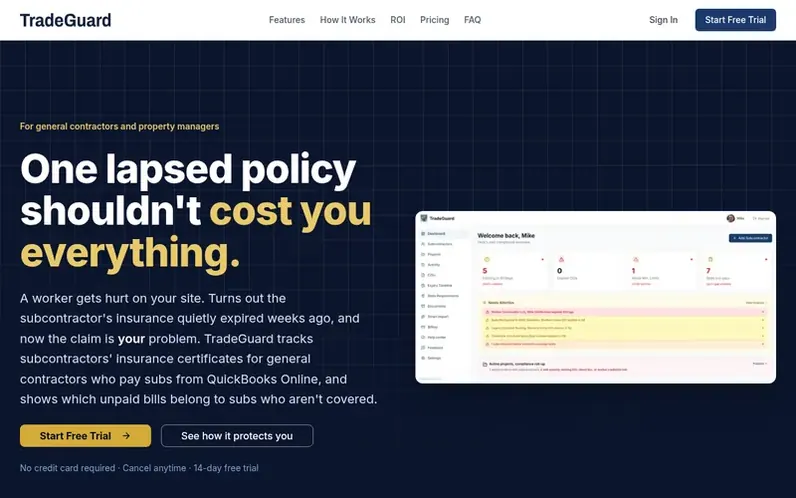
A look at trade-guard.pro
TradeGuard is a workspace for general contractors and property managers to store and monitor subcontractor certificates of insurance (COIs), W-9s, licenses, and 30+ other compliance document types. The platform automatically extracts data from uploaded PDFs, sends configurable expiry alerts at 90, 60, and 30-day intervals, and provides a self-service portal for subcontractors to upload renewals without creating accounts. It includes state compliance gap analysis for all 50 states plus DC, automatic detection of edited or forged certificates through PDF metadata analysis, and integration with QuickBooks Online to flag unpaid bills from non-compliant vendors. Users can lock projects to enforce compliance gates, generate shareable reports for clients and insurers, and maintain full audit logs of all document uploads and changes.
Feature notes
- Automatic PDF data extraction from certificates of insurance
- Configurable expiry alerts at 90, 60, 30, 7 days and day-of expiration
- Direct broker verification with one-click confirmation
- Subcontractor self-upload portal without account creation required
- State-specific compliance gap analysis for all 50 states plus DC
- Project compliance lock to enforce compliance gates before mobilization
- QuickBooks Online integration to flag unpaid bills from non-compliant vendors
- Shareable compliance reports and certificates for clients and project owners
- Full audit log with timestamps and user names for every upload and change
Pricing
Pricing model: Freemium
Compare and explore
FAQ
- What does TradeGuard do?
- TradeGuard is a workspace for contractors to store subcontractor certificates of insurance, other compliance documents, and project links with expiry alerts, subcontractor upload portals, reporting, and state-requirement references with gap checks.
- How does the subcontractor portal work?
- You send a subcontractor a secure portal link tied to their contact email. They use the tokenized link to upload renewals without needing to create a general contractor account.
- How do expiry alerts work?
- You configure how many days ahead to warn before insurance or document expirations. Email notifications go to your team, and subcontractors can receive renewal-style requests depending on setup.
- What happens during the free trial?
- New workspaces get full access for 14 days without requiring a credit card. When the trial ends, you need a paid plan to keep using dashboard features.
- Is TradeGuard legal or insurance advice?
- No. TradeGuard surfaces dates, documents, and reference information only. Policies, contracts, and regulatory obligations remain your responsibility.
Leave a review for TradeGuard
No reviews of TradeGuard yet. Run the first inspection.
Reviews are free and are never paid for. Open the reviews
Reviews and notes · Change log · Share the profile · Maker of this product? Claim the profile · Report a fault
TradeGuard has a free listing. The owner can unlock the full profile with a paid launch for $5:
- Founder story (locked)
- Milestones (locked)
- Demo video (locked)
- Dofollow website link: not on this free listing (its website link is nofollow)
Comparable tools
- KatlaDR 12 · 0 community votes
- TrackMyVendorDR 16 · 0 community votes
- CoiPatrolDR 0 · 0 community votes
- CheckboxDR 0 · 0 community votes