Bookmarks & read-later
Snaggy
Save any webpage with one shortcut
A native macOS app that saves webpages from any browser with one keyboard shortcut and automatically sorts them into folders.
Overview
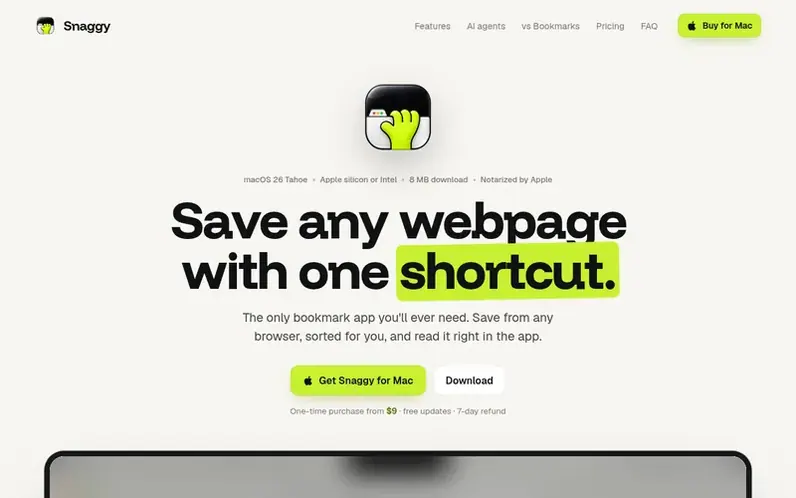
A look at snaggyapp.com
Snaggy is a bookmark management app for macOS that replaces browser bookmarking. Save any webpage from Safari, Chrome, Arc, Dia, Brave or Orion with a single keyboard shortcut, and Snaggy automatically sorts your links into folders using on-device AI. The app includes a built-in reader that blocks ads and trackers, and integrates with AI agents like Claude and Cursor through a built-in MCP server so your AI assistant can search and fetch your saved links. All data stays on your Mac with optional iCloud sync, no account required, and you can export everything as JSON, CSV or browser bookmarks anytime.
Feature notes
- Built-in reader with ad and tracker blocking
- Browser bookmark import from Safari, Chrome, Arc, Edge
- iCloud sync between Macs
- Export as JSON, CSV or HTML bookmarks
- Search links from menu bar
- Works with Safari, Chrome, Arc, Dia, Brave and Orion
Pricing
Pricing model: Paid
1 Mac: $15 (early bird, 15 of 50 left), then $22 for next 100, then $29. 3 Macs: $29. 5 Macs pricing not separately listed. One-time purchase with 7-day money-back guarantee. Prices in USD; regional pricing and local taxes apply at checkout.
Compare and explore
FAQ
- Does Snaggy send my links anywhere?
- No. Your library, the AI sorting and the MCP server all run on your Mac, and there's no account to create. If you turn on iCloud sync, your links go to your own private iCloud so your other Macs can see them.
- Can I read links without opening my browser?
- Yes. Select a link and press Space, or click Read, and the page opens inside Snaggy with ads and trackers blocked. Reader mode shows just the article, and the link is marked read when you reach the end.
- Which browsers does it work with?
- Safari, Chrome, Arc, Dia, Brave and Orion. One shortcut snags the front tab from whichever you're using.
- Is it really a one-time payment?
- Yes. Pay once, keep it forever, get every update. No subscription.
- Can I bring my existing bookmarks?
- Yes. Snaggy imports bookmarks and pinned tabs from your browsers, Edge included, and keeps every folder as it was. You can also import any HTML bookmarks file.
Leave a review for Snaggy
No reviews of Snaggy yet. Run the first inspection.
Reviews are free and are never paid for. Open the reviews
Reviews and notes · Change log · Share the profile · Maker of this product? Claim the profile · Report a fault
Snaggy has a free listing. The owner can unlock the full profile with a paid launch for $5:
- Founder story (locked)
- Milestones (locked)
- Demo video (locked)
- Dofollow website link: not on this free listing (its website link is nofollow)
Comparable tools
- Orvelle EditionsDR 0 · 1 community vote
- BirdfeederDR 1 · 0 community votes
- webmark.ingDR 1 · 0 community votes
- TroveDR 0 · 0 community votes