
Email marketing
Signstamp
Professional email signatures, made in minutes
A platform for building professional email signatures individually or deploying them across teams, with digital business cards and branded banners included.
Overview
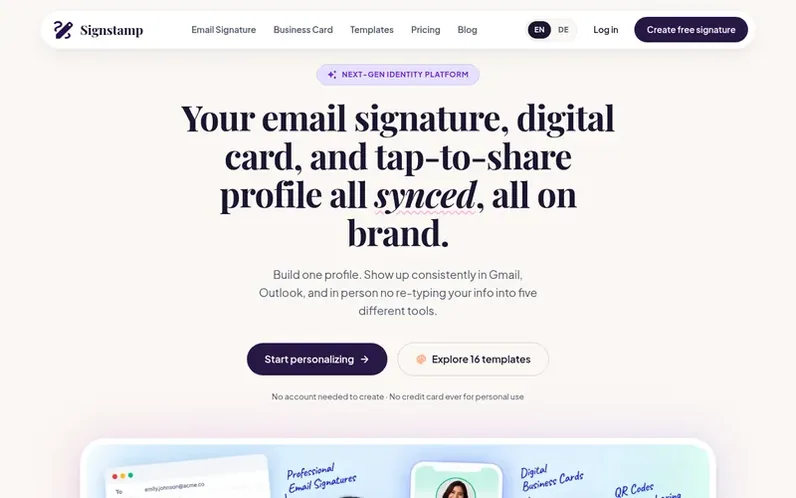
A look at signstamp.co
Signstamp is a tool for creating and managing professional email signatures. Users can build a signature individually in minutes without an account, or teams can deploy branded signatures across their organization. The platform includes email signatures, digital business cards, QR code contact sharing, video call banners, and click analytics. A single profile generates consistent signatures across Gmail, Outlook, Apple Mail, and other email clients, with customizable templates, fonts, colors, and social links. Teams can enforce brand consistency while allowing individuals to keep their own names, photos, and contact details.
The company believes that free plans should be genuinely usable without watermarks, team deployment should not require enterprise-scale complexity or sales calls, and tools touching employee inboxes should request only necessary permissions. It serves individuals wanting quick, professional signatures and teams of five to five hundred seeking on-brand consistency.
Feature notes
- Email signature builder with live preview and customizable templates
- 100+ searchable signature templates across professions
- Digital business card with QR code contact saving
- Video call banners for Zoom and Google Meet
- Click and view analytics on signatures and cards
- Group templates for role-based signature formats
- Deployment log to confirm team rollout completion
- Copy-paste to Gmail, Outlook, Apple Mail, and other clients
- Contact capture from business cards on Pro plan
Pricing
Pricing model: Freemium
Free: $0 forever (3 saved signatures, core templates, Signstamp branding included). Pro: $5/month billed $60/year (save 44%) or $9/month billed monthly (unlimited signatures, branding removed, contact capture, priority support). Lifetime: $49 one-time for Pro features forever (first 100 customers on
Compare and explore
FAQ
- Do I need an account to create a signature?
- No. You can build and copy a signature without signing up. Creating a free account lets you save it and edit it later.
- Will my signature have a watermark or Sent with Signstamp branding?
- The Free plan includes a small Created with Signstamp credit line. Upgrade to Pro to remove it completely on both signature and business card.
- Does this work with Outlook?
- Individual signatures work in Outlook via copy-paste. Automated team deployment to Outlook is coming soon.
- Can Signstamp read our company emails?
- No. Signstamp only requests permission to update signature settings, never to read, send, or view email content.
- What happens if we cancel?
- Your signatures stay exactly as they were last deployed. Nothing reverts automatically, and you can cancel anytime from your dashboard with no notice period.
Leave a review for Signstamp
No reviews of Signstamp yet. Run the first inspection.
Reviews are free and are never paid for. Open the reviews
Reviews and notes · Change log · Share the profile · Maker of this product? Claim the profile · Report a fault
Signstamp has a free listing. The owner can unlock the full profile with a paid launch for $5:
- Founder story (locked)
- Milestones (locked)
- Demo video (locked)
- Dofollow website link (locked)
Comparable tools
- SequenzyDR 70 · 0 community votes
- KiroraDR 0 · 0 community votes
- CodeOutboxDR 0 · 0 community votes
- Restaurant Email MarketingDR 0 · 0 community votes