
Workflow automation
Sched
On-call rotations in Slack without Slack Pro or admin approval
A Slack app that automates on-call rotation scheduling with handoff notifications, without requiring Slack Pro or admin permissions.
Overview
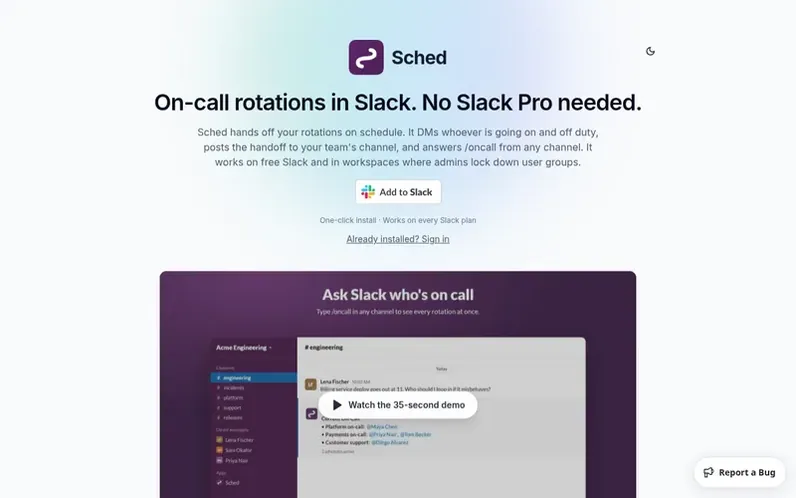
A look at getsched.dev
Sched is an on-call scheduling and rotation app that runs inside Slack. It hands off every rotation on schedule, DMs the incoming and outgoing person, posts the handoff to your team's channel, answers /oncall from any channel, and keeps a full rotation history. Unlike many rotation apps that depend on user groups, Sched works without them and functions on free Slack plans. On paid Slack plans it can also keep a user group like @oncall pointed at whoever is on duty. It is ideal for on-call engineering, incident response, support rotations, and any job your team takes turns on.
Feature notes
- Handoff DMs to incoming and outgoing person
- /oncall slash command
- Handoff announcements in custom channel
- Slack user group sync on paid plans
- Full rotation history
- Mobile-friendly PWA
- Works on free Slack plans
- Unlimited team members
Pricing
Pricing model: Freemium
Free: up to 3 active schedules per workspace. Pro: $9.99 per workspace per month for unlimited schedules.
Compare and explore
FAQ
- Do I need Slack Pro or admin approval to use Sched?
- No. Handoff DMs, channel announcements, /oncall and App Home work on every Slack plan, including free, and do not need permission to manage user groups.
- Can Sched update a Slack user group like @oncall?
- Yes, on paid Slack plans where admins allow apps to manage user groups. Sched swaps the group's members at each handoff, so @oncall always reaches whoever is on duty.
- Does Sched work with Slack Enterprise Grid?
- Yes, Sched supports Slack Enterprise Grid org-wide installs. Enterprise workspaces are billed separately.
- Can I use Sched for on-call, support, or incident response rotations?
- Yes. Sched fits any job your team takes turns on, including on-call engineering, incident response, customer support, release captain, standup host, and weekend coverage.
- How do I request deletion of my workspace data?
- Email support@getsched.dev with your workspace name and the team will permanently delete all associated data within 30 days.
Leave a review for Sched
No reviews of Sched yet. Run the first inspection.
Reviews are free and are never paid for. Open the reviews
Reviews and notes · Change log · Share the profile · Maker of this product? Claim the profile · Report a fault
Sched has a free listing. The owner can unlock the full profile with a paid launch for $5:
- Founder story (locked)
- Milestones (locked)
- Demo video (locked)
- Dofollow website link (locked)
Comparable tools
- MoxoDR 73 · 0 community votes
- KnowellaDR 35 · 0 community votes
- EasyLink AutomationsDR 2 · 0 community votes