Mac & desktop utilities
ScanMyDisk
Visual disk space analyzer that maps large files, duplicates, caches and cleanup opportunities
A visual disk space analyzer for Windows that shows what is consuming disk space, including large files, duplicates, and caches, with eight interactive
Overview
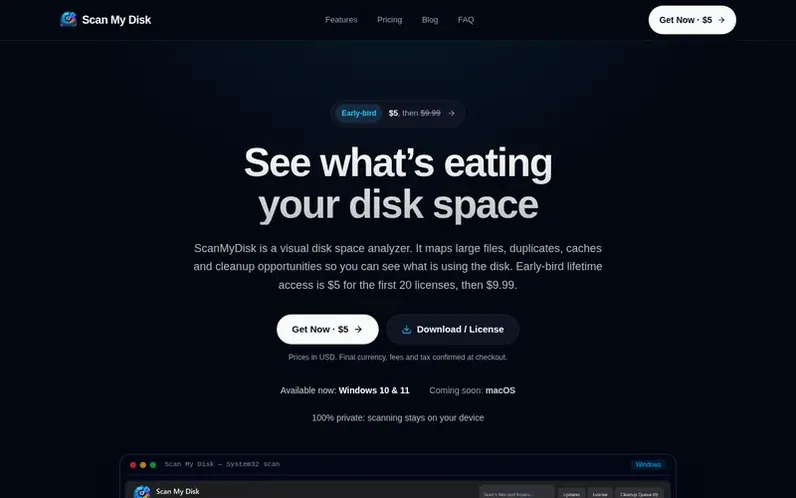
A look at scanmydisk.com
ScanMyDisk is a visual disk space analyzer for Windows 10 and 11 that helps users understand and reclaim disk space. It scans drives or folders, maps every byte, and presents the data in eight different interactive visualization modes: folders, sunburst, flame, bubbles, mind map, top sizes, age map, and treemap. The tool identifies large files, duplicate files, build caches, system data, Docker images, node_modules, and uninstall leftovers. All scanning, hashing, and duplicate detection runs locally on your device with no files uploaded to the cloud. Users can stage files for review before deletion via the Recycle Bin, compare saved scans to track storage growth, run cleanup presets, and uninstall apps with leftover removal.
Feature notes
- Eight interactive visualization modes: Folders, Sunburst, Flame, Bubbles, Mind Map, Top Sizes, Age Map, Treemap
- Duplicate file detection with content-based hashing
- Large file and folder finder
- Disk usage visualization and storage mapping
- App uninstaller that cleans leftover support data
- Local analysis with no file uploads
- Saved scan comparison and growth tracking
- Pre-configured quick cleanup profiles
- Live CPU, RAM and system volume metrics
- High-speed local search across the drive
Pricing
Pricing model: Paid
$5 for the first 20 licenses, then $9.99. One-time lifetime payment with no subscription or renewal fees.
Compare and explore
FAQ
- What does ScanMyDisk do?
- ScanMyDisk helps users visualize disk usage, identify large files and folders, find duplicates, inspect storage-heavy files and understand what is consuming disk space.
- Does ScanMyDisk upload my files?
- No. Disk scanning and analysis are designed to run locally on the user's device. Scanning, hashing, and duplicate matching all run locally on your PC and file names never leave the machine.
- Do I need an account?
- No. You buy a lifetime license and the key shows on the next screen. Install the Windows app and paste the key on first launch.
- How many PCs can I use ScanMyDisk on?
- One PC at a time. You can deactivate on the first machine and activate on the next, with a fourteen day offline grace period if you forget.
- What is your refund policy?
- There is a 15-day money-back guarantee. Email support@scanmydisk.com within 15 days with your order ID for an immediate refund.
Leave a review for ScanMyDisk
No reviews of ScanMyDisk yet. Run the first inspection.
Reviews are free and are never paid for. Open the reviews
Reviews and notes · Change log · Share the profile · Maker of this product? Claim the profile · Report a fault
ScanMyDisk has a free listing. The owner can unlock the full profile with a paid launch for $5:
- Founder story (locked)
- Milestones (locked)
- Demo video (locked)
- Dofollow website link (locked)
Comparable tools
- DProjectsDR 25 · 1 community vote
- ToolboxDR 5 · 0 community votes
- KakuchiDR 0 · 0 community votes
- Window HintsDR 8 · 0 community votes