Mac & desktop utilities
Kakuchi
Every widget your Mac is missing
Live widgets for Mac's desktop, notch, menu bar and lock screen that users can customize with AI or choose from 50+ pre-built options.
Overview
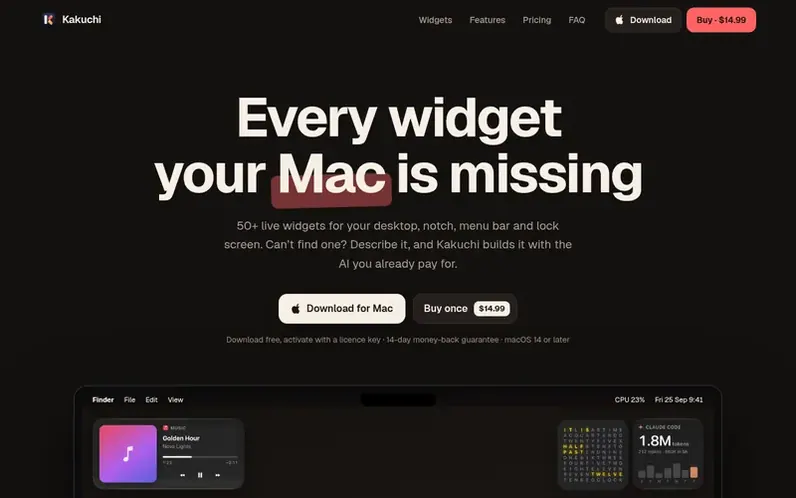
A look at kakuchi.app
Kakuchi provides over 50 live widgets that can be placed on a Mac's desktop, notch, menu bar, lock screen, or kept on top of full-screen apps. Users can drag, resize and arrange widgets freely, or use an AI-powered widget builder to describe and create custom widgets using their existing Claude or ChatGPT subscription. The app supports multiple displays, offers ten visual themes, and integrates with local or API-based AI models. Classic desktop widgets are compatible unchanged.
Feature notes
- 50+ built-in widgets including time, weather, markets, calendar, reminders, system gauges, and developer tools
- Six placement options: desktop, notch, menu bar, lock screen, above full-screen apps, and edge docking
- Ten visual themes including Liquid Glass, Frosted, Midnight, Neon, and more
- Widget stacks to combine multiple widgets in one spot
- Setups to save and share entire desktop configurations
- Support for classic desktop widgets running unchanged
- Multiple display support with per-display widget placement
- MCP server with 15 tools for compatible AI assistants and coding tools
- Privacy-focused with no account, no API key tracking, and local data processing
Pricing
Pricing model: Paid
$14.99 one-time at launch (regular price $24). Includes all 50+ built-in widgets, notch shelf, menu bar and lock screen widgets, keep on top of full-screen apps, edge docking, themes, widget builder with AI, and lifetime updates with 14-day money-back guarantee.
Compare and explore
FAQ
- Is Kakuchi a subscription?
- No. You pay once and there is no monthly fee. Updates are free for life and you keep what you bought.
- Can I use my ChatGPT or Claude subscription with the AI widget builder?
- Yes. In Settings, choose Subscription and pick Claude Code or Codex. You sign in through the official tool, never through Kakuchi, and Kakuchi never sees or stores your sign-in.
- Will Kakuchi slow down my Mac or drain my battery?
- A widget only reads data while it is on screen, and everything pauses while your display sleeps. Data sources start and stop on demand.
- Can I get a refund?
- Yes. Email support@kakuchi.app within 14 days of buying and we will refund you in full with no reason needed.
- Can I put widgets on the lock screen?
- Yes. Right-click a widget and choose Show on Lock Screen. It is off by default because anyone at your Mac can see it. Widget buttons work there.
Leave a review for Kakuchi
No reviews of Kakuchi yet. Run the first inspection.
Reviews are free and are never paid for. Open the reviews
Reviews and notes · Change log · Share the profile · Maker of this product? Claim the profile · Report a fault
Kakuchi has a free listing. The owner can unlock the full profile with a paid launch for $5:
- Founder story (locked)
- Milestones (locked)
- Demo video (locked)
- Dofollow website link (locked)
Comparable tools
- Window HintsDR 8 · 0 community votes
- MacZentraDR 2 · 0 community votes
- DiskInsightDR 1 · 0 community votes
- HushtopDR 3 · 0 community votes