Product analytics
ReleasesHQ
Turn merged PRs into polished release notes to post across your website, emails, Slack, and socials.
Release notes and changelog platform that automatically generates polished release notes from GitHub merged pull requests and distributes them across multiple
Overview
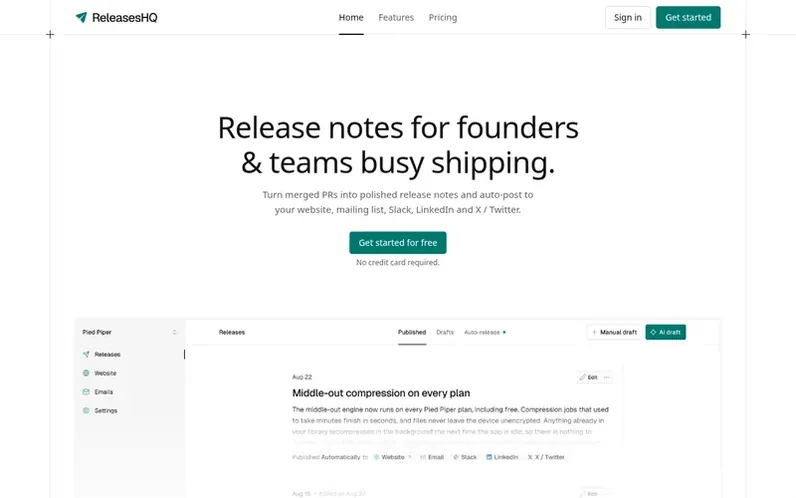
A look at releaseshq.com
ReleasesHQ turns merged pull requests into polished release notes that you can distribute across multiple channels. The platform features automatic draft generation from GitHub, an editor that lets you customize content for each channel, and distribution to your website, hosted release notes page, email, Slack, LinkedIn, and X/Twitter.
You can publish manually or automate the entire workflow with scheduled releases. The platform includes a hosted release notes page and embeddable script for your website, email distribution from your own domain with subscriber management, and quality gates to prevent weak content from auto-publishing. Free accounts get 5 AI-generated drafts for the lifetime of the workspace, while Pro adds 60 drafts per month and scheduled automation.
Feature notes
- Auto-generate release notes from GitHub merged pull requests
- Multi-channel editor with separate versions for each platform
- Hosted release notes page and website embed script
- Email distribution from your own custom domain
- Post to Slack, LinkedIn, and X/Twitter
- Quality gate to hold weak drafts for manual review
- Scheduled automated release workflow
- Manual editing and drafting without GitHub connection
- Dark mode adoption on embedded release notes
Pricing
Pricing model: Freemium
Free plan: $0, includes public release notes site, embed, Slack and social posting, 5 AI-generated drafts lifetime, 2 seats. Pro plan: $21/month billed yearly ($29/month billed monthly), includes everything in Free plus 60 AI-generated drafts per month, email from custom domain, scheduled drafts, 5
Compare and explore
FAQ
- Do I need to connect GitHub to use the platform?
- No. Manual writing is a first-class flow in the editor. You connect with GitHub only if you want to pull in context of what you actually shipped or if you want to automate the complete workflow.
- Which channels are supported?
- Every workspace gets a hosted release notes page and a script tag to embed on your website or app. You can also email through your own domain and post to Slack, LinkedIn and X/Twitter.
- How does the embed work?
- A single script tag renders release notes inline wherever you choose to embed. Dark mode gets applied automatically based on the page's design.
- Can bad content get auto-posted?
- No. Every auto-generated draft runs through a quality gate. Weak drafts skip auto-publish and land in your queue for review.
- What is the difference between Free and Pro?
- Free gives you the hosted release notes site, the script embed, all three social channels and 5 AI-generated drafts. Pro adds email from your own domain, drafts generated on a schedule, 60 drafts a month, 5 seats instead of 2, and removes the ReleasesHQ badge from your embed.
Leave a review for ReleasesHQ
No reviews of ReleasesHQ yet. Run the first inspection.
Reviews are free and are never paid for. Open the reviews
Reviews and notes · Change log · Share the profile · Maker of this product? Claim the profile · Report a fault
ReleasesHQ has a free listing. The owner can unlock the full profile with a paid launch for $5:
- Founder story (locked)
- Milestones (locked)
- Demo video (locked)
- Dofollow website link (locked)
Comparable tools
- GroveDR 0 · 0 community votes
- MRRLensDR 2 · 0 community votes
- SaaS Pro MaxDR 23 · 0 community votes
- GuardfolioDR 27 · 0 community votes