Productivity & Personal Tools
Pixph
The capture workspace for Mac
A keyboard-first Mac app that captures selected text with a double press of Shift and keeps notes, attachments, and projects organized locally.
Overview
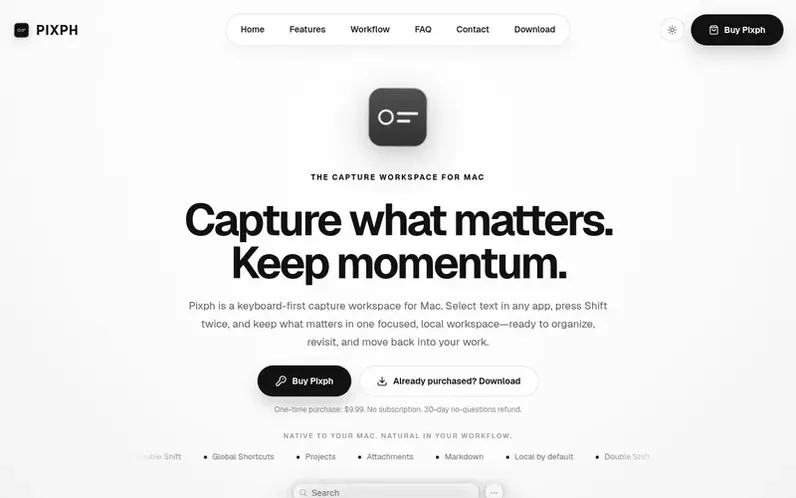
A look at pixph.com
Pixph is a keyboard-first capture workspace for Mac that lets you select text from any app and press Shift twice to save it. The app keeps what matters in one focused, local workspace where you can organize captures into projects and sections, add notes and file attachments, and copy information back into your workflow. Everything stays on your Mac with no account required and no cloud lock-in.
Designed for work that moves through multiple apps, Pixph catches ideas without losing your place or breaking your focus. It borrows the speed of a clipboard, the freedom of a scratchpad, and the structure of a task list, all in one focused panel accessible from anywhere on your Mac.
Feature notes
- Double-Shift text capture from any Mac app
- Global keyboard shortcuts for show, capture, add, and copy
- Notes with file attachments and images
- Freehand drawing, shapes, text, and colors
- Markdown-aware copy formatting
- Fast search across all sections
- Copy as numbered, dashed, or plain list
- Local JSON storage with no cloud sync required
- Menu bar access for quick capture and complete actions
Pricing
Pricing model: Paid
$9.99 USD one-time purchase, no subscription, updates included
Compare and explore
FAQ
- What is Pixph?
- Pixph is a keyboard-first capture workspace for Mac. Select text in any app, press Shift twice, and keep what matters in one focused, local workspace ready to organize, revisit, and move back into your work.
- Who gets the most value from Pixph?
- Pixph is useful whenever your work moves through several apps such as researching, writing, planning, coding, managing projects, or collecting customer context. It reduces the small detours that turn useful snippets into scattered tabs, temporary documents, and forgotten clipboard items.
- How do I capture selected text?
- Select text in the app in front and press Shift twice. Pixph saves the selection to your active section with its source context. You can also use the customizable Capture Selection shortcut when that better fits your keyboard habits.
- Do I have to leave the app I am working in?
- No. Capture is designed to happen while your attention stays in the current app. Pixph can remain out of the way after saving, or you can enable the option to bring its panel forward whenever a capture lands.
- Where does Pixph store my data?
- Your projects, sections, and notes live in a local JSON library file on your Mac. Attachments live in a managed folder beside it. Pixph shows you the location in Settings and lets you move the library when you want a different home for it.
Leave a review for Pixph
No reviews of Pixph yet. Run the first inspection.
Reviews are free and are never paid for. Open the reviews
Reviews and notes · Change log · Share the profile · Maker of this product? Claim the profile · Report a fault
Pixph has a free listing. The owner can unlock the full profile with a paid launch for $5:
- Founder story (locked)
- Milestones (locked)
- Demo video (locked)
- Dofollow website link (locked)
Comparable tools
- TodoalDR 6 · 2 community votes
- WhiiteroomDR 3 · 1 community vote
- Justduedate7DR 0 · 0 community votes
- ChoreLocksDR 0 · 0 community votes