
Monitoring & uptime
Pingify
Real-time monitoring for websites with alerts across email, SMS, Slack, and more
Website monitoring platform that checks uptime, SSL certificates, DNS records, keywords, and cron jobs with one-minute intervals and sends alerts through seven
Overview
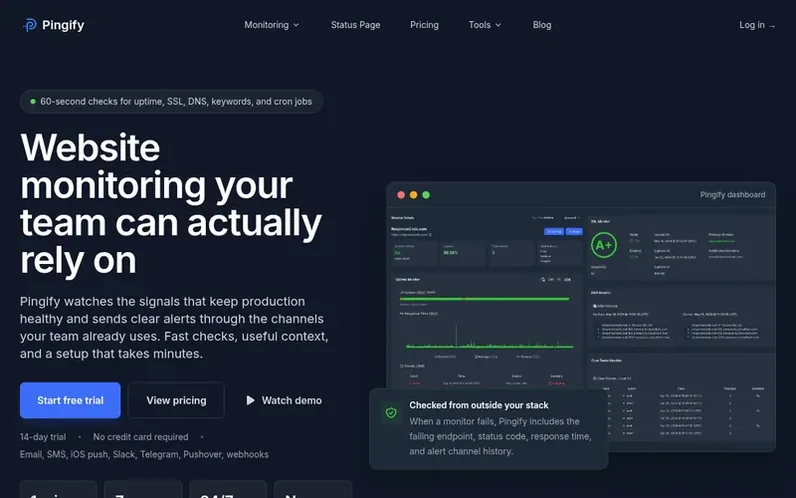
A look at pingify.com
Pingify is a website monitoring platform that provides automated checks for uptime, SSL certificates, DNS records, keywords, and cron jobs. It sends real-time alerts through seven channels including email, SMS, iOS push notifications, Slack, Telegram, Pushover, and webhooks. The platform includes incident tracking, status pages, and supports monitoring from one minute intervals. Setup takes minutes, with configuration of monitors, alert rules, and notification preferences handled through a single dashboard.
Feature notes
- Uptime and HTTP status monitoring with one-minute checks
- SSL certificate expiry tracking
- DNS record change detection
- Keyword monitoring for page content
- Cron task and background job monitoring
- Multiple alert channels including Slack and SMS
- Hosted status pages for public incidents
- iPhone iOS app with push notifications
- Incident history and response tracking
- Response time and status code validation
Pricing
Pricing model: Freemium
Lite: $12/year (excl. VAT, 3 monitors); Essentials: $4/month (excl. VAT, 10 monitors); Pro: $9/month (excl. VAT, unlimited monitors)
Compare and explore
FAQ
- What types of monitoring does Pingify offer?
- Pingify supports uptime, HTTP status, keyword, SSL, DNS, ping, cron task, and status page monitoring.
- How quickly can I set up a monitor?
- Most teams can add the first website monitor in a few minutes: enter the URL, choose the check type, and select alert channels.
- Can I monitor multiple websites?
- Yes. Each monitor has its own configuration, interval, notification preferences, and incident history.
- What notification channels does Pingify support?
- Alerts can go to email, SMS, iOS push notifications, Slack, Telegram, Pushover, and webhooks, so incidents reach the people who can act.
- Do I need a credit card to start the trial?
- No. The 14-day trial starts without payment details. Add billing only if Pingify fits your workflow.
Leave a review for Pingify
No reviews of Pingify yet. Run the first inspection.
Reviews are free and are never paid for. Open the reviews
Reviews and notes · Change log · Share the profile · Maker of this product? Claim the profile · Report a fault
Pingify has a free listing. The owner can unlock the full profile with a paid launch for $5:
- Founder story (locked)
- Milestones (locked)
- Demo video (locked)
- Dofollow website link (locked)
Comparable tools
- VitalRixDR 0 · 0 community votes
- PingChangeDR 0 · 0 community votes
- Page DeltasDR 26 · 0 community votes
- Monity.aiDR 8 · 0 community votes