
Calendars & scheduling
PCalen
Free printable calendar generator for any year
Generate free printable calendars, planners, and trackers in seconds with customizable layouts, paper sizes, and print-ready PDF export.
Overview
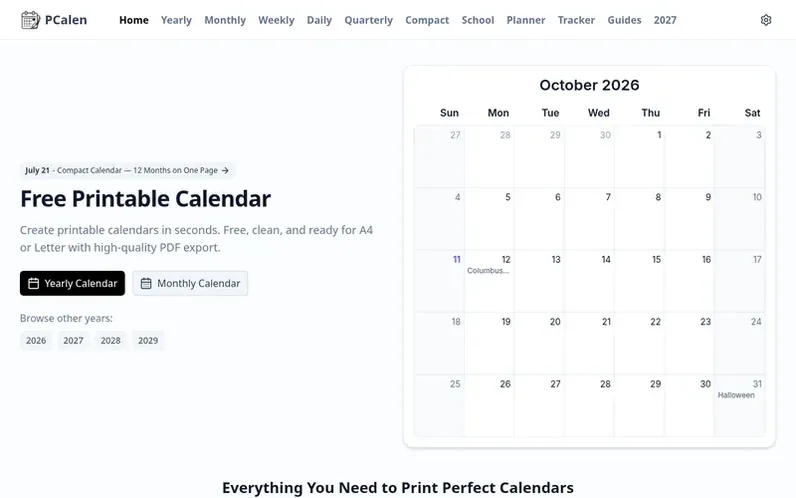
A look at pcalen.com
PCalen is a free, browser-based tool for generating printable calendars, planners, and trackers. It offers yearly overviews, monthly grids, weekly layouts, daily pages, quarterly views, and specialized trackers for habits, budgets, fitness, and baby tracking. Users can customize paper size, margins, binding edges, holidays for over 30 countries, week start, and themes. All calendars are generated locally in the browser with no account required, no watermark, and no upload of created files. The platform supports multiple paper formats from A4 to poster sizes and allows color-coded notes on any date. Output can be downloaded as PDF or PNG, or printed directly.
Feature notes
- Yearly, monthly, weekly, daily, and quarterly calendar views
- Undated planners with daily timelines and bi-weekly layouts
- Habit, budget, fitness, and baby trackers
- Color-coded notes on any date
- Support for A4, Letter, Legal, A5, Tabloid, Poster, and Movie Poster sizes
- Holidays for over 30 countries
- Customizable paper size, margins, orientation, and binding edge
- Export as single-page or batch PDF, or high-resolution PNG
- Customizable fonts and theme
- Instant preview with no page reload
Pricing
Pricing model: Free
Compare and explore
FAQ
- Is this printable calendar really free?
- Yes, every printable calendar, planner, and tracker is completely free to generate, download, and print with no registration, subscription, or payment required.
- What templates are available besides yearly and monthly calendars?
- In addition to yearly, monthly, and weekly views, quarterly calendars (Q1–Q4), and undated planners (monthly, weekly, daily timeline, bi-weekly), you can use habit, budget, fitness, and baby trackers.
- Can I add my own notes to the calendar?
- Yes, in the monthly view you can click on any date to add personal notes, add multiple notes per date, and color-code them in red, yellow, or green. Notes are saved locally in your browser and print exactly where you placed them.
- What paper sizes and formats are supported?
- PCalen supports A4, Letter, Legal, A5, Half Letter (5.5×8.5in), Tabloid (11×17in), Poster (24×36in), and Movie Poster (27×40in), with options to switch paper size, orientation, margins, and binding edge directly in the print preview toolbar.
- How do I customize holidays, week start, and other settings?
- Open the settings (gear icon) in the header to toggle holidays for over 30 countries, choose your week start (Sunday/Monday/Saturday), highlight weekends, show week numbers, change yearly columns, and more. All settings are saved automatically.
Leave a review for PCalen
No reviews of PCalen yet. Run the first inspection.
Reviews are free and are never paid for. Open the reviews
Reviews and notes · Change log · Share the profile · Maker of this product? Claim the profile · Report a fault
PCalen has a free listing. The owner can unlock the full profile with a paid launch for $5:
- Founder story (locked)
- Milestones (locked)
- Demo video (locked)
- Dofollow website link (locked)
Comparable tools
- SyncItDR 0 · 0 community votes