
Mac & desktop utilities
PC Tweaker
Windows tuning for gaming, privacy and maintenance with visible setting changes and restore tools
A Windows optimization tool that lets users review and adjust settings for gaming performance, privacy and maintenance while tracking changes and enabling
Overview
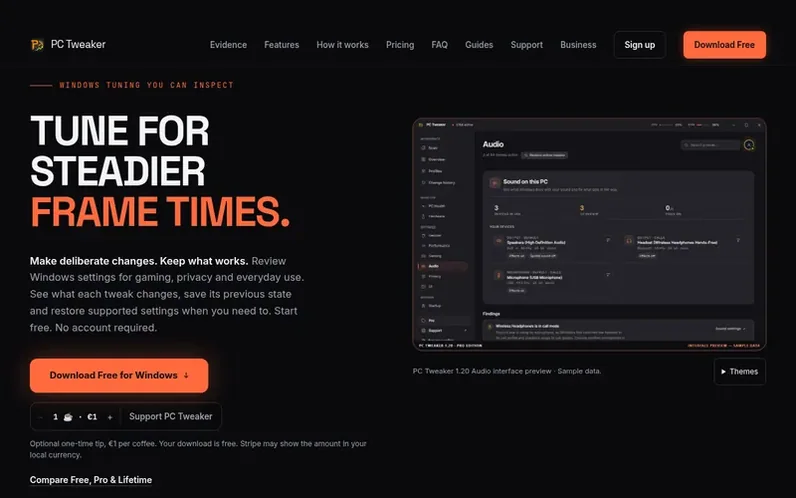
A look at pctweaker.app
PC Tweaker is a Windows desktop application for tuning system settings to improve gaming performance and overall PC maintenance. Users can review available tweaks, inspect exactly what each change does before applying it, and restore supported settings to their previous state if needed. The app includes hardware monitoring, driver management, thermal profile controls, and privacy settings adjustment. A free tier provides 46 controls with no account required; Pro unlocks 81 total controls plus game session automation and advanced repair tools. PC Tweaker emphasizes informed decision-making: users run the same workload before and after changes to measure actual benefits rather than relying on claimed FPS improvements.
Feature notes
- Guided Windows repair with DISM and SFC
Pricing
Pricing model: Freemium
Free (€0, no subscription), Pro monthly (€7.99), Pro annual (€59.99/year), Pro lifetime (€99 one-time)
Compare and explore
FAQ
- Will PC Tweaker improve FPS or remove micro-stutter?
- There is no universal FPS gain. Results depend on the game, hardware, drivers and starting configuration. PC Tweaker does not promise to eliminate micro-stutter or reduce DPC latency on every system. Users should compare repeated runs and check frame-time consistency, as shader compilation, thermal limits and driver problems may need different fixes.
- What can I undo?
- Supported settings store their previous state and can be restored individually or through Restore All. This is not a complete system image. Permanently deleted caches cannot be recovered through setting rollback, and Windows repair and driver changes have separate recovery limits.
- Can I use it with competitive games?
- PC Tweaker tunes Windows itself and reads performance data through standard Windows interfaces. It never changes a game's files or gameplay, and a game that manages its own performance is left exactly as it is while it runs.
- What is free, and how does Pro work?
- Free includes 46 controls, scan, supported restore tools, hardware monitoring and selected maintenance tools, with no account required. Pro adds 35 additional controls for a total of 81, including Game Sessions for automated gaming presets, guided Windows repair, and advanced file and drive tools.
- A tweak made something worse
- Restore that supported setting from its card, or review Restore All. Check the result of the restore. Setting rollback does not recover permanently deleted files or replace the separate recovery procedures for repair, drivers and hardware controls.
Leave a review for PC Tweaker
No reviews of PC Tweaker yet. Run the first inspection.
Reviews are free and are never paid for. Open the reviews
Reviews and notes · Change log · Share the profile · Maker of this product? Claim the profile · Report a fault
PC Tweaker has a free listing. The owner can unlock the full profile with a paid launch for $5:
- Founder story (locked)
- Milestones (locked)
- Demo video (locked)
- Dofollow website link (locked)
Comparable tools
- KakuchiDR 0 · 0 community votes
- Window HintsDR 8 · 0 community votes
- MacZentraDR 2 · 0 community votes
- DiskInsightDR 1 · 0 community votes