Developer Tools
Nuticast
Mac app for Xcode wireless debugging when your iPhone is on a different network
Nuticast keeps Xcode wireless debugging working when your iPhone joins a different Wi-Fi network, using Tailscale, ZeroTier, or Netbird mesh VPNs.
Overview
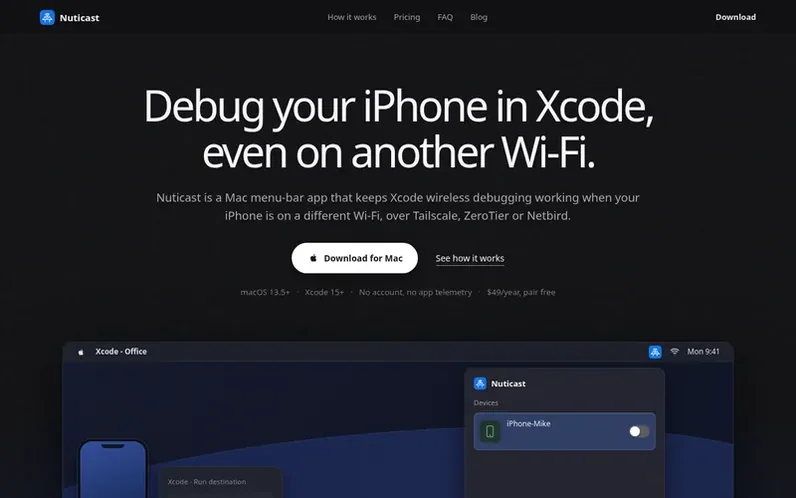
A look at nuticast.com
Nuticast is a Mac menu-bar app that enables Xcode wireless debugging for iPhones on different Wi-Fi networks. It bridges the gap created by Apple's built-in wireless debugging, which only works on the same local network by relying on Bonjour/mDNS discovery.
The app works over mesh VPNs including Tailscale, ZeroTier, and Netbird, or any other mesh VPN via Manual IP entry. Users pair their iPhone once while on the same network, link it to its mesh VPN device, and then start the bridge when the phone joins a different Wi-Fi. Xcode then treats the remote device as local for building, installing, and debugging.
Nuticast requires no account, no cloud relay, and no telemetry. The iPhone must stay on Wi-Fi (cellular does not work), and bridges restart automatically when the Mac's network changes. Pair and discovery are free; bridging requires a license.
Feature notes
- Keeps Xcode wireless debugging working when iPhone is on a different Wi-Fi network
- Works over Tailscale, ZeroTier, Netbird, or any mesh VPN via Manual IP
- Auto-discovers devices from Tailscale and Netbird CLIs
- Bridges restart automatically when Mac changes network
- No account, no cloud relay, no telemetry
Pricing
Pricing model: Paid
Personal: $49 per year. Team: $80 per seat per year. Pair free; 14-day refund.
Compare and explore
FAQ
- What is Xcode remote debugging?
- Xcode remote debugging is debugging a physical iPhone from Xcode when the phone is not on the Mac's Wi-Fi. Apple's built-in wireless debugging only works on the same local network through Bonjour/mDNS discovery. Nuticast bridges this gap over a mesh VPN (Tailscale, ZeroTier, or Netbird) so Xcode can find and debug the iPhone on a different Wi-Fi from home or another office. Cellular does not work.
- Which macOS, Xcode, and iOS versions does Nuticast support?
- Nuticast requires macOS 13.5 or later with Xcode 15 or later, and an iPhone on iOS 17 or later. This floor comes from Apple's CoreDevice wireless debugging stack, which arrived with Xcode 15 and iOS 17. It works with current releases including Xcode 27 and macOS 26 Tahoe.
- Which mesh VPNs does Nuticast support?
- Nuticast has dedicated support for Tailscale, ZeroTier, and Netbird, plus a Manual IP option that works with any other mesh VPN. Whichever you use must already be installed and signed in on both your Mac and iPhone on the same network.
- Does the iPhone need to be on Wi-Fi?
- Yes, the iPhone must stay on a Wi-Fi network for the bridge to work—a different Wi-Fi from the Mac is the point. Cellular does not work because Apple's wireless debugging and the mesh-VPN path do not run over cellular the way they do on Wi-Fi.
- Is there a student discount?
- Yes, enrolled students get 50% off the first year of the Personal plan. Students can enter their university email on the student program page and receive a single-use promo code. The renewal is at the regular price.
Leave a review for Nuticast
No reviews of Nuticast yet. Run the first inspection.
Reviews are free and are never paid for. Open the reviews
Reviews and notes · Change log · Share the profile · Maker of this product? Claim the profile · Report a fault
Nuticast has a free listing. The owner can unlock the full profile with a paid launch for $5:
- Founder story (locked)
- Milestones (locked)
- Demo video (locked)
- Dofollow website link (locked)
Comparable tools
- AnalogDR 70 · 0 community votes
- PHP Upgrade Risk AuditDR 2 · 0 community votes
- OnyxDR 2 · 0 community votes
- graftforkDR 0 · 0 community votes