Privacy tools
Milkglass
Private photos, videos, and files in encrypted Drawers opened by pattern
An iOS and iPadOS app that stores photos, videos, and files in encrypted Drawers, each opened by a unique pattern, with no account or server required.
Overview
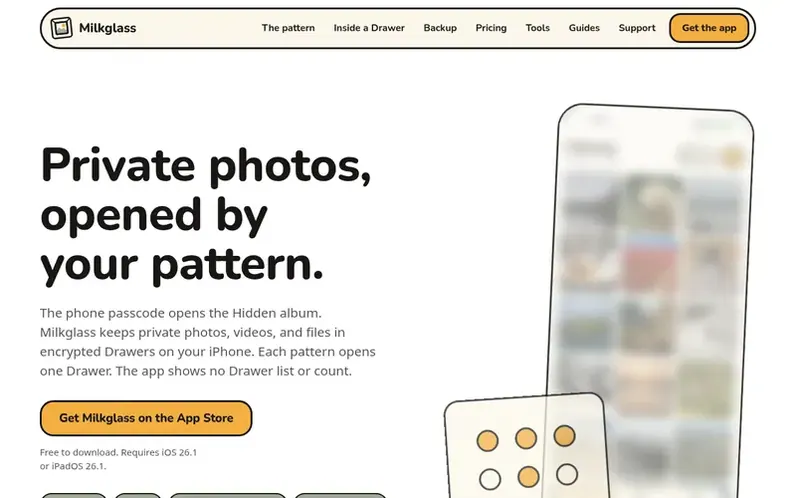
A look at milkglass.app
Milkglass is a privacy-focused app for iPhone and iPad that lets you store photos, videos, and files in encrypted Drawers. Each Drawer is opened by drawing a unique pattern on a grid of nine dots, and contains its own encryption key. You can create as many Drawers as you want, and the app shows no list or count of them.
Content is encrypted on your device and backed up to iCloud by default. You can import from Photos without deleting originals, take photos directly into a Drawer, and store files in folders. The app requires no account, shows no ads, and has no analytics or external server access.
Milkglass is free to download with a limit of 100 photos and 10 videos per Drawer. Pro removes these limits for €14.99 per year (after a 7-day trial) or €29.99 once.
Feature notes
- End-to-end encryption for photos, videos, and files
- Store files in folders alongside photos and videos
- iCloud backup with encrypted storage
- Recovery words for pattern reset
- Import from Photos without deleting originals
- Take photos and videos directly into a Drawer
- Works offline; items open without network connection
- Share individual items from a Drawer
- Light, dark, or white theme options
Pricing
Free: unlimited Drawers with 100 photos and 10 videos per Drawer, unlimited files, iCloud backup. Milkglass Pro: €14.99 a year after 7-day free trial, or €29.99 once for life; unlimited photos and videos.
Compare and explore
FAQ
- How is Milkglass different from the iPhone Hidden album?
- The Hidden album keeps photos inside Apple Photos and is locked by default on current iOS. Milkglass keeps a separate encrypted copy in a Drawer opened by its own pattern, and does not remove the original from Photos.
- What can I keep in a Drawer?
- Photos, videos, PDFs, notes, spreadsheets, audio, and any other file. Milkglass keeps originals at their original quality. Photos and videos go to the Library, and everything else goes to Files in folders you create.
- Can I have more than one Drawer, or a decoy?
- Yes. Each pattern opens its own Drawer, and you can make as many as you want. A decoy is another Drawer with another pattern. The pattern screen looks the same with one Drawer or with five.
- What happens if I forget my pattern?
- Tap Use recovery words on the pattern screen, enter the 8 words of the Drawer, and draw a new pattern. Milkglass shows the words once when you make the Drawer.
- How much does Milkglass cost?
- Free: any number of Drawers, 100 photos and 10 videos in each, unlimited files, and iCloud backup. Pro removes media limits for €14.99 a year with a 7-day trial, or €29.99 once.
Leave a review for Milkglass
No reviews of Milkglass yet. Run the first inspection.
Reviews are free and are never paid for. Open the reviews
Reviews and notes · Change log · Share the profile · Maker of this product? Claim the profile · Report a fault
Milkglass has a free listing. The owner can unlock the full profile with a paid launch for $5:
- Founder story (locked)
- Milestones (locked)
- Demo video (locked)
- Dofollow website link: not on this free listing (its website link is nofollow)
Comparable tools
- Temp MailDR 63 · 0 community votes
- TrickyBirdDR 32 · 0 community votes
- My Rabbit HatDR 0 · 0 community votes
- AnonyViewDR 14 · 0 community votes