Mac & desktop utilities
MacMetra
Mac menu bar system monitor showing CPU, memory, storage, thermal state and power
A native macOS system monitor that lives in the menu bar, displaying CPU, memory, storage, thermal state and power with a full dashboard accessible with one
Overview
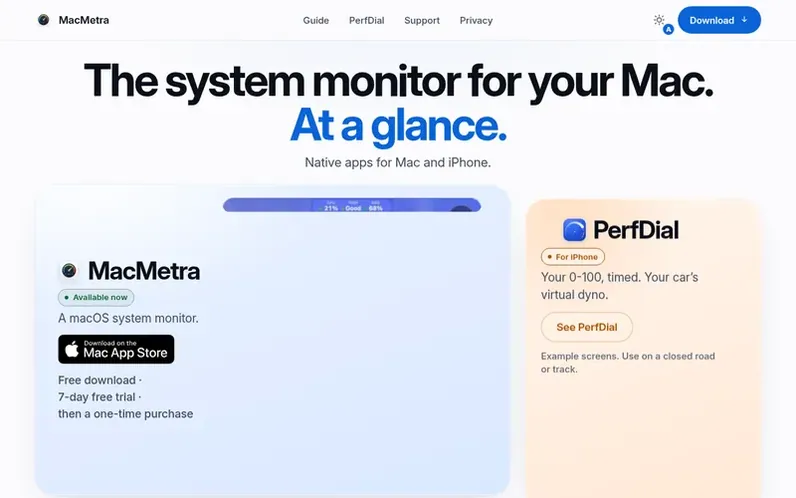
A look at macmetra.app
MacMetra is a native macOS system monitor that runs in the menu bar, providing real-time readings of CPU load, memory usage, storage space, thermal state and power status. The app displays five readings in the menu bar and opens a dashboard with one click for detailed information. MacMetra stays inside the App Sandbox and does not collect any data; all readings stay on your Mac and are deleted as soon as they leave the screen. The app is lightweight and built to do as little as possible, with no helper tools, kernel extensions or background processes.
Feature notes
- CPU load with ring display split into user, system and idle
- Memory usage in gigabytes with memory pressure indicator
- Thermal state monitoring with Good, Fair, High, Max status
- Storage space available on startup disk as figure and bar
- Power status with charge level and time to full charge
- Real-time menu bar updates every second
- Dashboard accessible with one click from menu bar
- Customizable menu bar item order and visibility
- Suspends sampling when displays are asleep
- No data collection or external communication
Pricing
Pricing model: Free trial
Free download with 7-day free trial, then Full Unlock one-time In-App Purchase priced by the App Store in your local currency
Compare and explore
FAQ
- Is MacMetra a subscription?
- No. Unlocking MacMetra is a one-time purchase with no monthly plan, annual plan or recurring billing. The free trial and the unlock are both handled through the App Store as In-App Purchases, with the unlock called Full Unlock.
- What does TEMP mean? Why isn't it a temperature in degrees?
- TEMP shows the four-step thermal state macOS publishes: Good, Fair, High, Max. It is a state, not a temperature, because a sandboxed app cannot read the sensors of the Mac. MacMetra reads no sensors and shows no degrees.
- Does MacMetra slow my Mac down?
- No. It is built to do as little as possible. Periodic sampling stops while your displays are asleep and while nothing that needs measuring is on screen, and hiding the CPU or RAM readout stops that measurement rather than merely hiding it. MacMetra is a single app with no helper tool, kernel extension or background updater.
- How do I uninstall MacMetra?
- Right-click MacMetra in the menu bar and choose Quit, then drag the app to the Trash. There are no helper tools, caches or logs to hunt down. If you want the settings removed too, delete ~/Library/Containers/app.macmetra.MacMetra.
- Where do I get a refund?
- MacMetra is sold on the Mac App Store, so its purchases are handled by Apple. Use reportaproblem.apple.com with the Apple Account that made the purchase. The developer never sees payment details and cannot issue a refund.
Leave a review for MacMetra
No reviews of MacMetra yet. Run the first inspection.
Reviews are free and are never paid for. Open the reviews
Reviews and notes · Change log · Share the profile · Maker of this product? Claim the profile · Report a fault
MacMetra has a free listing. The owner can unlock the full profile with a paid launch for $5:
- Founder story (locked)
- Milestones (locked)
- Demo video (locked)
- Dofollow website link (locked)
Comparable tools
- KakuchiDR 0 · 0 community votes
- Window HintsDR 8 · 0 community votes
- MacZentraDR 2 · 0 community votes
- DiskInsightDR 1 · 0 community votes