Developer Tools
Localdock
Tap a bug on your localhost project from your phone or browser, and your AI agent fixes it
A macOS app that lets you report bugs from your phone or browser by tapping what's broken, then hands them to Claude Code or Codex for fixing.
Overview
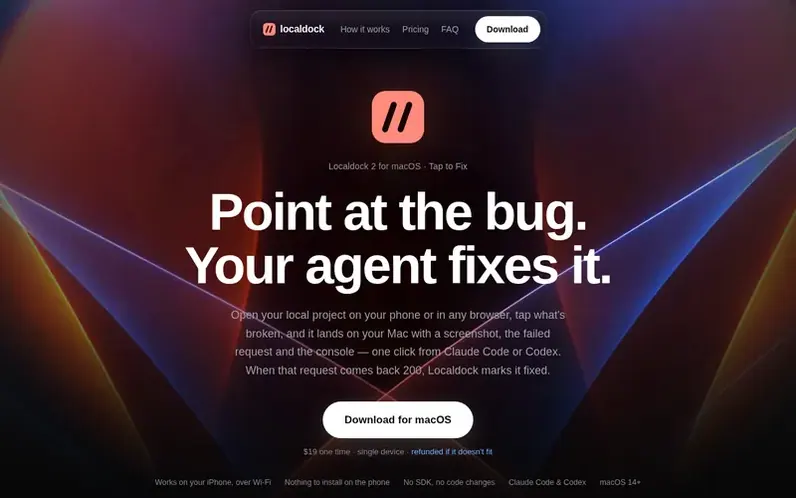
A look at localdock.dev
Localdock is a macOS app for developers that streamlines bug reporting and fixing during local development. Tap to Fix lets you identify bugs on your localhost project from your phone over Wi-Fi or any browser on your Mac, capturing a screenshot, failed requests, and console errors automatically. Reports land on your Mac with one click to hand over to Claude Code or Codex for fixing, and the app marks requests as fixed when they return a 2xx status.
Beyond bug reporting, Localdock gives every dev server a persistent name like dashboard.localhost regardless of which port it's running on. Projects can be shared on your Wi-Fi network so your phone can access them, or published to a temporary public HTTPS link with automatic expiration. The built-in MCP server provides tools for AI agents to manage ports and prevent collisions.
Feature notes
- Tap to Fix bug reporting from phone or browser
- Automatic screenshot, request and console capture
- Hand over to Claude Code or Codex with one click
- Persistent project names regardless of port
- Live console streaming from connected devices
- Wi-Fi project sharing on same network
- Built-in MCP server for AI agent coordination
- Process management and orphaned server cleanup
- Dashboard.localhost addressing without DNS setup
Pricing
Pricing model: Paid
$19 one time for a single device. Licence key emailed upon purchase and is resendable. All Localdock 2 updates included. No monthly plan, no subscription.
Compare and explore
FAQ
- What is Tap to Fix?
- A small bug button on every page of a local project you enable it for. Tap the broken element, say what's wrong in a few words, and the report lands on your Mac with a screenshot, the failed requests, and console errors ready to hand to your coding agent.
- Do I have to add anything to my app?
- No. Localdock adds one script tag to your project's HTML pages as they pass through to the browser; switch it off and the pages are exactly what your server sent. If a page's Content-Security-Policy forbids the script, Localdock leaves that page alone.
- Which coding agents does it work with?
- Claude Code and Codex. Hand over writes the report into the project's .localdock folder as a task and starts your agent in Terminal or iTerm. A built-in MCP server with list_ports, get_free_port, and cleanup tools works with any MCP client including Cursor.
- What's in a report and where does it go?
- A picture of the page with your element marked, the requests that failed, recent console lines, and your note—no cookies, form values, or passwords. Reports stay on your Mac for 30 days and never reach Localdock's servers; they go to your chosen agent only when you press Hand over.
- How does my phone open a project running on my Mac?
- Share the project on your Wi-Fi and it answers at dashboard.local on any device on the same network. Click the QR button in the menu bar and point your camera. For someone not on your network, switch to a temporary HTTPS link that expires after an hour.
Leave a review for Localdock
No reviews of Localdock yet. Run the first inspection.
Reviews are free and are never paid for. Open the reviews
Reviews and notes · Change log · Share the profile · Maker of this product? Claim the profile · Report a fault
Localdock has a free listing. The owner can unlock the full profile with a paid launch for $5:
- Founder story (locked)
- Milestones (locked)
- Demo video (locked)
- Dofollow website link (locked)
Comparable tools
- AnalogDR 70 · 0 community votes
- PHP Upgrade Risk AuditDR 2 · 0 community votes
- OnyxDR 2 · 0 community votes
- graftforkDR 0 · 0 community votes