Knowledge bases
LLM Wiki
A personal, compounding wiki that Claude builds and maintains from your documents
LLM Wiki Tools turns your documents into a living, cross-referenced wiki that Claude builds and maintains for you using the Model Context Protocol.
Overview
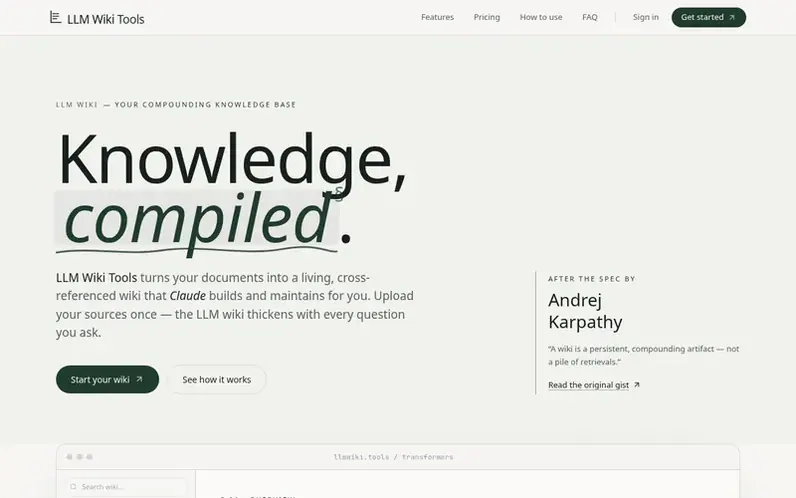
A look at llmwiki.tools
LLM Wiki is a knowledge base platform that transforms your documents into a persistent, structured wiki that Claude builds and maintains on your behalf. Upload PDFs, office documents, articles, or notes once, and the wiki compounds with every question you ask. Unlike traditional retrieval-augmented generation systems that forget after each query, LLM Wiki creates durable artifact layers including entity pages, concept pages, cross-references, and contradiction flagging.
The platform operates through three clearly separated layers: raw sources (immutable PDFs and documents), the LLM-authored wiki (markdown summaries and entity pages with citations), and MCP tools that let Claude orchestrate the entire system. Every claim in the wiki keeps its paper trail, linking back to exact page ranges and passages in the original sources. Claude can search, read, write, and lint your vault through the Model Context Protocol, turning conversation into authorship.
All plans include full OCR for scanned papers, full-text and semantic search, and a personal wiki endpoint for Claude, Cursor, and other MCP clients. Your documents are never used to train models—they're stored in your account and served only to your own conversations and authorized MCP clients.
Feature notes
- Multiple isolated knowledge bases per account
- Capacity-based pricing with no monthly quota resets
Pricing
Pricing model: Freemium
Free plan with generous capacity included. Pro plan at $15/month with 3,000 pages and 10 knowledge bases. Max plan available at higher tier. All plans include full OCR, semantic search, and MCP endpoint.
Compare and explore
FAQ
- What is an LLM Wiki?
- An LLM Wiki is a personal, compounding knowledge base that a large language model builds and maintains on your behalf. You curate the sources and ask questions; the LLM reads, synthesizes, writes entity and concept pages, and keeps cross-references current. Unlike RAG over raw chunks, the wiki is a persistent, structured artifact so knowledge accrues instead of being re-derived every query.
- How is this different from RAG or ChatGPT with file upload?
- RAG retrieves fragments on each query and forgets them after the turn. ChatGPT with files holds context for a single session. An LLM Wiki is different because the LLM writes a durable layer of summaries, concept pages, and contradictions that survives across sessions and compounds, so your second question benefits from the synthesis done for your first.
- Which LLM does LLM Wiki use?
- LLM Wiki connects to Claude through the Model Context Protocol (MCP). You use Claude.ai as the interface; the MCP server gives Claude typed tools to search, read, write, and delete inside your vault. Your conversations happen in Claude; your LLM wiki lives with LLM Wiki Tools.
- What kinds of documents can I upload?
- PDFs with OCR for scanned papers, Word documents, PowerPoint decks, Markdown, plain text, and web articles. Office formats are converted in an isolated sandbox. You can always open the original in a built-in viewer alongside the wiki page it informed.
- Is my data used to train models?
- No. Your sources and wiki pages are stored in your account and used only to serve your own conversations with Claude. Claude.ai follows its own data handling policies for the messages you send it.
Leave a review for LLM Wiki
No reviews of LLM Wiki yet. Run the first inspection.
Reviews are free and are never paid for. Open the reviews
Reviews and notes · Change log · Share the profile · Maker of this product? Claim the profile · Report a fault
LLM Wiki has a free listing. The owner can unlock the full profile with a paid launch for $5:
- Founder story (locked)
- Milestones (locked)
- Demo video (locked)
- Dofollow website link (locked)